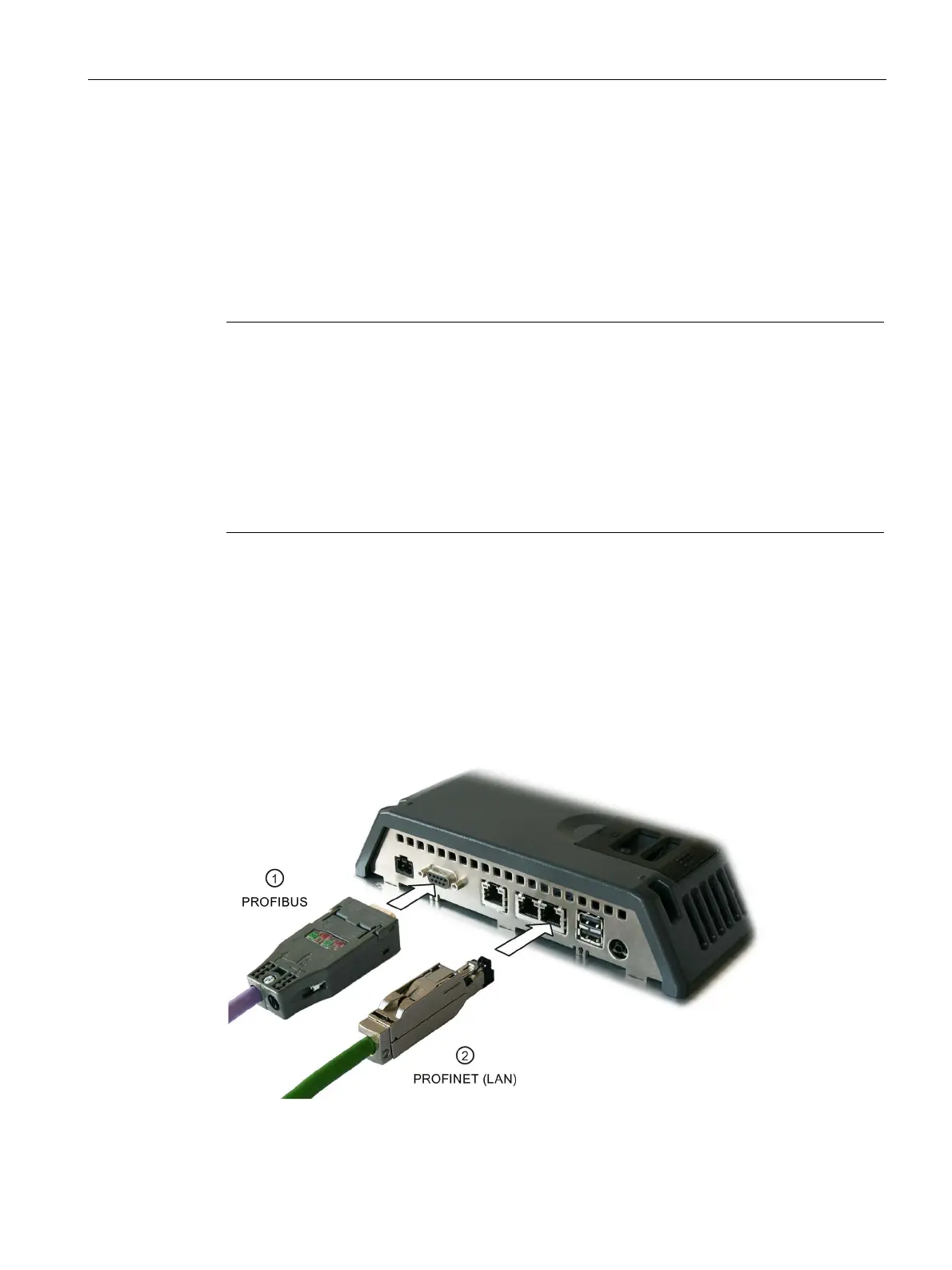
Mounting and connecting the device
3.3 Connecting the device
Comfort Panels
Operating Instructions, 08/2018, A5E36770603-AC
53
Note
Use approved cables only
If you do not use approved cables to connect a SIMATIC S7 controller, you may
experience
Use only approved cables to connect a SIMATIC
S7 controller.
Use only straight connectors
Use only straight cables whenever possible to connect a controller. Bent connectors can
cover adjacent interfaces.
For KP700 and TP900 Comfor
t, use only a straight connector at interface X2 PROFIBUS.
Standard cables are available for the connection. Additional information is available on the
Internet at Industry Mall (https://mall.industry.siemens.com
).
Note
PROFINET IO communication
For instructions regarding the installation of PROFINET networks, refer to the "PROFINET
System
Description" manual.
The following applies to devices with displays 7" or larger: The HMI device has an internal
switch. You can set up a ring topology, for example, with the HMI device without an external
switch. Use the X1 interface to set up a ring topology for devices with a 15" display or larger.
Communication with controllers (Page 224)









 To Next Page