Configuring / Programming
9.4 Configuring a BACnet server
PN/BACnet LINK
64 Operating Instructions, 10/2017, A5E39895543-AA
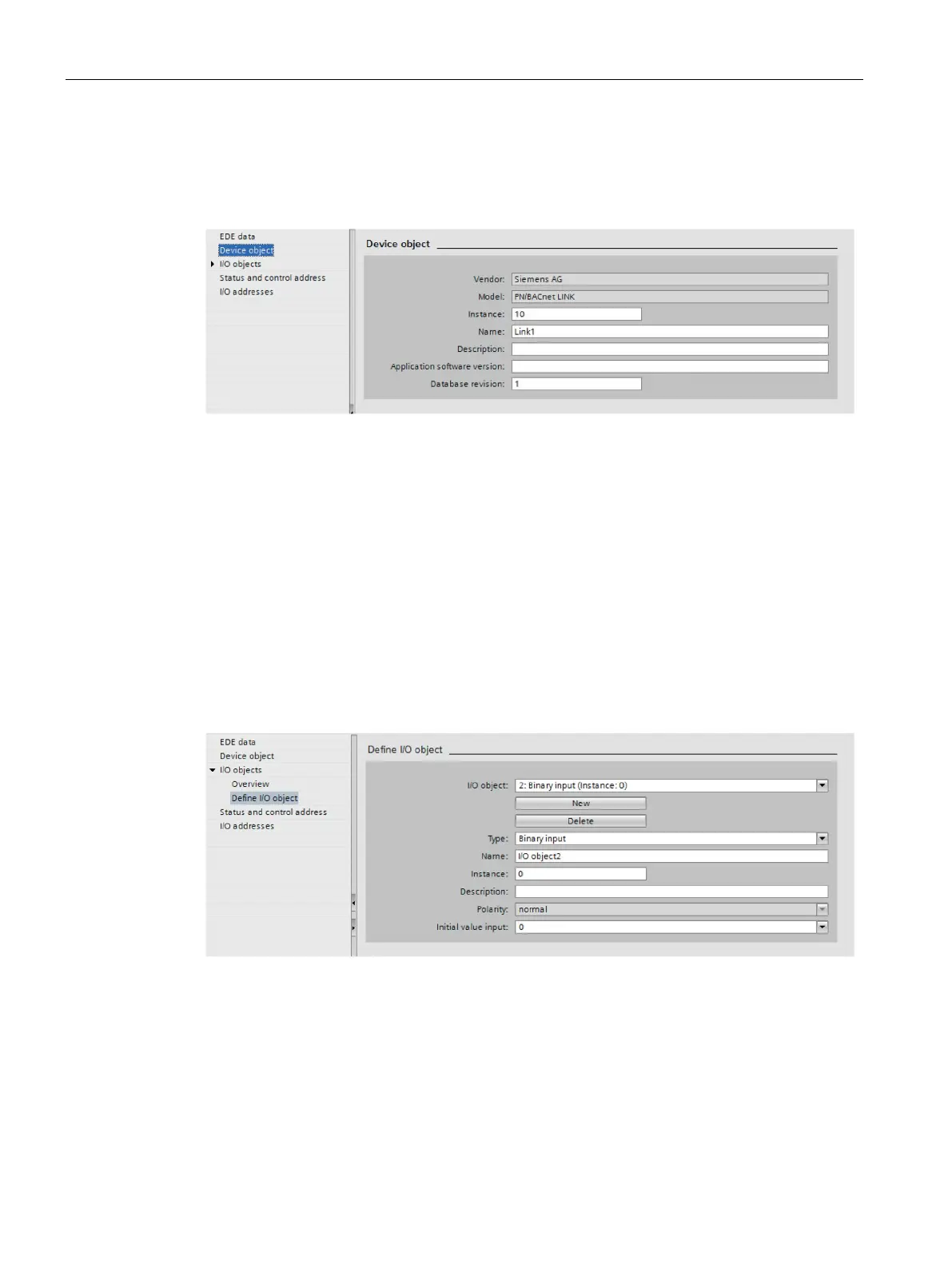
Configuring a device object
The device object represents the PN/BACnet LINK as a device on the BACnet side.
Vendor_Name and Model are fixed and cannot be changed.
Figure 9-4 Device object
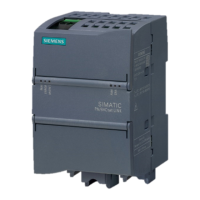
In this dialog, you create new I/O objects, namely BACnet objects and can edit or delete
existing I/O objects.
1. To create a new I/O object, click the "New" button.
2. Select the type of I/O object. Possible options are: Binary input, binary output, analog
input, analog output
3. Define the parameter values for the selected object type. Different parameters are
displayed depending on the selected type of the I/O object.
Define the I/O object - binary input example
Figure 9-5 Binary input










 To Next Page