Commissioning
4.3 Creating a STEP 7 project
Connecting SIMOVERT MASTERDRIVES MC to the Technology-CPU
Product Information, 03/2008, A5E00272072-05
27
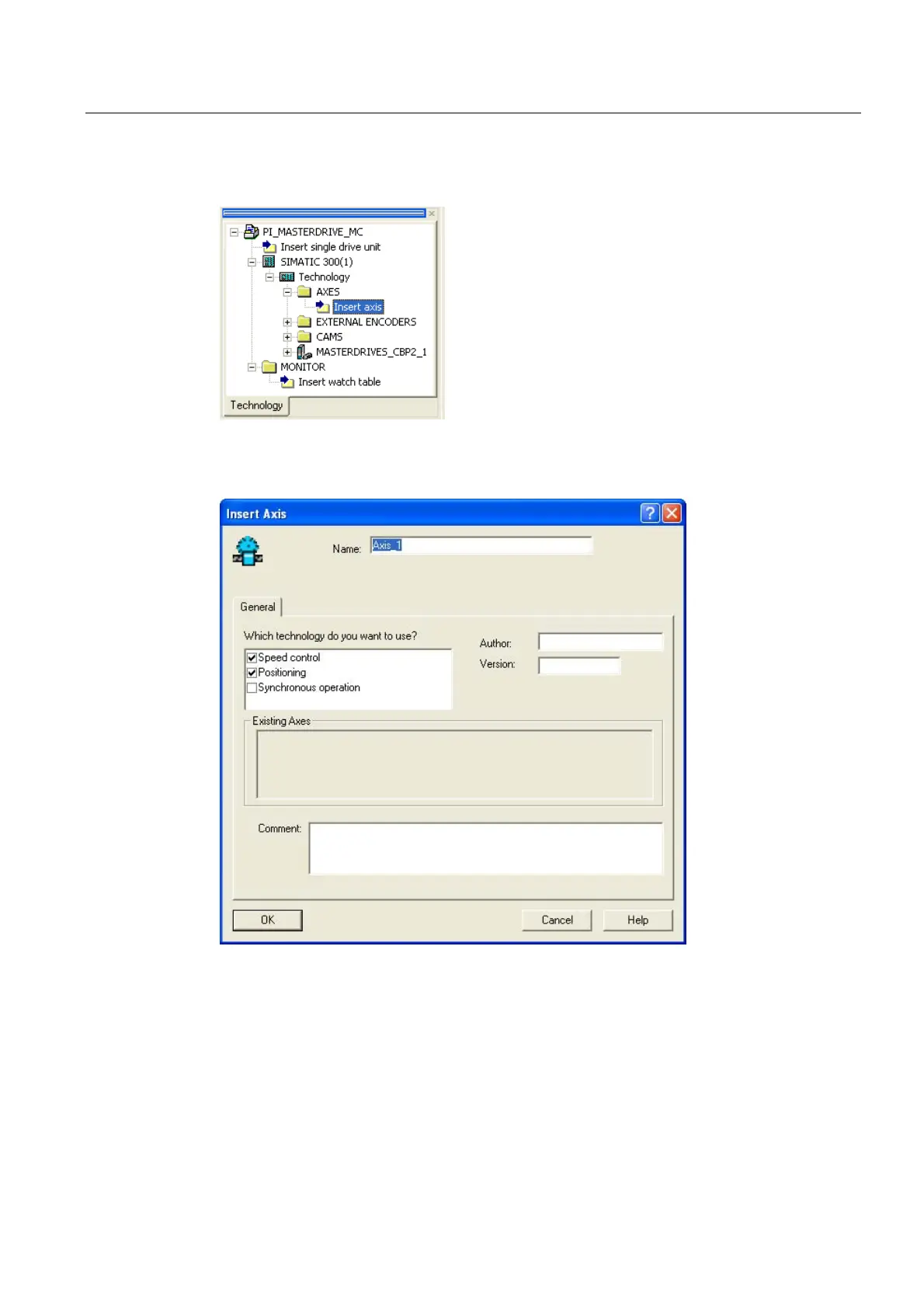
● In S7T Config, open the Axes folder:
Figure 4-13 Inserting an axis
● The following window opens after double clicking on Insert axis :
Figure 4-14 1st window of the axis configuration



 To Next Page
 Loading...