Commissioning
4.5 Connect MASTERDRIVES MC to the Technology-CPU
Connecting SIMOVERT MASTERDRIVES MC to the Technology-CPU
78 Product Information, 03/2008, A5E00272072-05
Procedure
The following section describes the procedure to run the script file "STDTLG5_T4_V21.ssc":
● With Drive Monitor / Drive ES click on the field Execute script file... under the menu item
File, select the script file "STDTLG5_T4_V21.ssc" for standard telegram 5 and open this.
Note
The 6SE70MC converter/inverter may not be in the "Run" state (r001=14).
The possible settings for the sources of the digital outputs for "Parameter > Controlled
start-up > Basic functions" are reset at the next "Execute script file..."!
● You are now guided ONLINE via WINDOWS windows. The script file should first be
started:
Figure 4-49 Starting the script file "STDTLG5_T4_V21.ssc"
● After the start you must accept the liability exclusion clause and acknowledge the
connection of the Motion Control to the Technology CPU for standard telegram 5.
Note
You can stop the execution of the script file at any time using the Cancel button.
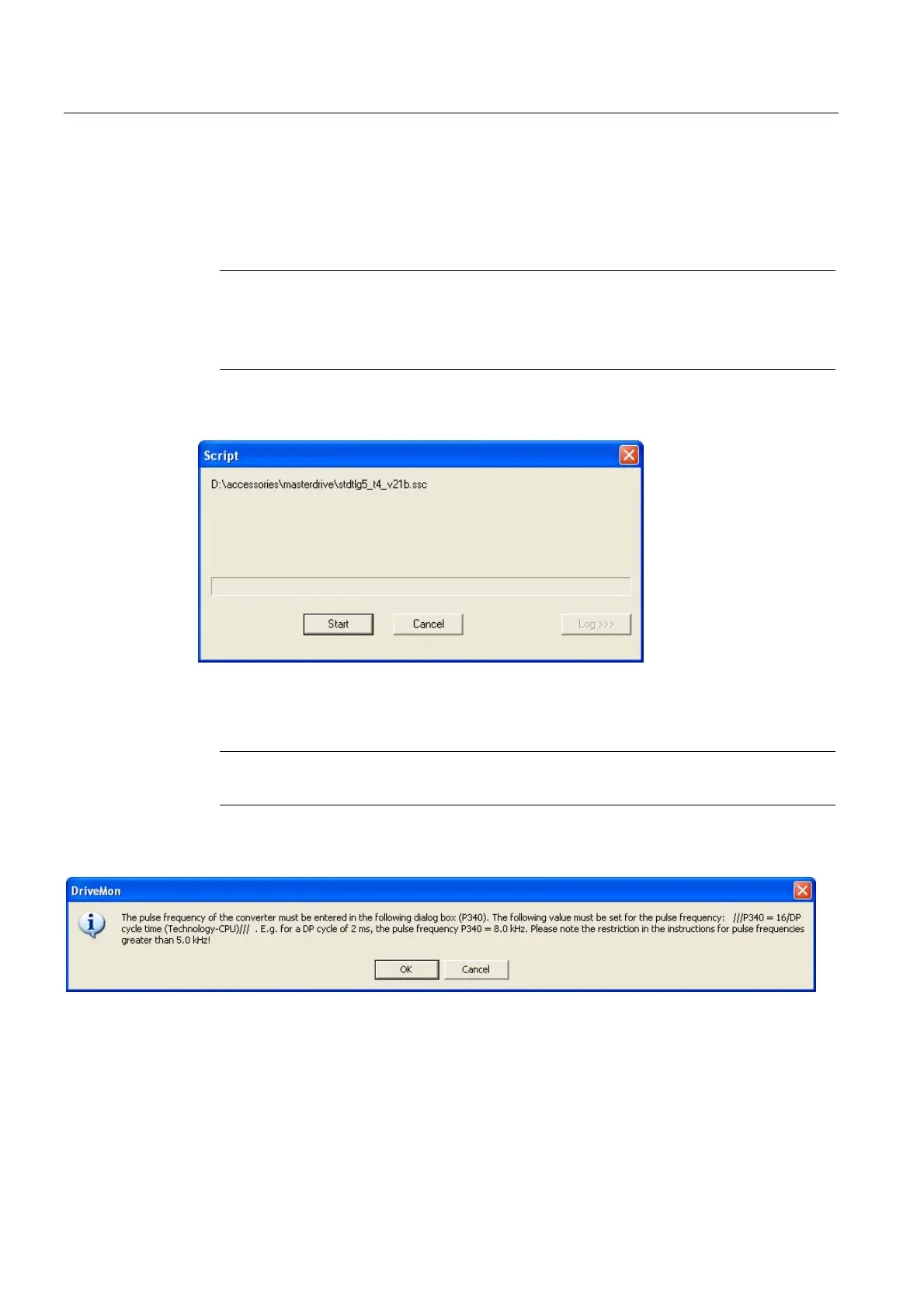
● Carefully read the contents of the message box with the setting information for the
application-dependent parameter P340 (pulse frequency) and acknowledge the message.
Figure 4-50 Message box with setting information for P340



 To Next Page
 Loading...