Commissioning
4.3 Creating a STEP 7 project
Connecting SIMOVERT MASTERDRIVES MC to the Technology-CPU
Product Information, 03/2008, A5E00272072-05
31
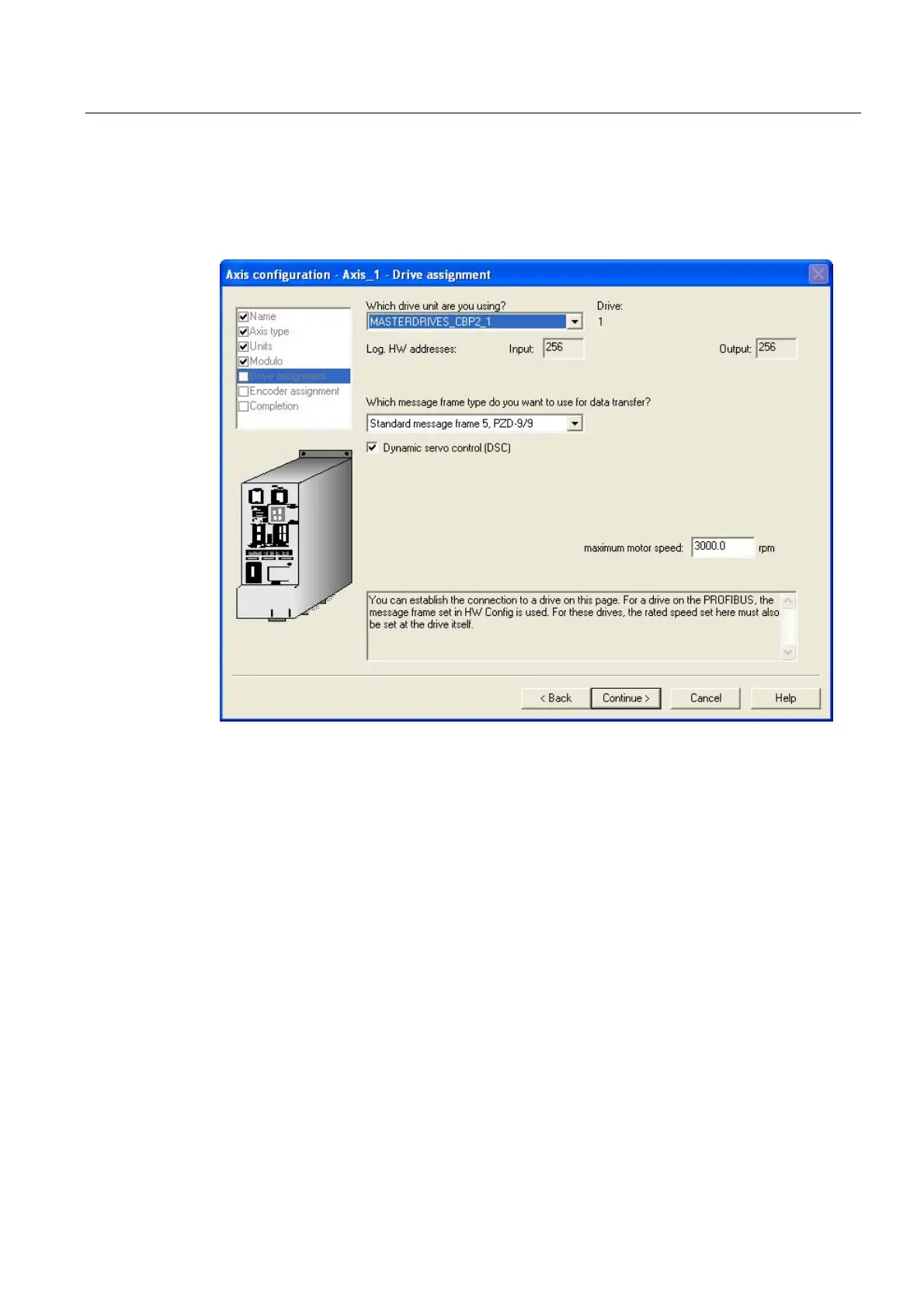
● The hardware configuration is automatically downloaded and in the drive window you can
select the MASTERDRIVES CBP2 parameterized in HW Config. As telegram, enter
Standard message frame 5 . The maximum motor speed in this example is 6000 RPM.
Select the function Dynamic servo control (DSC):
Figure 4-18 5th window of the axis configuration
Specifying the maximum motor speed
The motor speed is set in the Technology CPU and in MASTERDRIVES MC (rated velocity).
Technology CPU
The maximum motor speed corresponds to the rated speed of the motor being used.



 To Next Page
 Loading...