Weighing Functions
SIWAREX FTA
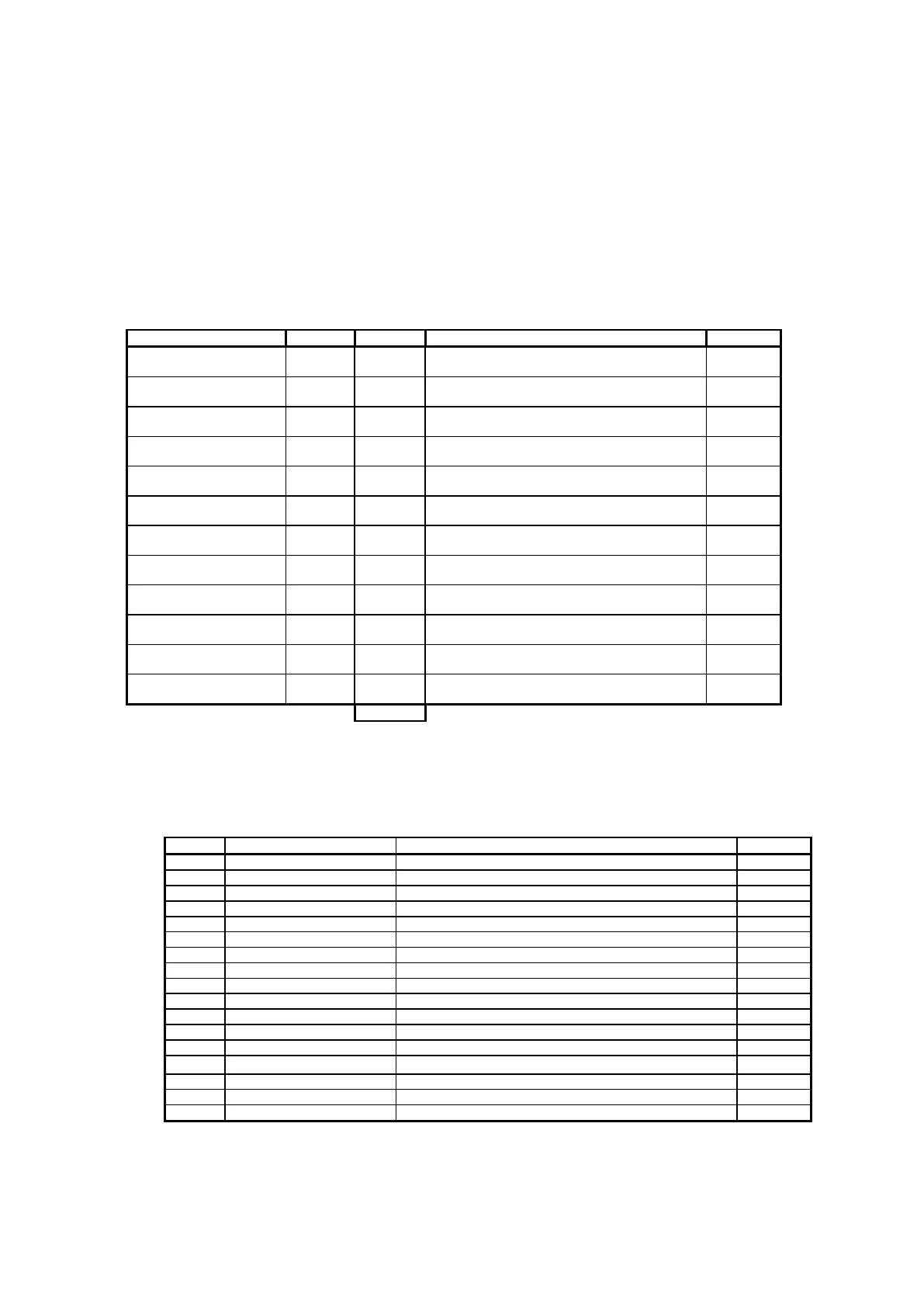
5.19 DR 30 Process values 1 (NAWI, AWI)
The current states and data in the scale can be monitored using process values
1 and 2.
Observing the selected data is very helpful in test operation for optimising
parameters. In addition, if the SIWAREX FTA is controlled by the SIMATIC CPU
then the status can also be observed.
Range of Values / Explanation
32 status displays for NAWI
32 status displays for AWI
Current gross weight (Process value)
Current net weight (Process value)
Current tare weight (Process value)
Current weight (numeral step from DR3)
Current weight (numeral step from DR3)
Current tare weight (numeral step from DR3)
Net weight of the last monitored weighing
procedure (numeral step from DR3)
Current pulse counter value
Current distribution memory 1 value. Format in
STEP7 cannot be read (numeral step from DR3)
Current distribution memory 2 value (numeral
step from DR3)
Table 5-18 DR 30 Allocation
5.19.1 DR 30 - NAWI-Status bits
Range of Values / Explanation
Weight within weighing range 1
Weight within weighing range 2
Weight within weighing range 3
Set if the scale is tared
Set if the scale was tared with tare input
Set if maximum load is exceeded by 9 e
Set if the weight does not exceed ¼ d
Set if the scale waits for a stand-still after the weighing start.
Set if the scale is adjusted (calibrated)
Set if a command could not be executed on a digital input
Set if the weight simulation has been activated
Set if service operation has been activated
The log is being printed.


 To Next Page