Hardware Planning and Assembly
SIWAREX FTA
4.5.13 Connecting the Remote Display by the Siebert company
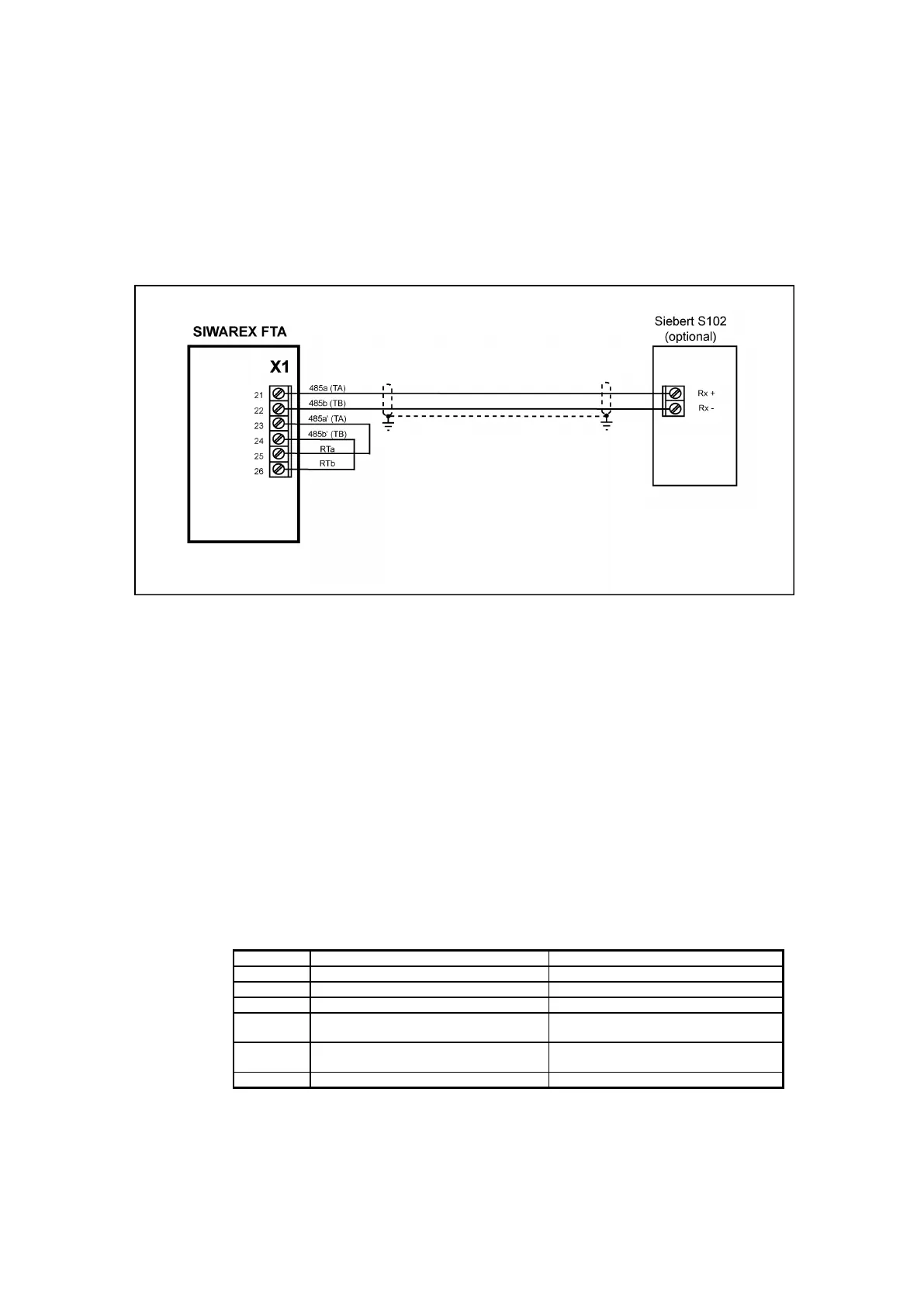
One or more Siebert Type S102 displays can be connected to the RS485 interface.
When connecting a single display, ensure that the RTa and RTb bridges are wired.
When installing the S102 for operation, the same parameters that have been set by
the SIWATOOL FTA for RS 485 are to be defined.
Image 4-16 S102 Display Connection
Connecting an external display is done using the unidirectional Siebert protocol.
This protocol is a purely STX / ETX- ASCII protocol. The data is sent to the display
cyclically, every 200 ms. The protocol is designed for the S11 and S102 Siebert
displays.
Baudrates 1200, 2400, 4800, 9600 and 19200 Bit/sec. can be set. The other
interface parameters can also be configured as follows:
Character parity: even / odd
Number of data bits: 7 / 8
Number of stop bits: 1 / 2
The following weight values are available on the display and can be selected via
address selection on the display. These display values are sent in rotational
sequence (20 ms distance for each value) from the SIWAREX:
not verifiable and there is no possible
differentiation to Preset-Tare pT)
(only if it exists; not verifiable and there
is no possible differentiation to ‘Gross’)
Table 4-11 Address occupation for the S102 display


 To Next Page