Sierra Wireless FX30 User Guide
Rev 4 March 2019 14 41110030
Optional—Mounting in a High Vibration
Environment
If you are mounting the FX30 in a high vibration area, Sierra Wireless strongly
recommends using two nylon cable ties to secure the FX30 on the bracket.
To secure the FX30 on the bracket:
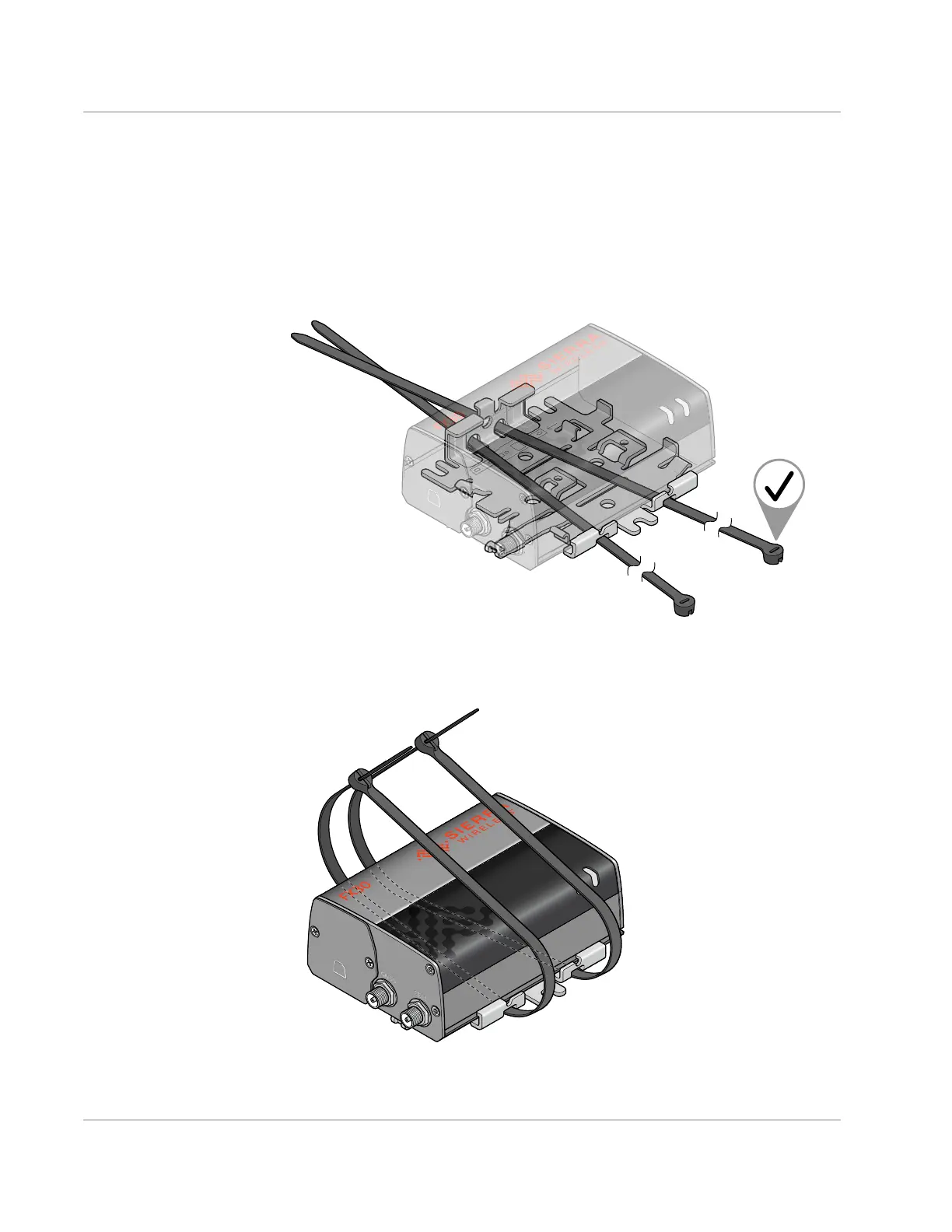
1. Thread the ties into the holes on one side of the bracket and out the holes on
the other side of the bracket, as shown in Figure 2-5 on page 14.
Figure 2-5: Inserting the cable ties
2. Wrap the ties around the FX30 and insert the pointed ends of the ties into the
blunt ends.
Figure 2-6: Inserting the ends of the ties















 To Next Page