Installation and Startup
Rev 4 March 2019 29 41110030
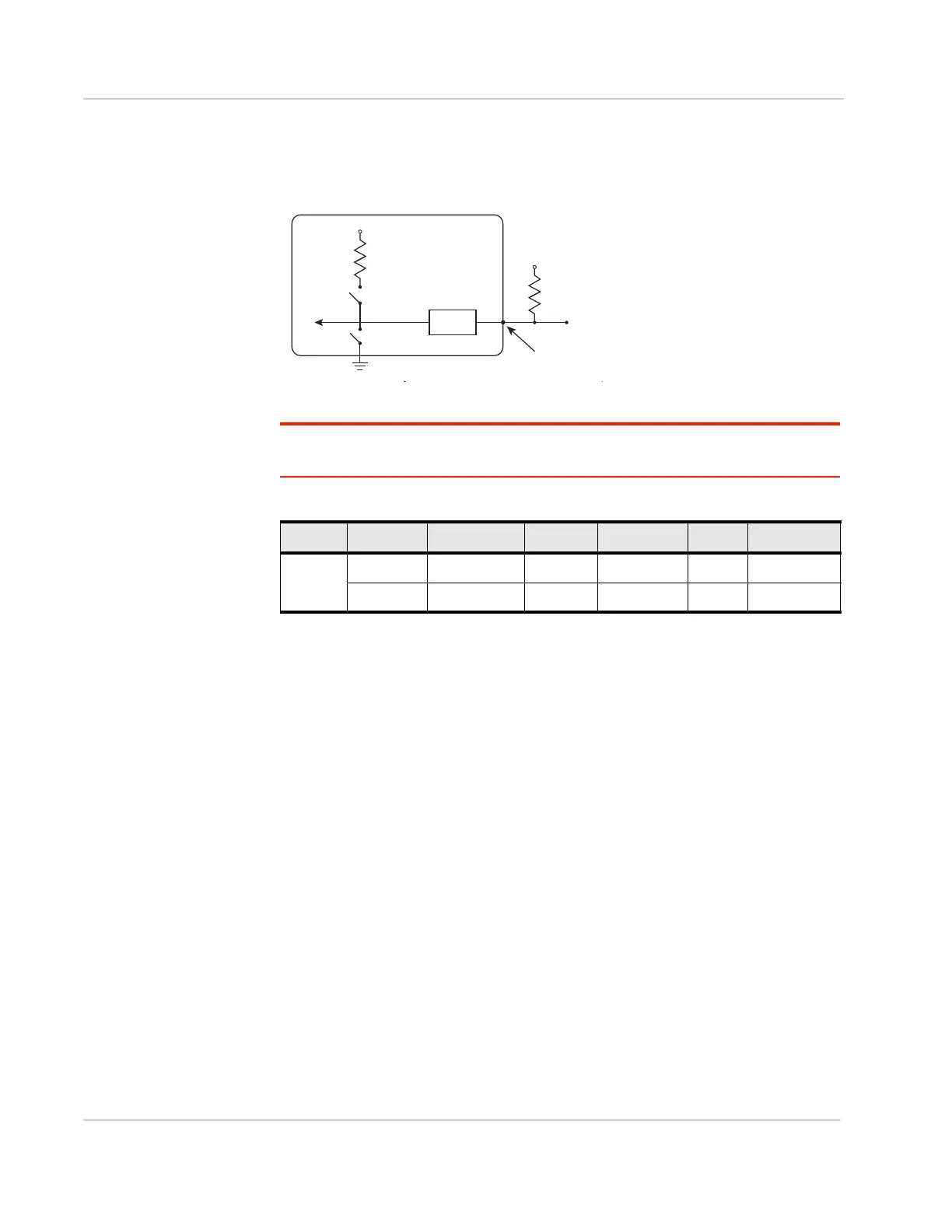
Digital Output/Open Drain
Digital output/open drain is only available using I/O 3 on the power connector.
Figure 2-24: Digital Output/Open Drain
Note: To provide voltage on the digital output, either use the internal pull-up or add an
external pull-up.
Step 6—Check the FX30 Operation
1. On initial power up, the Power LED is red. When the processor boots up, the
LED turns amber (by default). The Power LED can be controlled by Legato
applications.
If the Power LED does not turn on, ensure that the:
· Power connector is plugged in and supplying voltage of 4.75 V or greater.
· On/Off (pin 3) is connected to the battery or power source. (See Step 5—
Connect the Power and I/O on page 21 for details.)
Gateway
Protection
circuitry
V
in
Off
Internal Pull-up
10 kResistor
Vcc
FX30
Internal pull-up
NſUHVLVWRU
Off
3URWHFWLRQ
FLUFXLWU\
VLQ
On/Off
,2RQWKHSRZHU
FRQQHFWRU
VFF
'LJLWDO
Output
External pull-up
Table 2-4: Digital Output / Open Drain
Pull-up State Minimum Typical Maximum Units Comments
Off Off Open Circuit — — — —
Active Low — — 0.5 V 5 mA, 5 V















 To Next Page