Sierra Wireless FX30 User Guide
Rev 4 March 2019 48 41110030
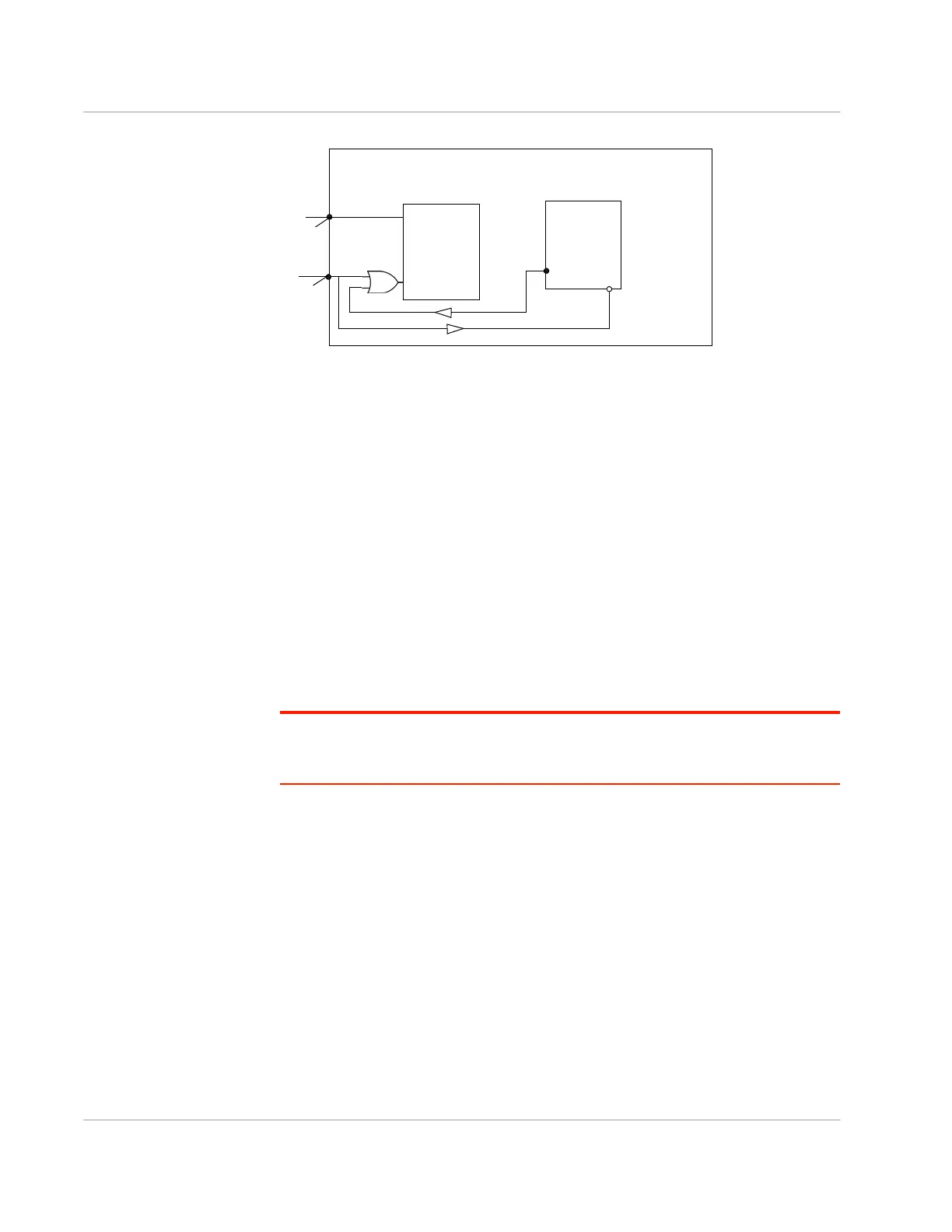
Figure 3-4: FX30 On/Off functionality
Typical wake-up time before network attach is 15 seconds.
Ultra Low Power Mode
In Ultra Low Power Mode (ULPM), the FX30 application processor and WWAN
radio are off.
The low power micro-controller monitors the wakeup triggers which are:
• Timer (The timer wakeup must be configured prior to the gateway entering
ULPM.) You can use the Legato Timer API or the Legato Power Management
tool (pmtool) command to configure wakeup from ULPM.
• Digital Inputs IO 1 and IO 2 (IO wakeup must be configured prior to the
gateway entering ULPM.) You can use the Legato Power API or pmtool
command to configure wakeup from ULPM.
Note: The external digital IO1 and IO2 are connected to GPIO2 and GPIO21 on the WP
module as standard digital inputs and are also routed to GPIO36 and GPIO38 to wake up
from ULPM. See Table D-2 on page 76.
FX30 can be put into ULPM using the “pmtool shutdown” Legato command or the
Ultra Low Power Mode Legato API.
Typical wake-up time before network attach is 15 seconds.
Active Mode
In Active mode the FX30 application processor is running and the modem is
operating in one of the following modes:
• Full function—The application processor is fully functional and the WWAN
radio is on; the GNSS radio can be turned on/off.
• Idle—The application processor is fully functional and the WWAN radio is on.
The module is registered on the network, but there is no active connection;
the GNSS radio can be turned on/off.
Gateway
Internal power circuits
Processor
GPIO24
(monitors Pin 3)
GPIO58
(power hold)
Pin 3
Pin 1
(Power)
(On/Off)
If GPIO24 is low (0), Pin 3 is “On”.
If GPIO24 is high (1), Pin 3 is “Off”.
Enable
Power input















 To Next Page