Installation and Startup
Rev 4 March 2019 31 41110030
Step 7—Use the FX30
You can use the FX30 as:
• A USB modem—You can use the FX30 as a USB bitpipe modem based on
the Qualcomm proprietary RMNET interface. This can be done through AT
commands using AT!SCACT to open and close the data session. For more
information and a detailed example, see Using the FX30 as a USB Modem on
page 62.
• An embedded cellular platform for IoT applications—Use AT commands,
Linux shell commands, or Legato to configure/program. See page 31.
Using the FX30 as an Embedded Platform for
IoT Applications
To configure or program the FX30, you can use:
• AT Commands—see AT Commands Reference on page 65
• Linux Shell Commands—see Setup for Linux Shell Commands on page 32
• Legato Application Framework—Legato Application Framework on page 34
Setup for Windows
The following steps assume you have installed the USB drivers for WP Series
modules, available from http://source.sierrawireless.com/devices/fx-series/FX30/
(in the Software section under Windows drivers).
To set up the FX30 for use with Windows:
1. Power up the FX30 and connect it to a USB port on the computer.
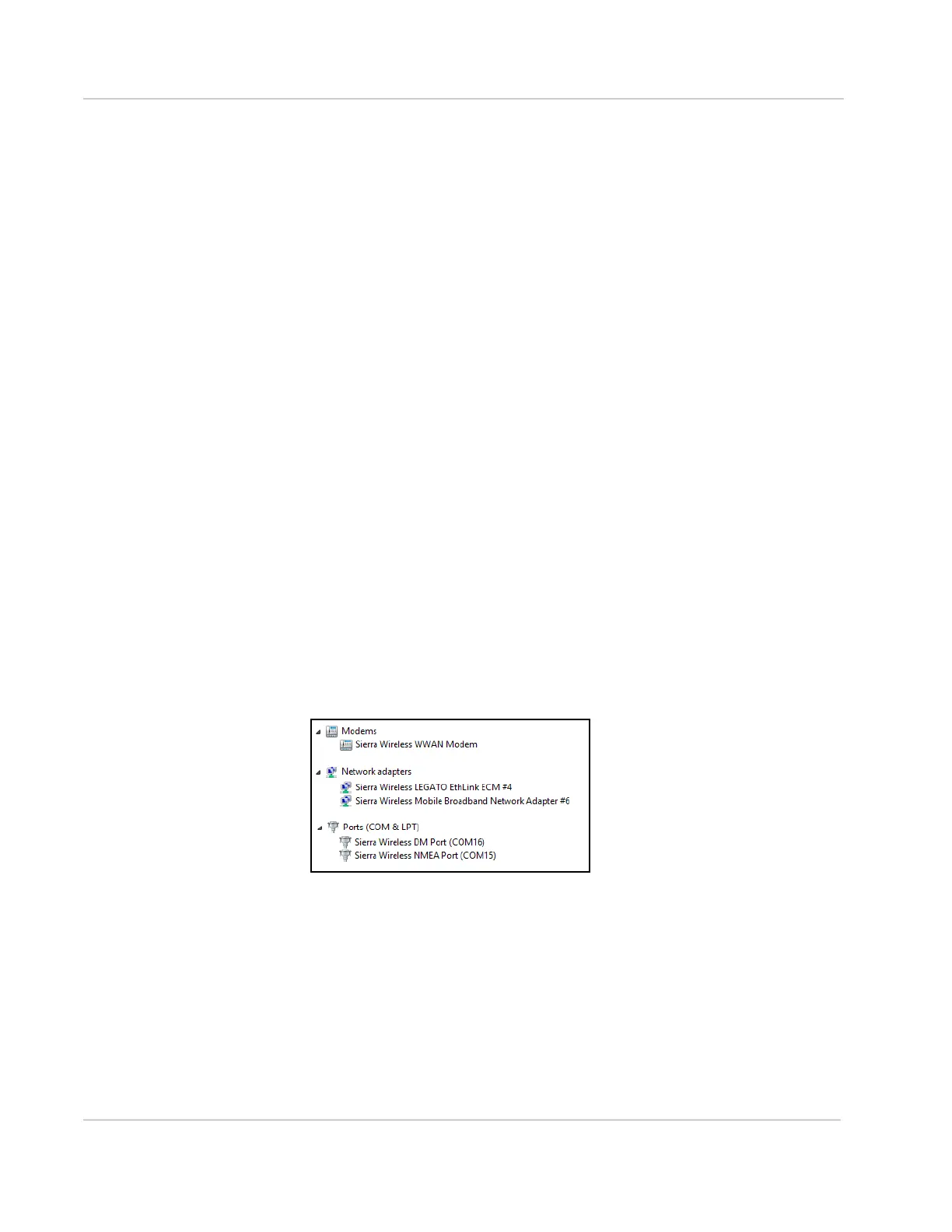
2. The FX30 appears in Windows Device Manager as shown below.
• Under Modems, Sierra Wireless WWAN Modem appears. This is the
COM port for communicating with the modem via AT commands.
· To view the COM port number, right-click the modem name, select
Properties, and then select the Modem tab.
• Sierra Wireless LEGATO Ethlink ECM is the Ethernet network adapter
over USB, which allows you to SSH to the FX30.
• The Sierra Wireless DM Port is a serial port that allows firmware
updates via external tools.
• The Sierra Wireless NMEA Port is a serial port that outputs GPS infor-
mation.
3. Open a terminal emulator program such as Tera Term.















 To Next Page