www.simmonsdrums.net
9
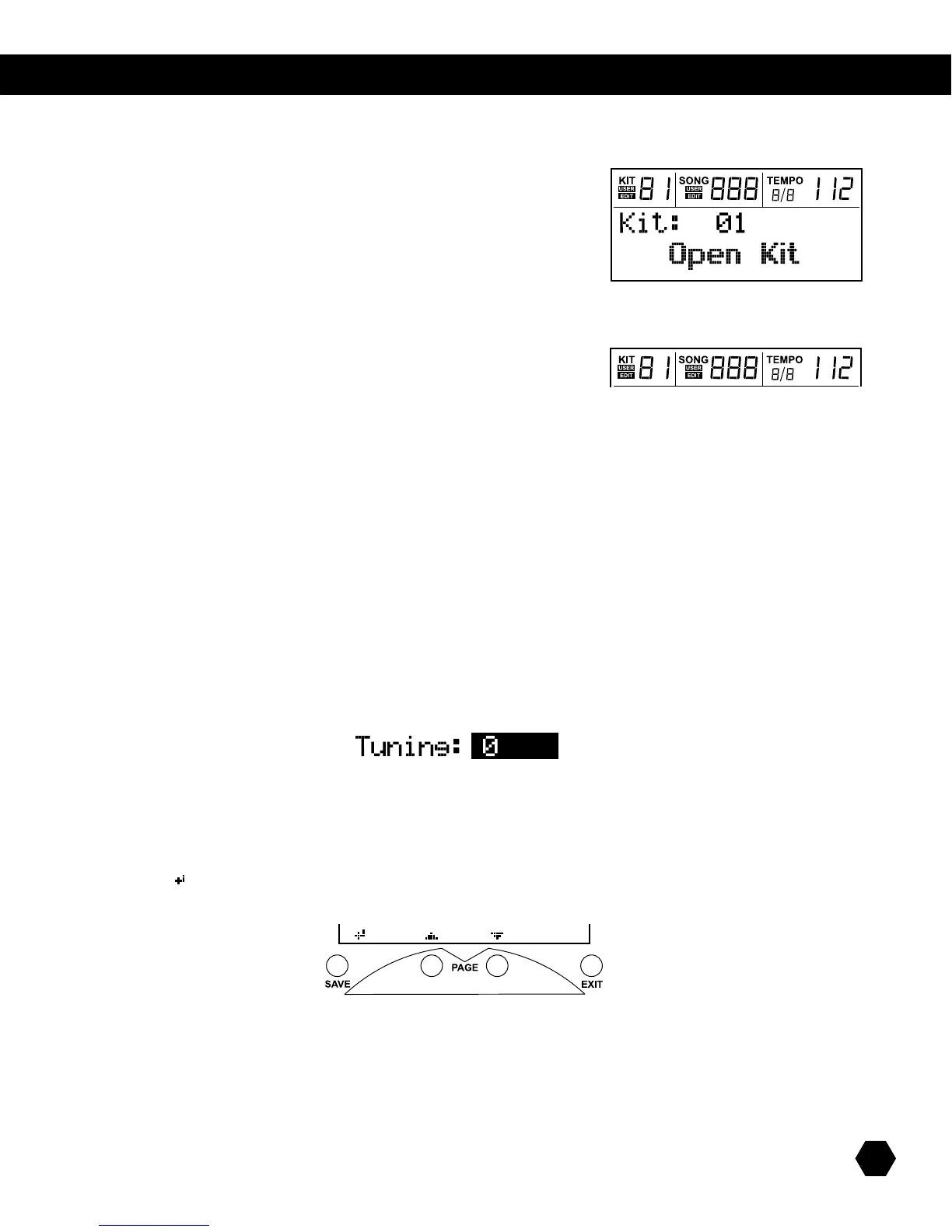
lcd screen
TheLCD(LiquidCrystalDisplay)screenisdividedintotwoareas:
Info Line:
ThetoplineoftheLCDdisplayalwaysshowsthesame
information,regardlessofcurrentmode/menu.
KIT
• Kitnumber:Showscurrentactivekitnumber.
• USERicon:ShowsifthecurrentkitisaUserKit.
• EDITicon:Showsifthecurrentkithasbeeneditedandnotsaved.
SONG
• Songnumber:Showscurrentactivesongnumber.
• USERicon:ShowsifthecurrentsongisaUserSong.
• EDITicon:Showsifthecurrentsonghasbeeneditedandnotsaved.
TEMPO
• Displaysthecurrenttempoandtimesignature.
Main Display:
ThelowerpartoftheLCDisan85x24dotmatrixthatdisplaysvariablesizefontsandicons.
Themainpartofthisdotmatrixisusedtodisplaythecurrentkitorsongname,andallthevariousmenus.
Inallmenus,thecurrentselectedeldishighlighted(inverted,onblackbackground).Forinstance:
ThebottompartofthescreenisforLCDnavigation,inconjunctionwiththe[PAGE] buttons and [EXIT] and [SAVE] buttons that are
locatedjustundertheLCD:
The function of the [PAGE] buttonsisshownbyup/downcursor(orleft/rightcursorwhennaming)iconsabovethosebuttons.
AnEntericon()isdisplayedinthebottomleftcornerwhenthe[SAVE] button is active.



 To Next Page