www.simmonsdrums.net
15
Click
TheSD9Kisequippedwithabuilt-inmetronome,whichcanbeusedbyitselfasarhythmguideforpractice,orinconjunction
withtheSongplayback/recordfunctions.
The metronome is controlled by the [CLICK] button.
Press the [CLICK]buttontostartthemetronome.TheClickindicatorwilllightup.
ThemetronomewillplayatthecurrentTimeSignatureandTempo(displayedinthetoprightcorneroftheLCD),andthebeat
indicatorswillblinkaccordingly.Usethe[CLICK]knobtoadjustthemetronomelevel.Pressthe[CLICK] button again to stop the metro-
nome.TheClickindicatorwillturnoff.
ClickMenu
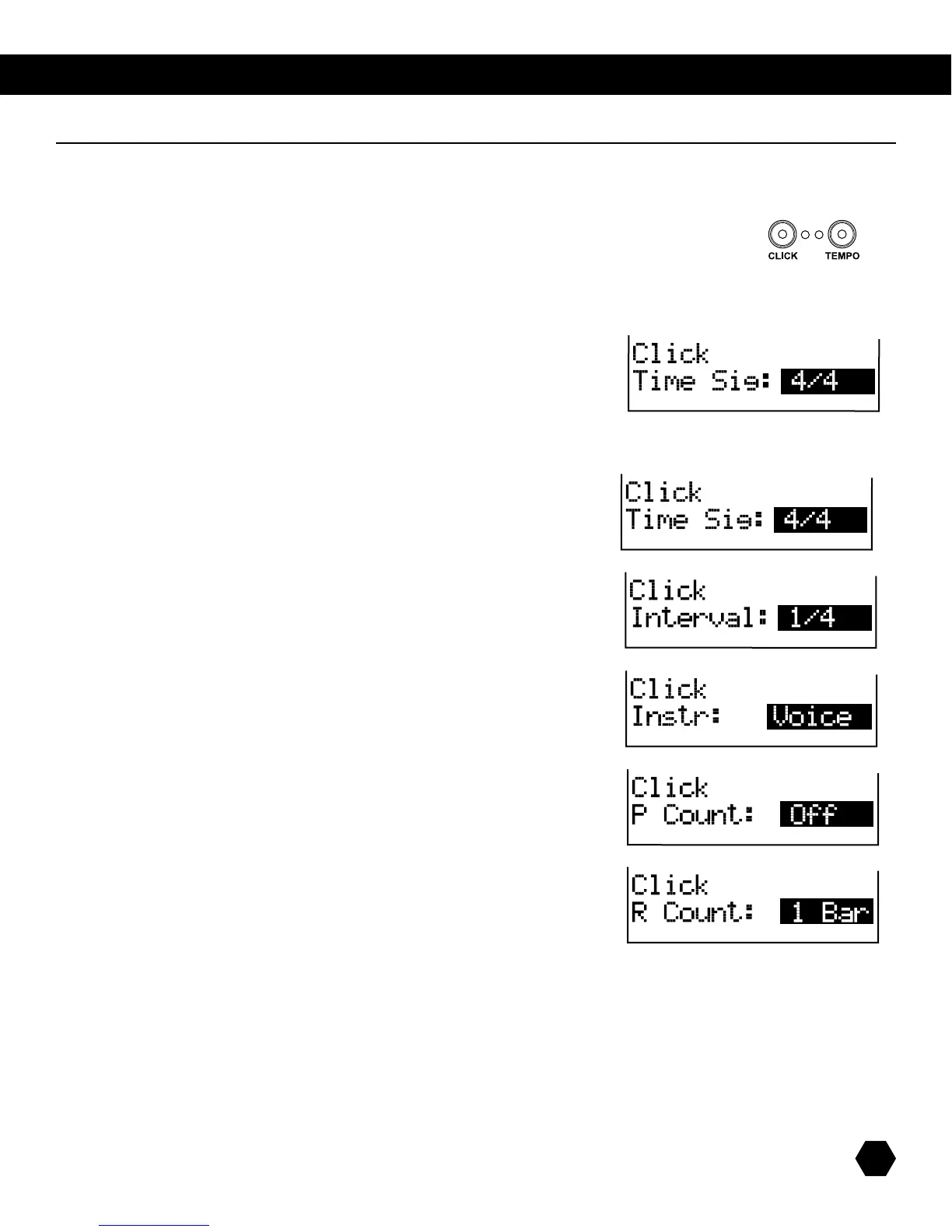
Press and hold the [CLICK]buttonfor3seconds.TheClickmenuwillbedisplayed:
Usethe[PAGE]buttonstoscrollthroughthevariousClickparametersandthedatawheelor[+]/[-]buttonstoadjustthevalue.
The metronome parameters are: Time Signature, Interval, Instrument, Play Count and Record Count.
CLICK TimeSignature
Valuesrangefrom1/2to12/16
Press [PAGE DOWN] to access the next parameter, Interval.
NOTE:Valuesrangefrom1/2to1/16.
Press [PAGE DOWN] to access the next parameter, Instrument.
NOTE: The Instrument starts as metronome sound, with the
optionsVoice,Metro,Claves,Sticks,CowbellorClick.
Press [PAGE DOWN] to access the next parameter, Play Count.
NOTE:Thereisacount-inbeforeplayback.
OptionsareOff,1Bar,or2Bars.
Press [PAGE DOWN] to access the next parameter, Record Count.
NOTE:RecordCountisonlyforRECORDmode.
OptionsareOff,1Bar,or2Bars.
Press [PAGE UP]tomovebacktoanypreviousmenuoption.Pressthe[EXIT]buttontoexittheClickdisplayandreturntotheprevious
menu.
NOTE:IfthemetronomeisrunningwhileinClickmenu,pressingthe[CLICK]buttonwillturnoffthemetronomeandexittheClick
menu at the same time.
NOTE:Pressingthe[KIT], [SONG] or [CARD]buttonalsoexitstheClickmenuandentersthecorrespondingmode.



 To Next Page