www.simmonsdrums.net
37
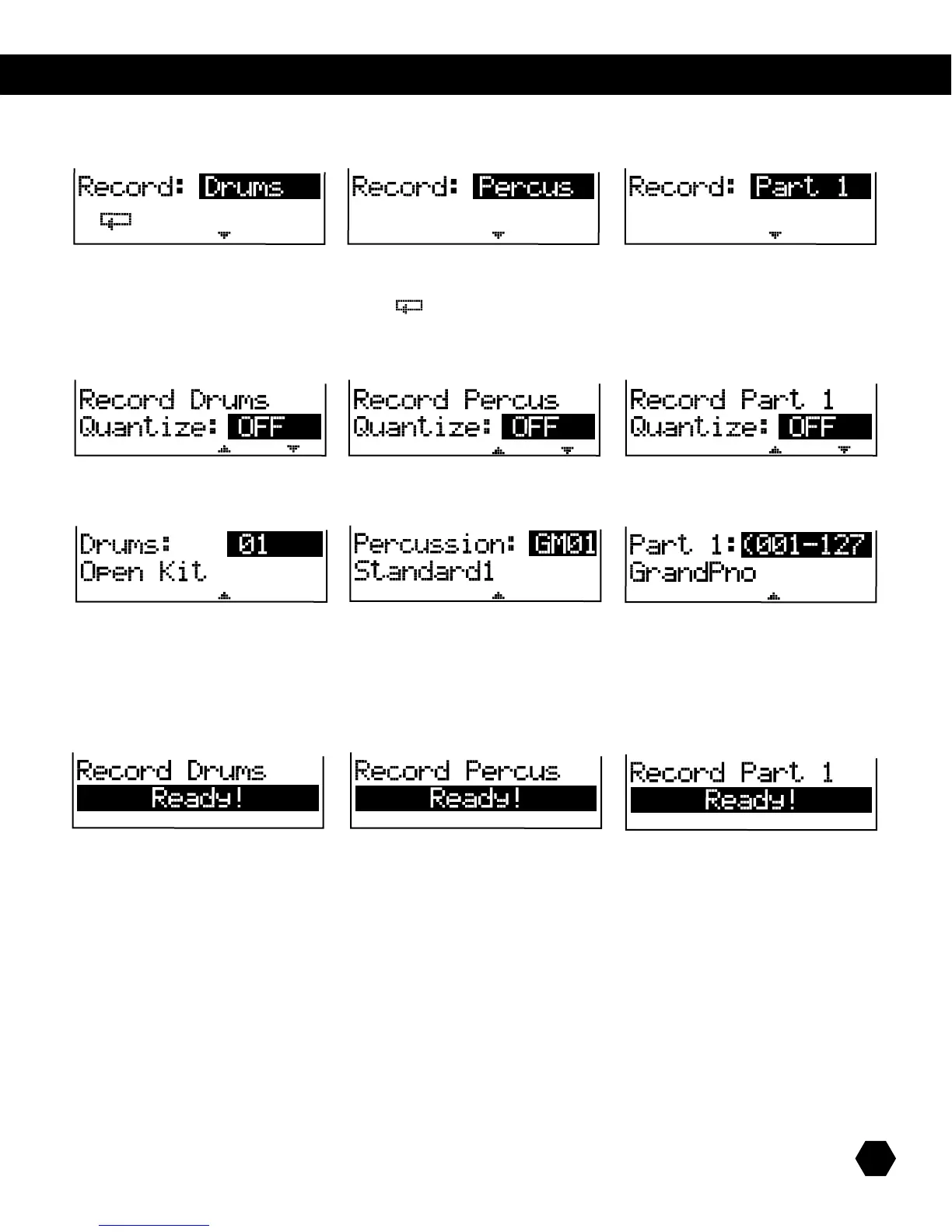
Onceyouhavesavedyournewsong,theRECindicatorwillbelitupandtherstRecordmenupagewillappear,whichallowsyouto
select which part you can record to:
UsetheDatawheelorthe[+]/[-] buttons to select the part.
IconsaredisplayedtoindicateifLOOPmodeisOn()and/orifanyQuantizeisactiveontheselectpart.
Press [PAGE DOWN] ifyouwanttochangetheQuantizeoption.
The options are:
Press [PAGE DOWN] tochooseyourkit. Press[PAGE DOWN] to choose your
internal voice.
Press [PAGE DOWN]ifyouwanttochangetheQuantizeoption.
Press the [RECORD] button to arm recording.
NOTE:Youcanpressthe[RECORD]buttoninanyoftherecordpagesabovetoarmrecordingwithoutchangingtheQuantizeop-
tionorKit/Instrument.
Whenrecordingisarmed,boththePlayandRECORDindicatorsash.TheClickindicatorwilllightup,therstbeatindicatorashes
at the current tempo, and the metronome sounds the first beat.
Youcanstartrecordingeitherbypressingthe[PLAY]buttonorbyplayingthepads/MIDIcontroller.
BothPlayandRECORDindicatorswillturnon(solid),andtheLCDshowsthebar/beatcounter.



 To Next Page