SD9K digital drum kit User manual
14
Similartoanacousticdrumkit,theSD9Krespondsdifferentlytovariousplayingtechniquesanddynamics.
Allthepadsarevelocitysensitive,andsomevoiceschangetimbredependingonthestrikingforce.
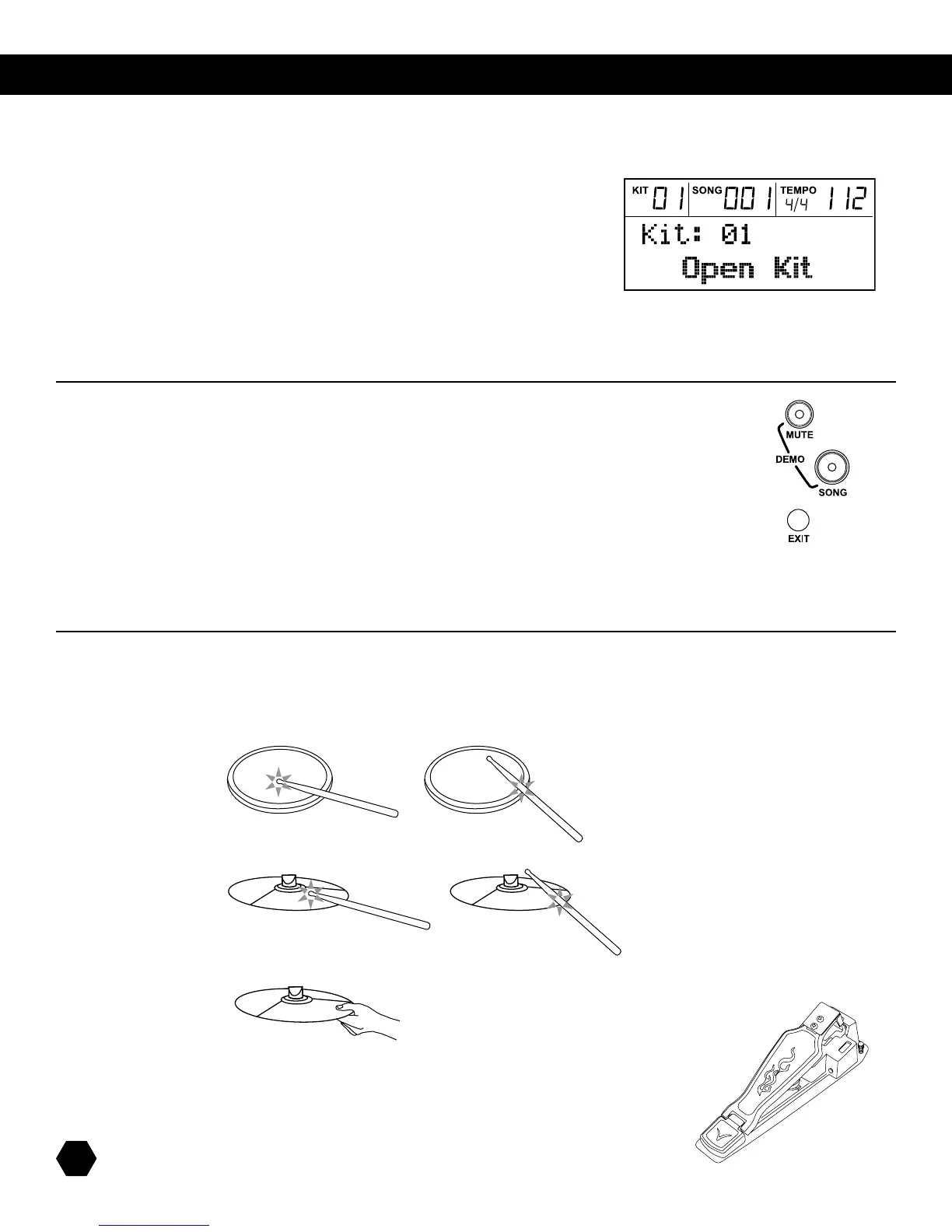
Snare Head or Rim shot
TheSD9Ksnarepaddetectsheadandrimshots(rimshotstriggertheRimvoice).
Cymbal Bow or Edge shots
TheSD9Kcymbalsdetectsbowandedgeshots(edgeshotstriggertheRimvoice).
CymbalChoke
Chokingthecymbal’sedgewiththehandimmediatelyafterhittingthecymbalmutesthecymbalsound.
getting started
Afterpoweringup,theSD9KwillbeinKITmode(KitindicatorON
withtherstKitselected.Thedisplayshouldlooklikethis:
UsetheDatawheelorthe[+] and [–] buttonstoselecttheactiveKit.
PressingthePadSelectbuttonsallowsyoutopreviewthecurrentKit(xedvelocity).
HitthepadstoplaythecurrentKit.
NOTE:HittingthepadsalwaysplaysthecurrentKit,evenwhentheSD9Kis
notinKITmode(thecurrentKitnumberisalwaysshownonthetoplineoftheLCD).
playing the pads
TheHi-HatsoundvariesdependingonthepositionoftheHi-Hatpedal:
• OpenHi-Hat:StriketheHi-Hatpadwithoutpressingthepedal.
• Half-OpenHi-Hat:StriketheHi-Hatpadwiththepedalpressedhalfwaydown.
• ClosedHi-Hat:StriketheHi-Hatpadwiththepedalpressedcompletelydown.
• PedalClose:Pressthepedalcompletelydownwithoutstrikingthepad.
• Splash:Pressthepedalcompletelydownandreleaseitimmediately.
listening to demonstrations
Listening to Demonstrations
TheSD9Kcomeswithtwodemonstrationsongs.
Pressthe[SONG]and[MUTE]buttonssimultaneouslytoenterDEMOmode.Therstdemosongwillstartplay-
ingwhiletheSONGindicatorashes.
UsetheDatawheelor[+]/[-] buttonstoselectDemo1orDemo2.Otherwise,Demo2willautomaticallyplay
afterDemo1.
Demo1(Solo)onlyusesDrumsandPercussionfromvariousPresetKits.
Demo2(Fusion)usesthebuilt-inGeneralMIDIvoicesforthebackinginstruments.
TostopandexitDEMOmode,pressthe[EXIT] button, or the [STOP] button.



 To Next Page