SD9K digital drum kit User manual
32
song mix
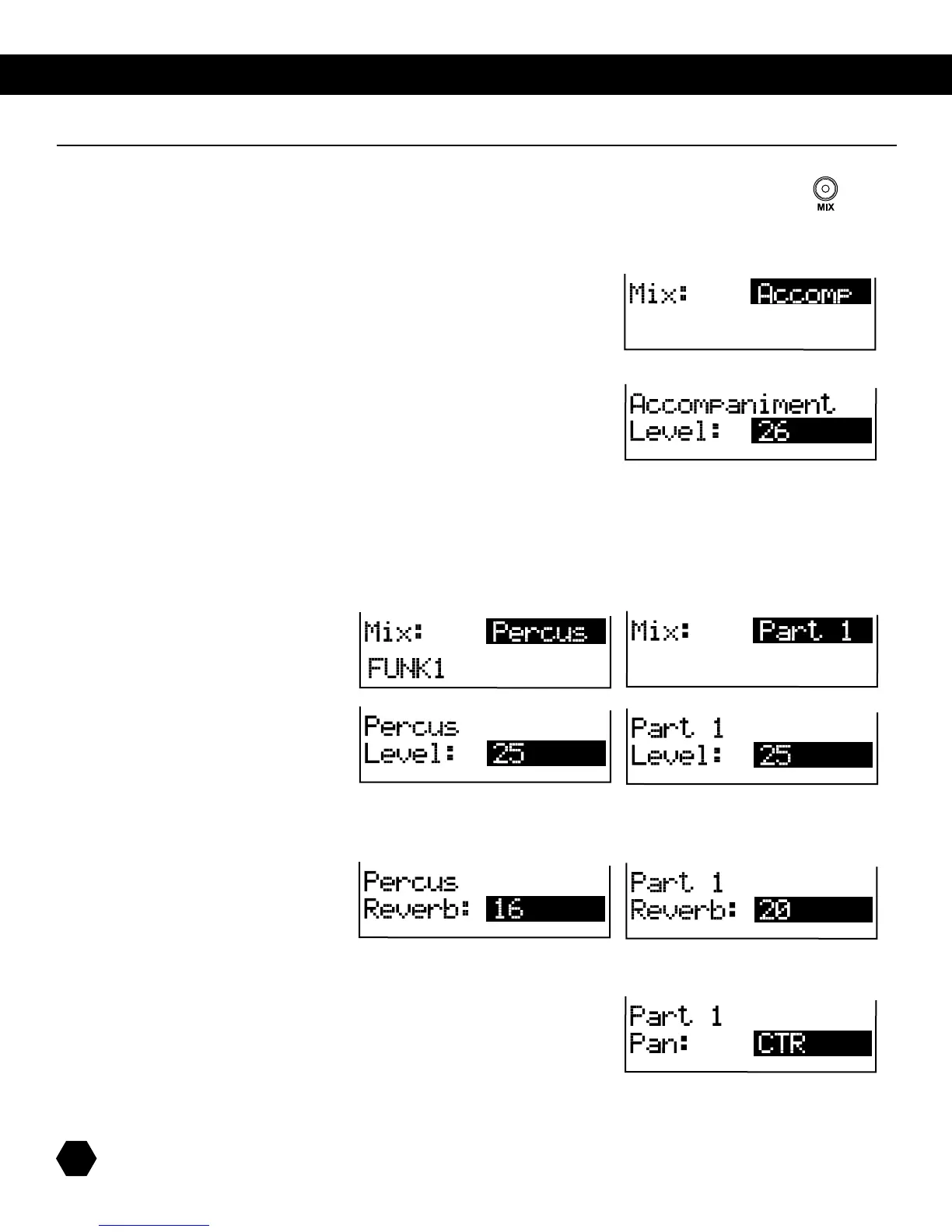
InSONGmode,press[MIX]toentertheSongMixmenus.TheMIXindicatorwilllightup.
TherstpageofSongMixselectstheMixsub-menu:Accomp,Percus,Parts1through5.Aswithanyparameter,
thisselectioncanbemadeusingtheDatawheelorthe[+]/[-]buttons.Alternatively,thissub-menucanalsobe
changed by pressing the [MIX] button repeatedly.
TherstoptionisGlobalAccompanimentLevel.
Press [PAGE DOWN]toenterAccompanimentLevelsub-menu:
This is a global setup parameter that affects all songs. It is automatically saved to Setup memory.
Press [MIX]tore-entertheSongMixmenus.Press[+]/[-] or [MIX] repeatedly to select a part, then press [PAGE DOWN] to
enterthepartMixparameterssub-menu.
Thenextpageallowsyoutoadjustthe
LevelfortheselectedAccompanimentpart:
Press [PAGE DOWN]toaccessthenextparameter.ThenextpageallowsyoutoadjusttheReverblevelfortheselectedpart:
Press [PAGE DOWN]toaccessthenextparameter.ThenextpageallowsyoutoadjustthePanpositionfortheselected
Instrumentpart.NOTE:ThisparameterisnotavailableforthePercussionPart.



 To Next Page