www.simmonsdrums.net
39
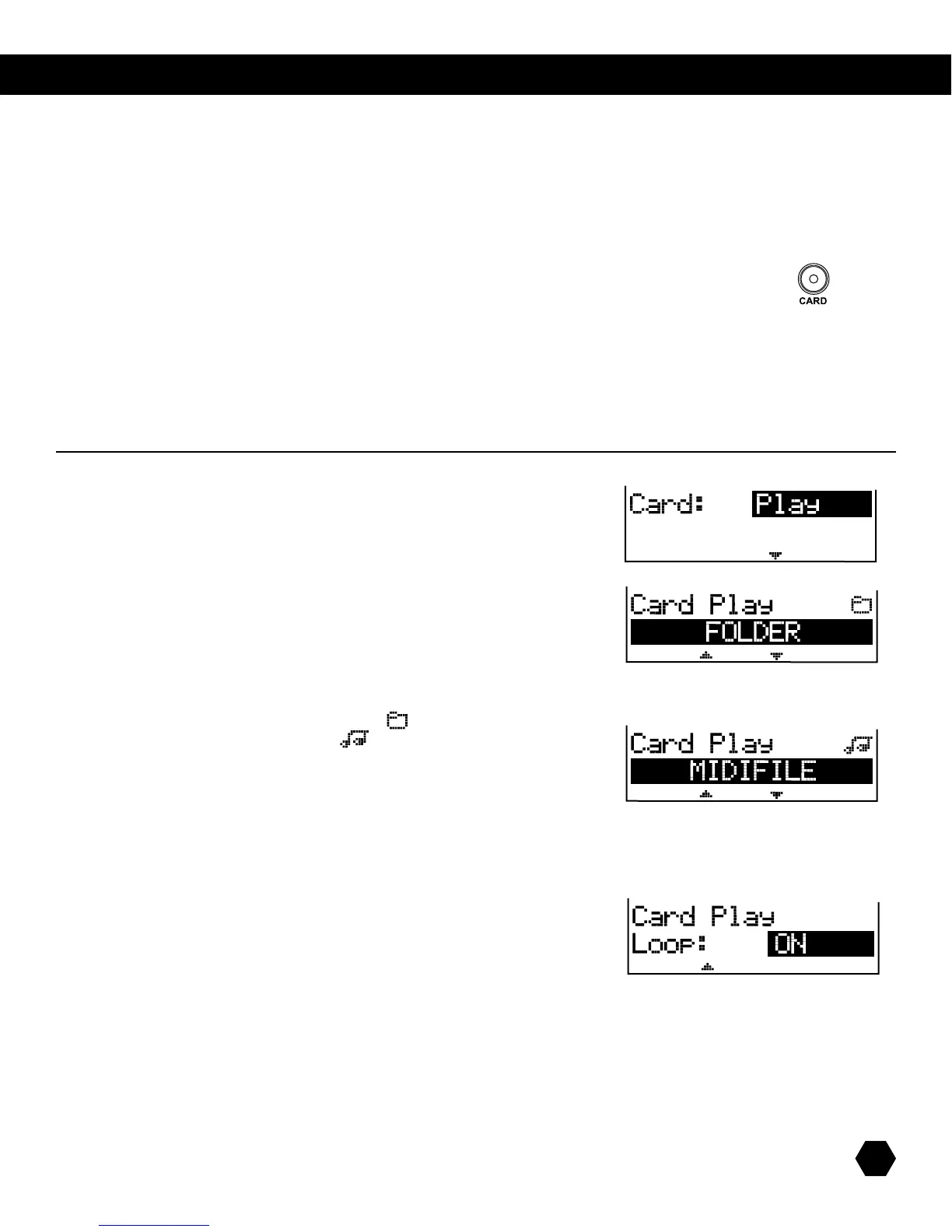
Select Card: Play option:
Press[PAGEDown]toopentherootdirectoryofthecard.
UsetheDatawheelor[+]/[-]buttonstoscrollthroughFoldersandSMFMIDIFiles
(*.mid).
NOTE:FoldersareindicatedbytheFoldericon().
MIDIFilesareindicatedbytheSongicon().
If a folder is selected, press [PAGE DOWN] to open the folder, and scroll through
sub-foldersandMIDIles.[PAGE UP]isusedtogobackonefolder/directorylevel.
OnceaMIDIleisselected,press[PLAY]toplayyourMIDIle,andpress[STOP]
tostopplayback.
NOTE:Whileplaying,ifyouselectanewMIDIle,itwillstartplayingfromthe
next measure.
If needed, press [PAGE DOWN]toselectthePLAYmodeasLoopOnorLoopOff.
TheSD9KisequippedwithanSDCardreader,locatedinfrontofthesoundmodule.
TheSDCardprovidesthefollowingfeatures:
• PlayStandardMIDIFile(SMF,16-track)directfromCard
• Save/LoadSD9Kdata:UserKits,UserSongs,GlobalSetup
• UpdateOperatingSoftware(forfutureimprovements)
ToentertheCARDmenu,pressthe[CARD] button, and the Card indicator will light up.
NOTE:IfnoCardisadded,thescreenwillbrieydisplay“NoCard!”andreturntothepreviousmenu.
UsingtheDatawheel,the[+]/[-]buttons,orthe[CARD]button,scrollthroughthefollowingKitUtilitysub-menus:PLAY,LOAD,SAVE,
DELETEandFORMAT.
Atanytime,pressthe[EXIT] buttontoexittheCARDmenuandreturntoKITmode.
card menu
play midi files from card



 To Next Page