www.simmonsdrums.net
21
InKITmode,whenaninternalkit(PresetorUser)isselected,pressingthe[MIX]buttonenterstheKITMIXmode.
TherstpageofKITMIXallowsyoutomixPad,Kit,ReverborEQ.
Aswithanyparameter,thevaluecanbechangedusingthedatawheelorthe[+]/[-] buttons.
Alternatively,thisrstparametercanalsobechangedbypressingthe[EDIT] button repeatedly.
MIX Pad
MixallowsyoutoadjusttheLevel,Pan,andReverblevelstoyourspecications.
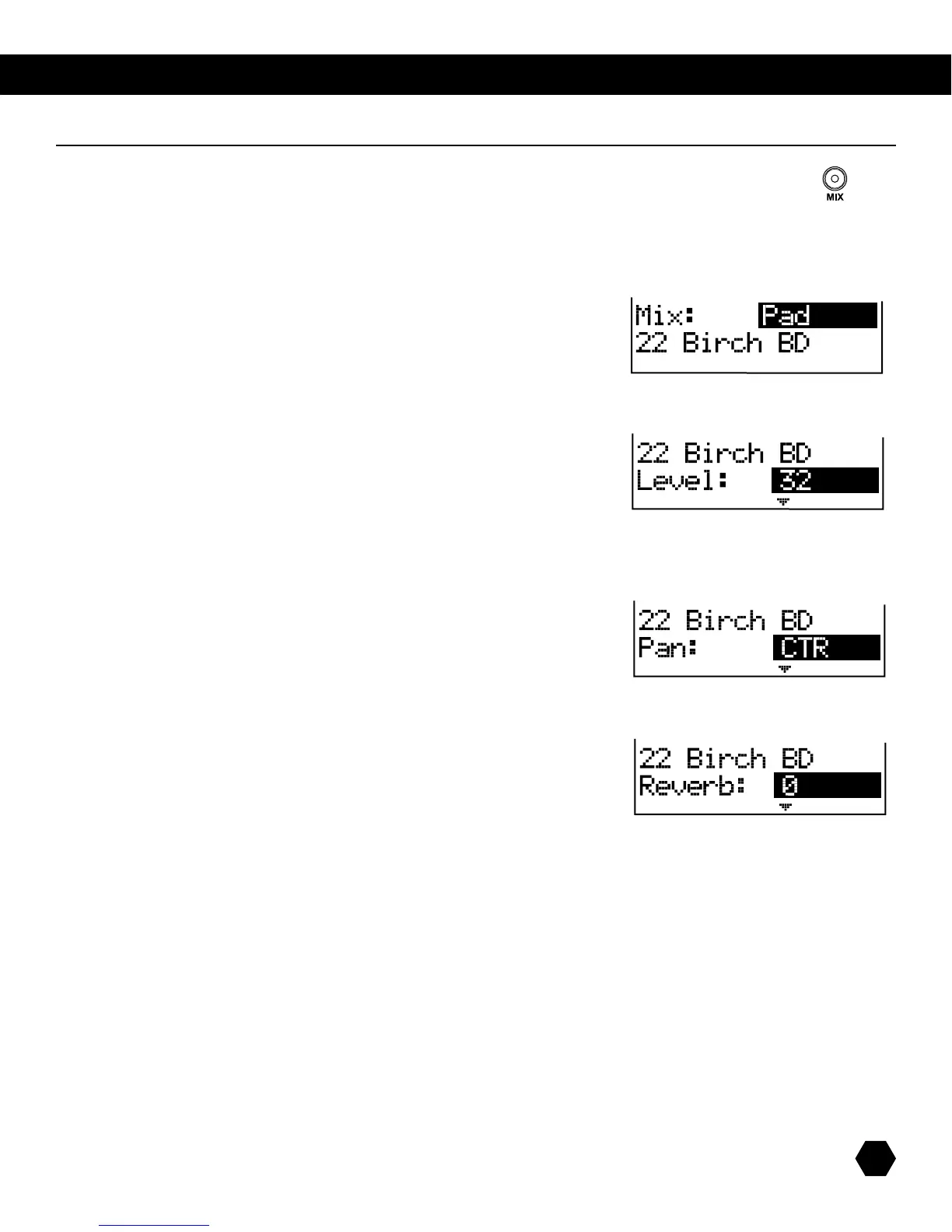
IfthePadsub-menuisselected,thedisplaywilllooklikethis:
ThenameoftheVoicefortheselectedPadisalsodisplayed.
AsinKITEDITmode,anotherpadcanbeselectedbyhittingitorpressingitsPadSelectbutton.
Press the [PAGE DOWN] button to access the first parameter, Level:
ThisparameteradjuststheVoicelevel(0–32).ThenameofthecurrentVoiceisalsodisplayed.
Press the [PAGE DOWN] button to access the next parameter, Pan:
ThisparameterallowsadjustingthePanpositionofthecurrentvoice(value:L8-CTR-R8).
Press the [PAGE DOWN] button to access the next parameter, Reverb:
ThisparameterallowsyoutoadjusttheamountofReverbforthecurrentvoice(value:0-32).
NOTE:ForHi-HatCombovoices,Level,PanandReverbparametersarecommontoallHi-Hatvariations,exceptPedalLevel,
which is independent.
Kit Band



 To Next Page