SD9K digital drum kit User manual
22
MIX Kit
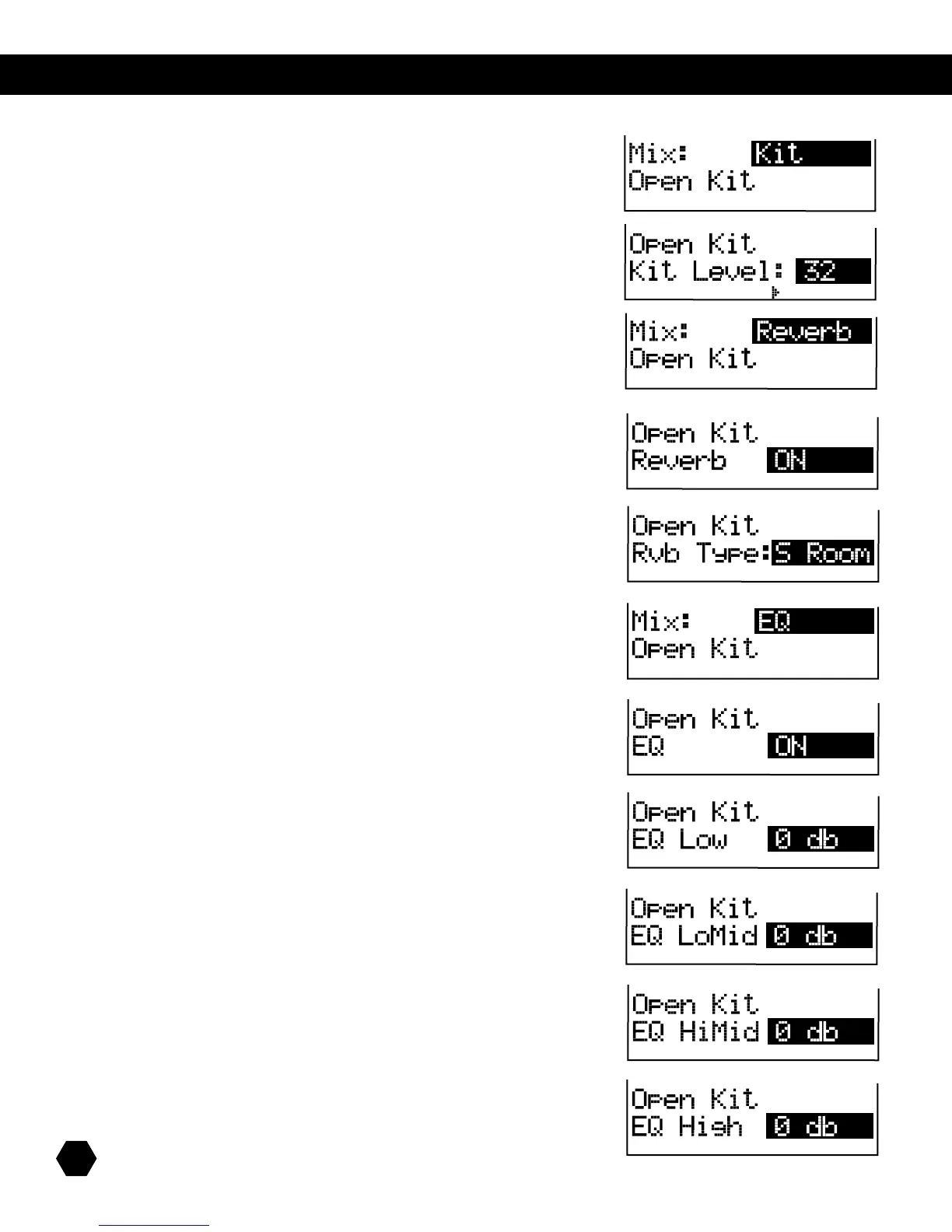
IfMix:Kitsub-menuisselected,thedisplaywillshow:
ThenameofthecurrentKitisalsodisplayed.
Press the [PAGE DOWN]buttontoaccessthenextparameter,KitLevel:
ThisparameteradjuststheoverallKitlevel(0–32).
MIX Reverb
IfMix:Reverbsub-menuisselected,thedisplaywillshow:
ThenameofthecurrentKitisalsodisplayed.
Press the [PAGE DOWN] button to access the next parameter, Reverb Switch:
ThisparametertogglestheGlobalReverbSwitchON/OFF.
Press the [PAGE DOWN] button to access the next parameter, Reverb Type:
This parameter selects the Global Reverb Type: S Room, M Room, L Room, Hall,
Plate,Delay,orP.Delay.
MIX EQ
IfMix:EQsub-menuisselected,thedisplaywillshow:
ThenameofthecurrentKitisalsodisplayed.
Press the [PAGE DOWN]buttontoaccessthenextparameter,EQSwitch:
ThisparametertogglestheGlobalEQSwitchON/OFF.
Press the [PAGE DOWN]buttontoaccessthenextparameter,EQLow:
ThisparameteradjuststheLowbandoftheMasterEQ(-12dB–+12dB)
Press the [PAGE DOWN]buttontoaccessthenextparameter,EQLoMid:
ThisparameteradjuststheLow-MidbandoftheMasterEQ(-12dB–+12dB)
Press the [PAGE DOWN]buttontoaccessthenextparameter,EQHMid:
ThisparameteradjuststheHighMidbandoftheMasterEQ(-12dB–+12dB)
Press the [PAGE DOWN]buttontoaccessthenextparameter,EQHigh:
ThisparameteradjuststheHighbandoftheMasterEQ(-12dB–+12dB)



 To Next Page