SD9K digital drum kit User manual
28
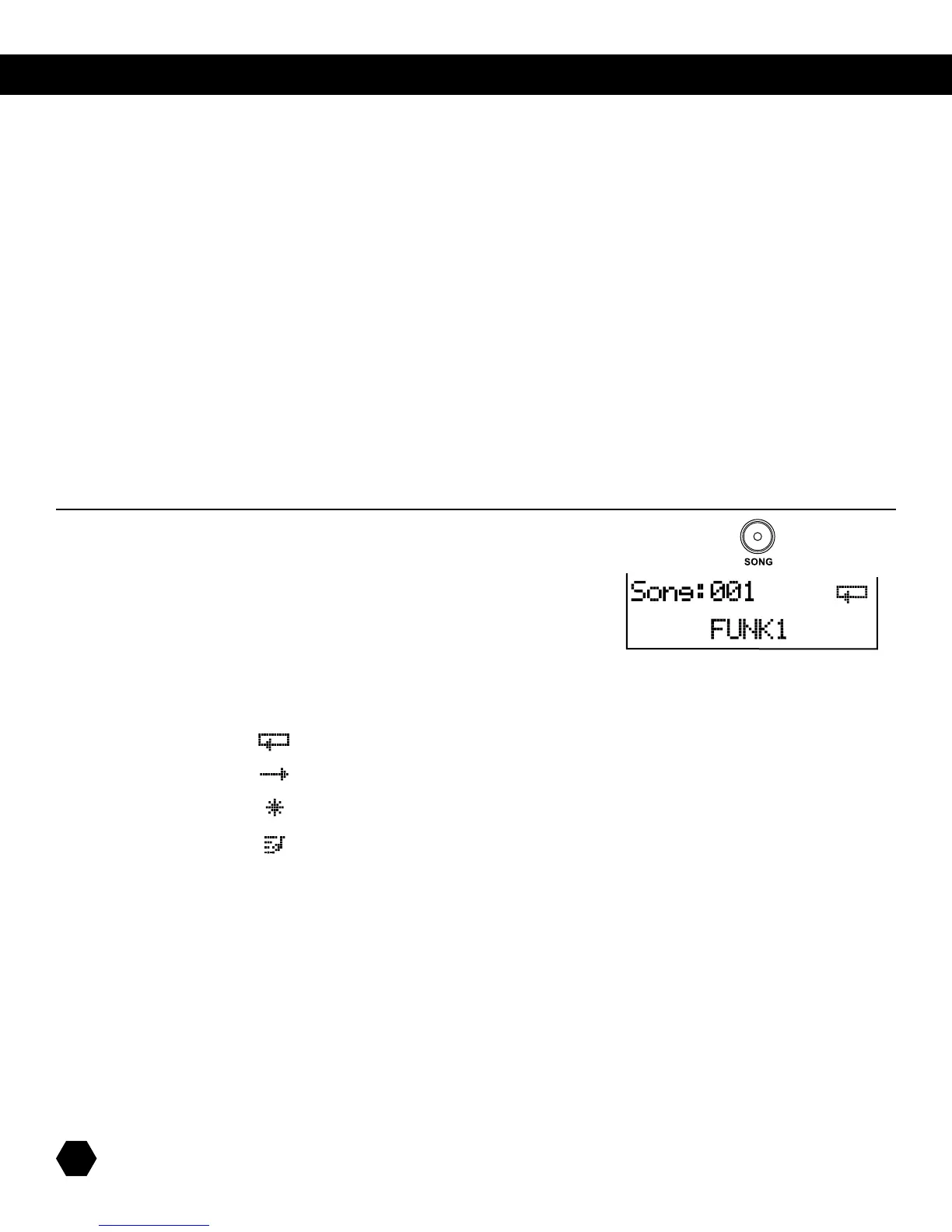
IftheSD9KisnotyetinSONGmode,pressthe[SONG]buttontoentertheSONGmode.
TheSongindicatorwilllightup,andtheLCDwilldisplaythecurrentSongnumber
andSongname,aswellasaniconidentifyingthesong’stype(Loop,OneShot,
EmptySong,ExternalSong).
LOOPMODESONG
ONESHOTMODESONG
EMPTYUSERSONG
EXTERNALSONG
Usethedatawheelorthe[+]/[-]buttonstoselectasong,and/orthe [PAGE UP] or [PAGE DOWN]buttonstoquicklyskipthrough
songgroups(presetpatterns,songs,loops,usersongs,orexternalsong).
Press [+] and [-] buttons together to access the first Empty Song.
SONG Mode
TheSONGmodeiswhereyoucanselectandeditsongstoplay,aswellasrecordnewsongs.
Thereare211songsintheSD9K:
• 110presetsongs(Songs001-110)dividedinto3groups:
-60LoopedPatterns
-30OneShotSongs
-20Drum&PercussionLoops
• 100usersongs(Songs111-210)
• 1externalsong(Song000).ThisspecialsongisintendedforusingtheSD9KtocontrolanexternalsequencerviaMIDIorUSB(no
internalsongplayback).
EachSD9Ksong(excepttheExternalSong000)containsupto7Parts:
• Drumpart
• Percussionpart
• 5xInstrumentparts
The Mute function can be used to mute any part of a song.
song select



 To Next Page