www.simmonsdrums.net
25
Pad Parameters
Thissectionofthemenuallowsyoutomodifypad,MIDI,factoryreset,and
prompt operations.
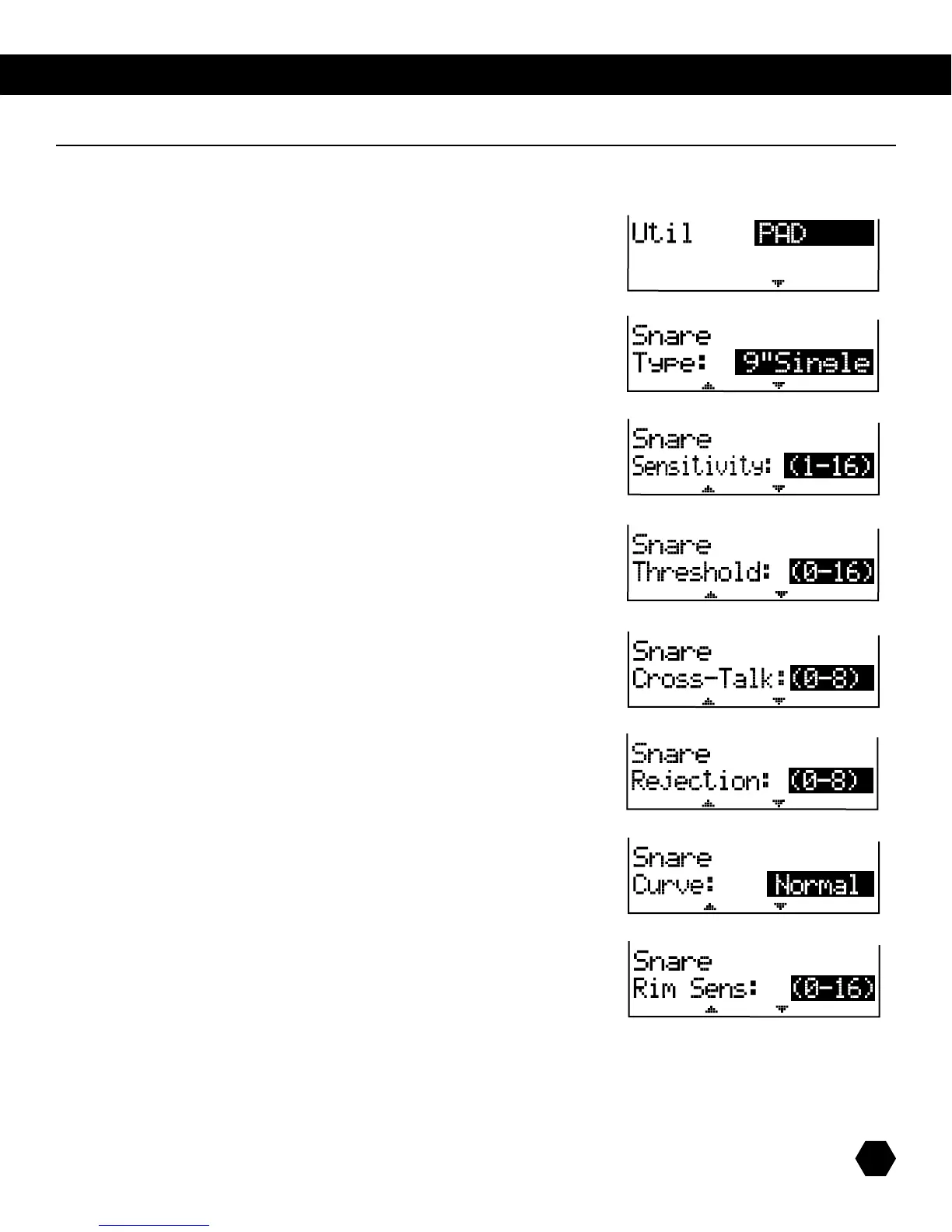
Press [UTILITY] to enter this menu:
TherstsectionletsyouchoosewhichUtilitysub-menutoedit,
with the first choice being Pad.
Type
TellstheSD9Kwhattypeofpadisconnected.
NOTE: To access the next global parameter, press [PAGE DOWN]
on the system’s console.
Sensitivity
Changeshowapadrespondstoyourplaying.Athighersensitivities,thepadwillgener-
atealoudersignal,evenwhenyouplayquietly.Atlowersensitivities,thepadwillgener-
ateaquietersignal,evenifyouplayloudly.Adjustaccordingtoyourplayingstyleand
desired dynamic range.
Threshold
Changeshowforcefullyyoumuststrikethepadtogenerateatriggersignal.Settinga
high threshold requires hitting the pad very hard to get a sound. This can help cut out tran-
sientresponses,suchasvibrationsfromthekitoraccidentalpadtapsthatyoudon’tintend
to generate sounds. Setting a low threshold means even light touches will produce sound.
Adjustaccordingtoenvironmentandplayingstyle.
Cross-Talk
When two pads are mounted close to each other, hitting one pad can generate a re-
sponsefromtheother.TheCross-Talkfeaturecancelscross-talkout,byassigningpadsto
groups.Settheaffectedpadstothesamegroupnumber(0-8),andtheSD9Kwillcancel
cross-talkbetweenthem.
Rej Time
Increasingtherejectiontimecutsdownonthepad’sresponsetoreboundsordoublehits.
If there are two trigger signals generated on one pad within the specified amount of time,
the second signal is ignored.
Curve
Curve refers to how the trigger signal’s dynamic response relates to your pad hit. Nor-
mal, or Linear, means the trigger signal’s dynamics match, 1 for 1, the dynamics of your
hit. Log 1 and Log 2 produce greater responses from softer pad hits. Exp 1 and Exp 2
produce greater responses from stronger pad hits.
Rim Sensitivity
Same as the basic sensitivity feature, except that it relates specifically to playing the rim.
Kit Utility Menu: Global Parameters



 To Next Page