SD9K digital drum kit User manual
24
Save To User Kit
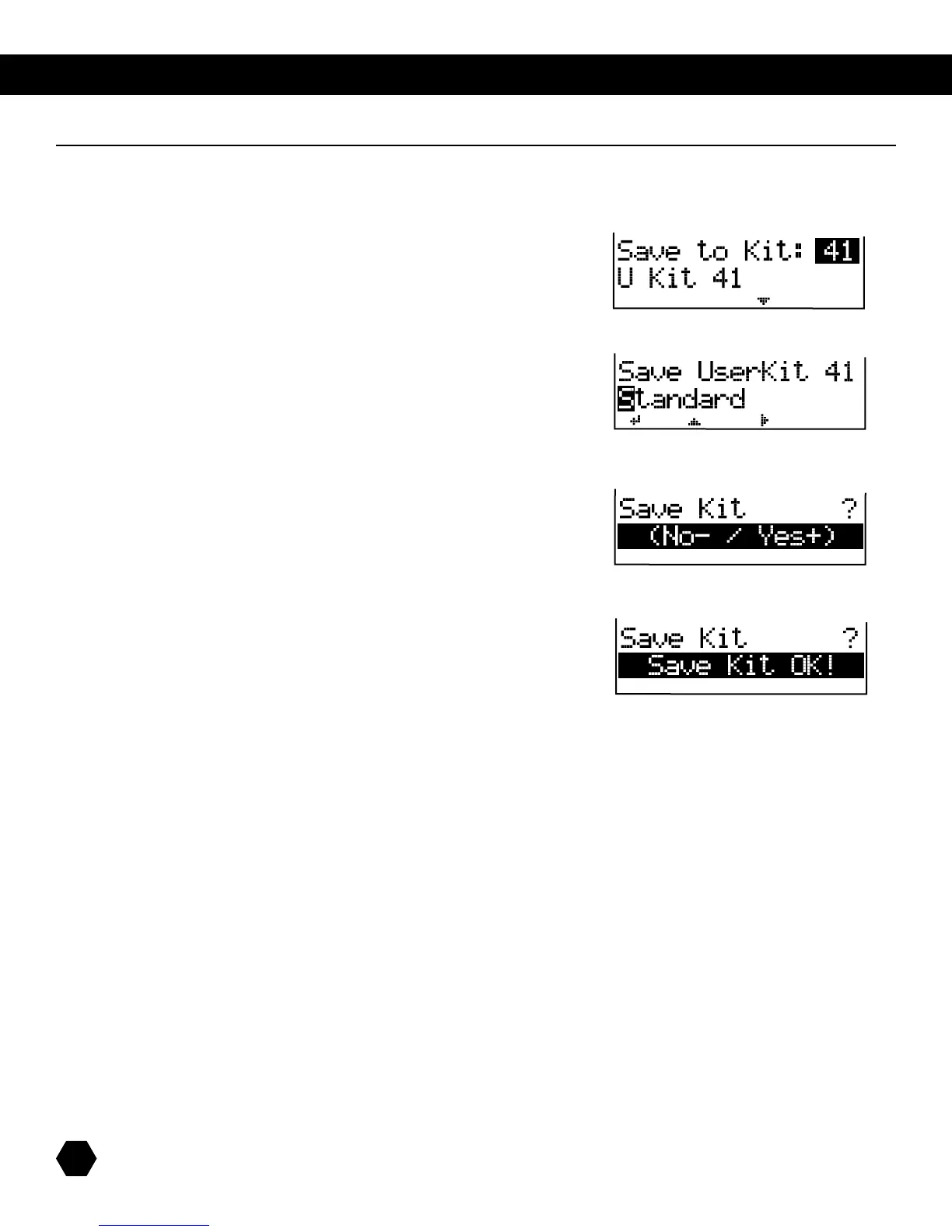
AfterchanginganyKitEditorMixparameters(EDITsignislit),pressthe[SAVE]buttontoentertheSavemenu:
Values41-99showscurrentUserKitname
Press [PAGE DOWN]
NamingscreendefaultstooriginalnameoftheKitbeingedited.
Pagebuttonsactascursorleft/right,andusedatewheelor
[+]/[-]buttonstochangevalue.
Press [SAVE] button.
Pressthe[+]buttontosavetouserkitandreturntokitselectmenu.
Pressthe[-]buttontoreturntokiteditmenuwithoutsaving.
Afterthesaveiscompleted,thefollowingmessageappearsbriey:
TheEDITsignwilldisappearandtheSD9KwillreturntothemainKITmodepage.
NOTE:IftheeditedKitisnotsavedbeforeselectinganotherKit,playingaSong,orpoweringdowntheSD9K,allchanges
will be lost.
Save To SD Card
1. Inadditiontosavingtoauserkit,youcanalsosavetotheSDcardtocreateabackup.
2. For details, see card menu section.
Kit Save



 To Next Page