SD9K digital drum kit User manual
20
InKITmode,whenaninternalkit(PresetorUser)isselected,pressingthe[EDIT]buttonenterstheKITEDITmodefor
thelastselectedpad.AnotherpadcanbeselectedbyhittingitorpressingitsPadSelectbutton.Youcanpreview
the voice at any time by pressing the Pad Select button again.
TheSD9Kincludes725voicessortedbygroups(Kick,Snare,Tom,Cymbal,Hi-Hat,Percussion,etc.)(SeeVoiceListinAppendix)
NOTE: The voices for the snare’s head and rim, or a cymbals’ bow and edge, are set independently. When the snare pad or a cym-
balpadisselected,presstheRimbuttontoselecttheRimvoice(orstrikethesnarepadrimorcymbaledge).
ThevoicesfortheHi-Hat(Open/OpenRim,Closed/ClosedRim,Foot)canbeselectedindividually(voices#463–526),ortogether
asasingleHi-HatCombonumberwhichcontainsalltheHi-Hatvoices,plusextravariationsnotavailablefromthePadSelectbuttons:
Half-Open/Half-OpenRim,Splash.
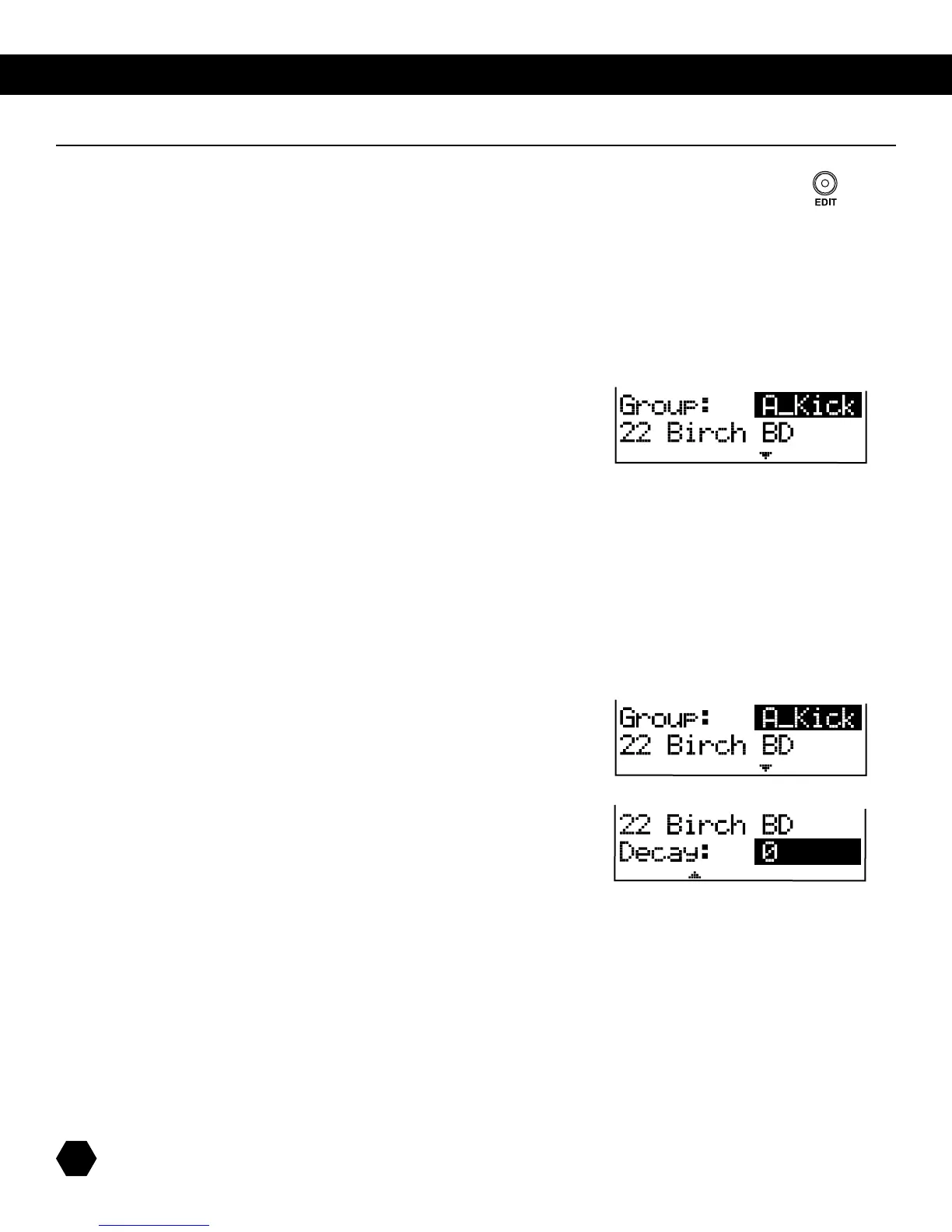
TherstVoiceEditparameteristheVoiceGroup/Voice:
Thisparameterletsyouchooseindividualvoicesforeachorquicklyjumpthroughthefollowinggroupsofvoices:
A_Kick,E_Kick,A_Snare,E_Snare,A_Tom,E_Tom,Ride,Crash,Hi-Hat,Percussion,Melodic,SFX,GuitarFX,DJFXandLoops.Ifthe
selectedPadisaHi-Hattrigger,anadditionaloptionisavailable:HiHatCmbo.PleaserefertotheVoiceListtableattheendofthis
manual for details.
Youcanchangeapad’sindividualvoicevaluebyusingthedatawheelorthe[+]/[-] buttons.
Youcanquicklyjumpfromgrouptogroupbypressingthe[EDIT] button repeatedly. When changing this parameter, the first voice of
thegroupwillbeselectedanddisplayedontheLCD.
Press the [PAGE DOWN] button to access the next parameter, Tuning:
Thisparameterallowsadjustingthepitchofthecurrentvoice(value:-8–+8).
Press the [PAGE DOWN]buttontoaccessthenextparameter,Decay:
Thisparameterallowsadjustingthelengthofthecurrentvoice(value:-5–0).
TheDecayparameterisnotavailableforHi-HatCombovoices.
Kit Edit



 To Next Page