www.simmonsdrums.net
33
Save To User Song
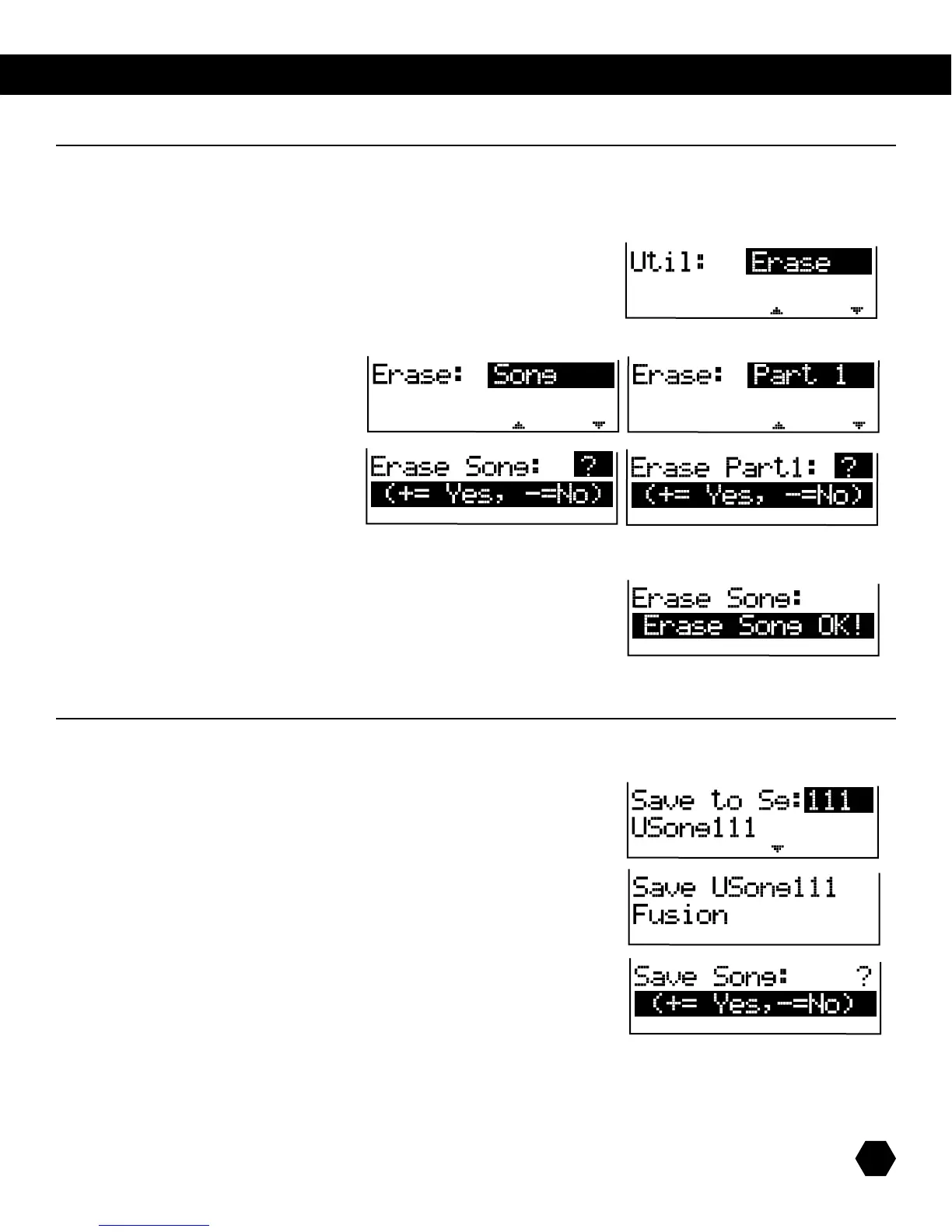
AfterchanginganySongEditorMixparameters(EDITsignwillbelit),pressthe[SAVE] button to enter the Save menu:
Press [PAGE DOWN] to access the naming screen.
Usethe[PAGE UP]/[PAGE DOWN]buttonstomovethecursor;
usethedatawheelorthe[+]/[-]buttonstochangethecharacters.
Page
Press Save.
Press(+)tosavetousersongandreturntoSongSelectmenu.
Press(-)tostopsaveprocessandreturntoSongEditmenu.
Save To SD Card
1.InadditiontosavingyourUserSong,youcanalsosavetoanSDcardtomakeabackup.
2. For details, see card menu.
song erase
ThisUtilitymenuallowsyoutoerasethewholecurrentsongoraspecicpartofthesong.
ThisonlyappliesiftheselectedsongisaUserSongthatisnotempty.
ToaccesstheSongErasemenuinSONGmode,pressthe[UTILITY]button.TheUtilityindicatorwilllightup.
Press the [+] button or the [UTILITY] button again to select the Erase option:
Press [PAGE DOWN]toentertheErasesub-menu.
Usethedatawheelor[+]/[-] buttons to
select Song or its part to be erased.
Press [PAGE DOWN] to apply selection:
Press(+)toeraseSong/PartandreturntoSongselectmenu.
Press(-)toreturntoErasemenu.
AfterEraseiscomplete,thefollowingmessagewillappearbriey:
song save



 To Next Page