1
2:3
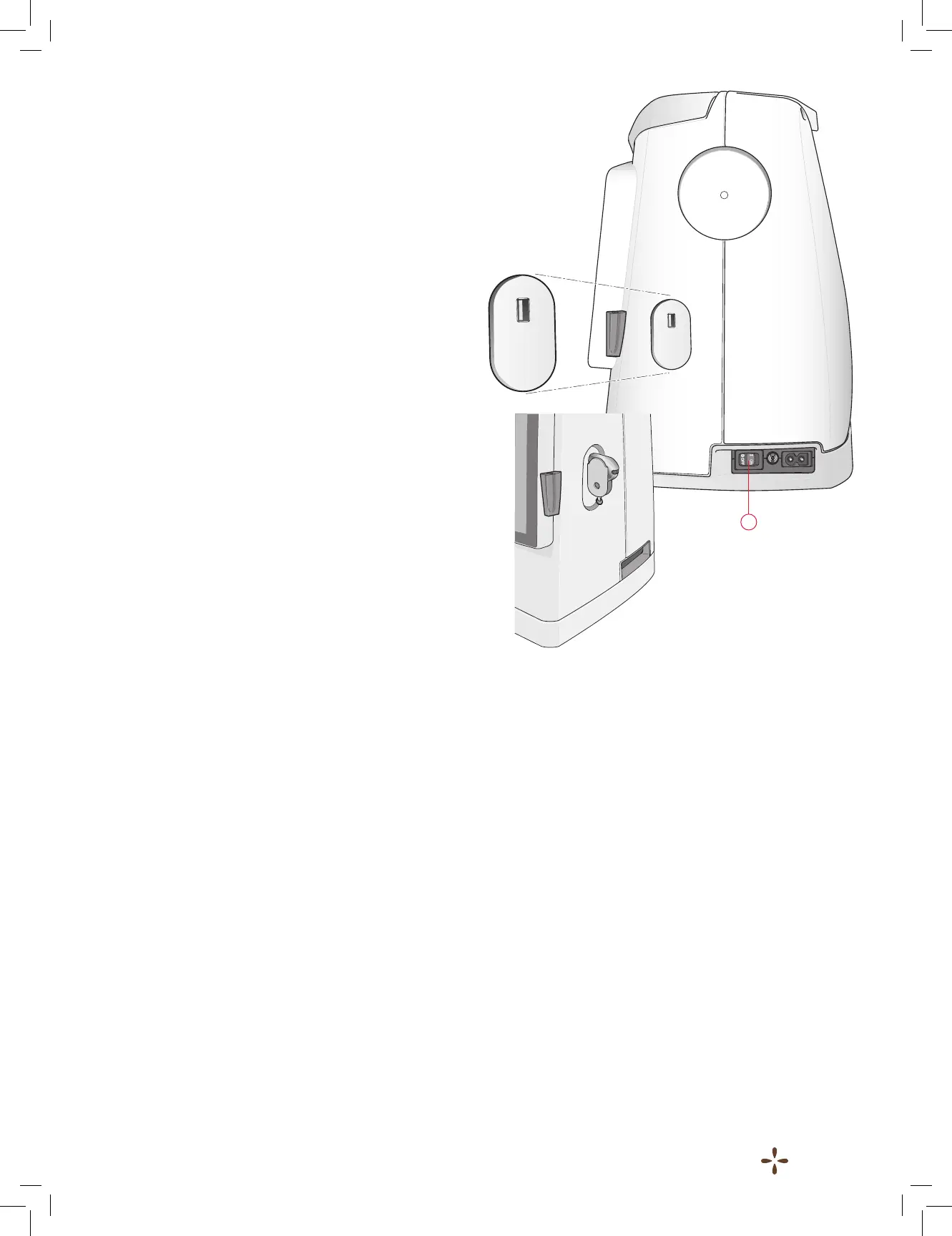
USB PORT
OntherightsideofyourmachineyouwillndaUSBportto
connect your USBstick.
Note: Make sure that the USB stick you use has the format
FAT32.
Connect to and remove from USB port
InserttheUSBstickintheUSBportontherightsideofyour
machine.TheUSBplugcanonlybeinsertedoneway-donot
forceitintotheport!
Toremove,carefullypulltheUSBstickoutstraight.
Using the USB embroidery stick
WhenloadingfromorsavingtotheUSBembroiderystickan
hourglass appears on the screen.
Note: Do not remove the USB embroidery stick when the
hourglass is shown on the screen or while the le manager is
shown. Removing the stick at that time can damage the les on
your USB embroidery stick.
PACKING AWAY AFTER
EMBROIDERING
1. PresstheON/OFFswitch(1)to“0OFF”.
2. Unplugthecordfromthewallsocketandthenfromthe
machine.











 To Next Page