5:5
SCALE
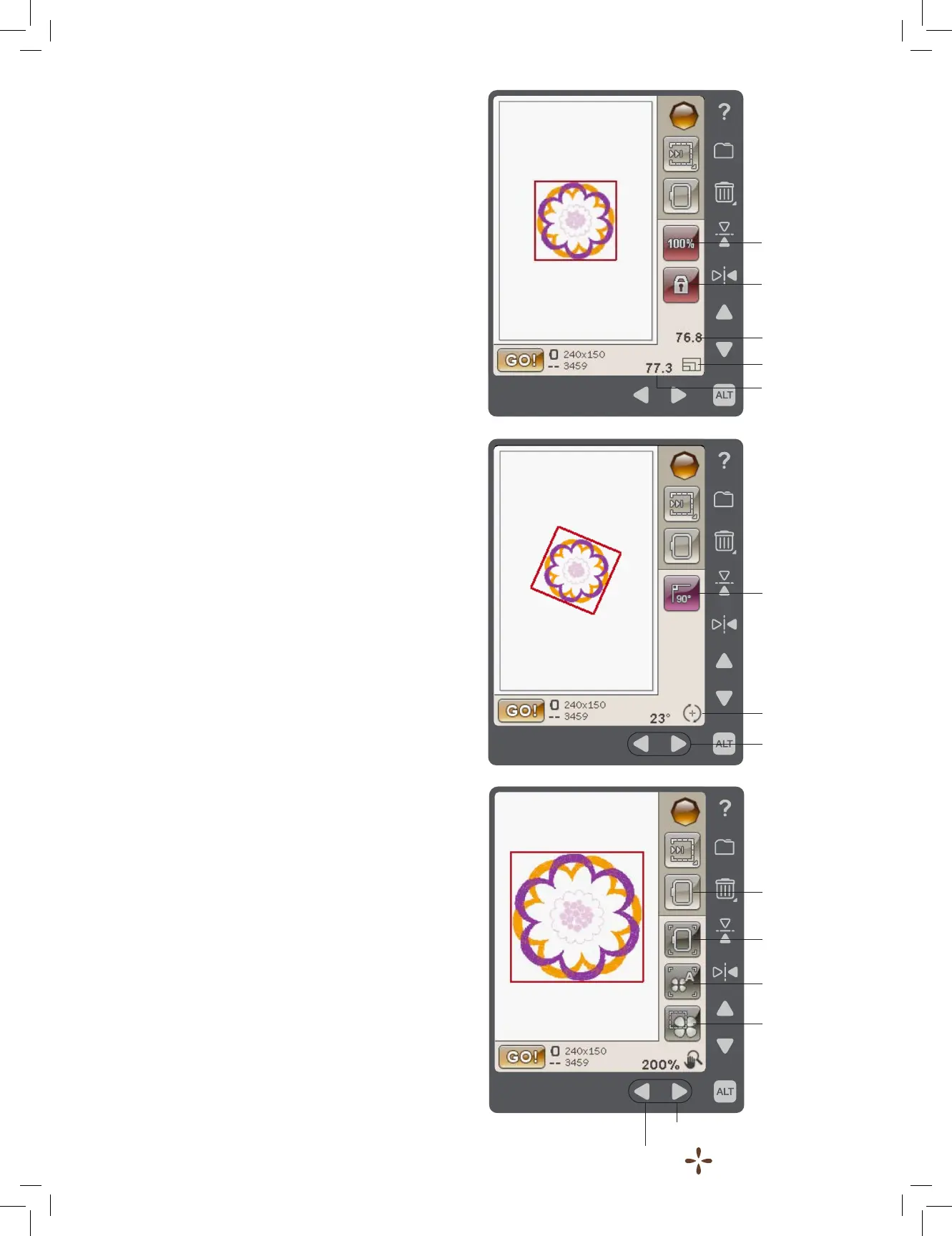
When Scale is active, you can increase or decrease the size
of the selected design or a group of designs. By default, the
proportions are locked. This is indicated with a closed padlock
icon. To unlock, just touch the padlock. Height and width can
now be changed individually by using the arrows.
Touch and drag on screen to modify size. If you move
the stylus on the screen towards the center of the selected
design(s), the size will decrease. If you move the stylus away
from the center of the selected design(s), the size will increase.
Use the arrows to ne tune. Touch the Original size icon to
reset the design to its original size.
ROTATE
When Rotate is active, the selected design(s) will be rotated
around the center point of the selected design(s).
Use the left and right arrows to rotate the design(s) in one
degree increments. Each touch of the Rotate 90° icon will
rotate the design(s) 90 degrees clockwise.
Above the left/right arrows you can see the angle in degrees
that the design(s) has rotated from its original position. You can
also rotate the design with your stylus.
ZOOM OPTIONS/PAN
When Zoom Options/Pan is active, you can pan the embroidery
eld in the zoomed view, by touching and dragging the
embroidery eld with your stylus.
Use the left/right arrows to zoom in and out in the embroidery
area.
Zoom to Hoop will adjust the embroidery eld to t the
selected hoop.
Zoom to All will show all the design(s) in the embroidery.
Zoom to Box will help you to zoom to a specic area.Touch
and drag your stylus in the embroidery eld on the screen to
create a box. The screen zooms to show that specic area.
Original size
Padlock
Scale
Height
Width
Zoom to Hoop
Zoom to All
Zoom to Box
Zoom/Pan
Zoom Out
Zoom In
Rotate 90°
Rotate ±1°
Rotate











 To Next Page