4:3
B
A
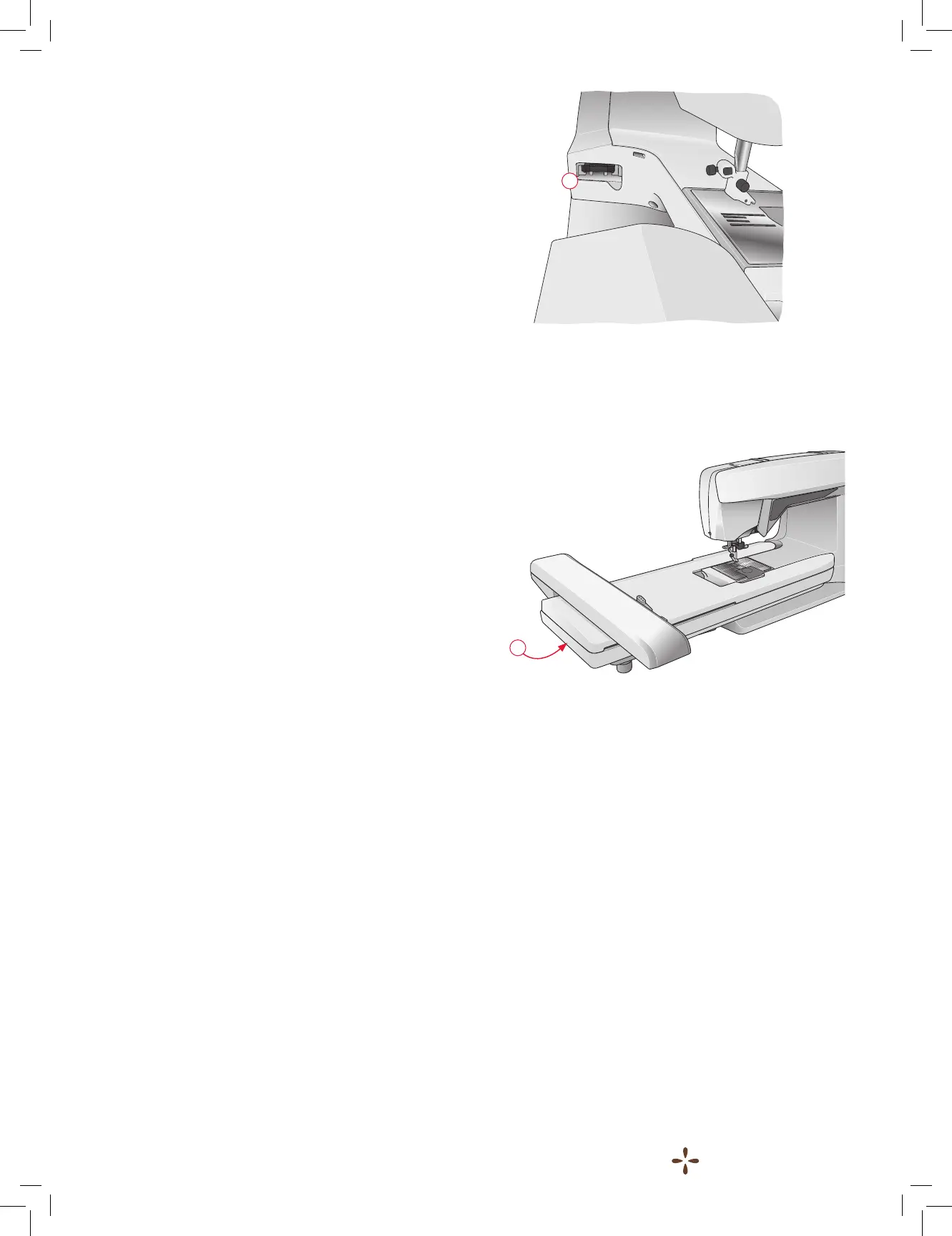
CONNECT THE EMBROIDERY UNIT
There is a socket at the back of the machine (A). Slide the
embroidery unit onto the free arm of the machine until it plugs
rmly into the socket. If needed use the level adjusting feet so
that the machine and embroidery unit are even. If the machine
is turned off, turn it on.
Note: If you remove the embroidery unit in embroidery stitch-
out mode a pop-up message tells you to clear the embroidery
arm and remove the hoop before calibration. Touch OK. The
machine will calibrate and the embroidery arm will move to the
ready position.
Note: DO NOT calibrate the machine with the embroidery
hoop attached as this can damage the needle, presser foot,
hoop and/or the embroidery unit. Be sure to clear all materials
from around the machine before calibrating so that the
embroidery arm does not bump into anything while calibrating.
REMOVE THE EMBROIDERY UNIT
1. To store the embroidery unit, move the embroidery arm to
Park Position by selecting Park Position on the screen in
Embroidery Stitch-Out.
2. Press the button at the left, underneath the embroidery unit
(B) and slide the unit to the left to remove it.
ATTACH THE EMBROIDERY FOOT R
When embroidering, use the SINGER
®
Snap On Embroidery
foot R. See page 2:8 for instructions on how to snap on or off
the presser foot.











 To Next Page