E
F
G
1. 2.
3. 4.
I
H
2:8
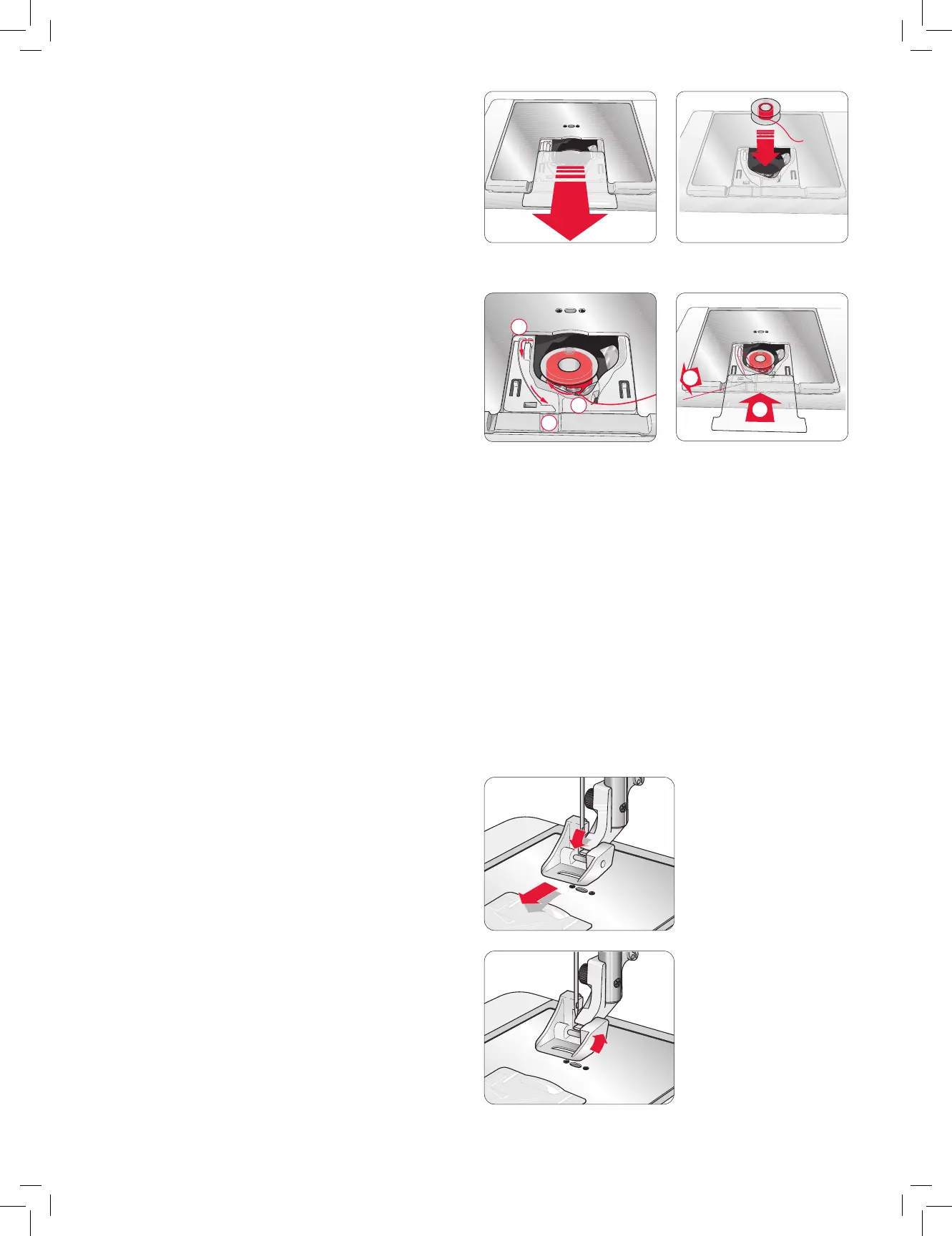
INSERTING THE BOBBIN
1. Removethebobbincoverbyslidingittowardsyou.
2. Placethebobbininthebobbincase.Itdropsinonlyone
waywiththelogofacingup.Thethreadunreelsfromthe
leftofthebobbin.Thebobbinwillthenrotatecounter-
clockwisewhenyoupullthethread.
3. Placeyourngeronthebobbintokeepitfromturningas
youpullthethreadrmlytotherightandthentotheleft
intothetensionspring(E)untilit“clicks”intoplace.
4. Continuethreadingaround(F)andtotherightofthethread
cutter(G).Slideonthebobbincover(H).Pullthethreadto
thelefttocut(I).
THREAD SENSOR
Iftheupperthreadbreaksorbobbinthreadrunsout,the
machinestopsandapop-upappearsonthescreen.
Ifupperthreadbreaks:Re-threadthemachineandtouchOK
onthepop-up.Ifbobbinthreadrunsout:replacewithawound
bobbinandcontinueembroidering.
Note: When the bobbin thread is almost empty, the bobbin
thread low pop-up appears on the screen. You can continue
embroidering without closing the pop-up before the bobbin
thread runs out completely.
SNAPPING ON AND OFF THE
PRESSER FOOT
1. Tosnapoffthepresserfoot,rstmakesuretheneedleisin
thehighestpositionandthepresserfootislifted.Pullthe
presserfoottowardsyou.
2. Tosnaponthepresserfoot,lineupthecrosspinonthefoot
withthegapinthepresserfootankle.Pushbackuntilthe
footsnapsintoplace.
1.
2.











 To Next Page