8:2
B
C
A
D
CLEANING THE MACHINE
To keep your machine operating well, clean it often. No
lubrication (oiling) is needed.
Wipe the exterior surface of your machine with a soft cloth to
remove any dust or lint build up.
Wipe the screen with a clean, soft and slightly damp microber
cloth.
Regularly clean the lint and threads from the bobbin area.
When necessary, also clean under the bobbin area.
Removing the Needle Plate and Cleaning the
Bobbin Area
Note: Turn off the machine before cleaning the bobbin
area.
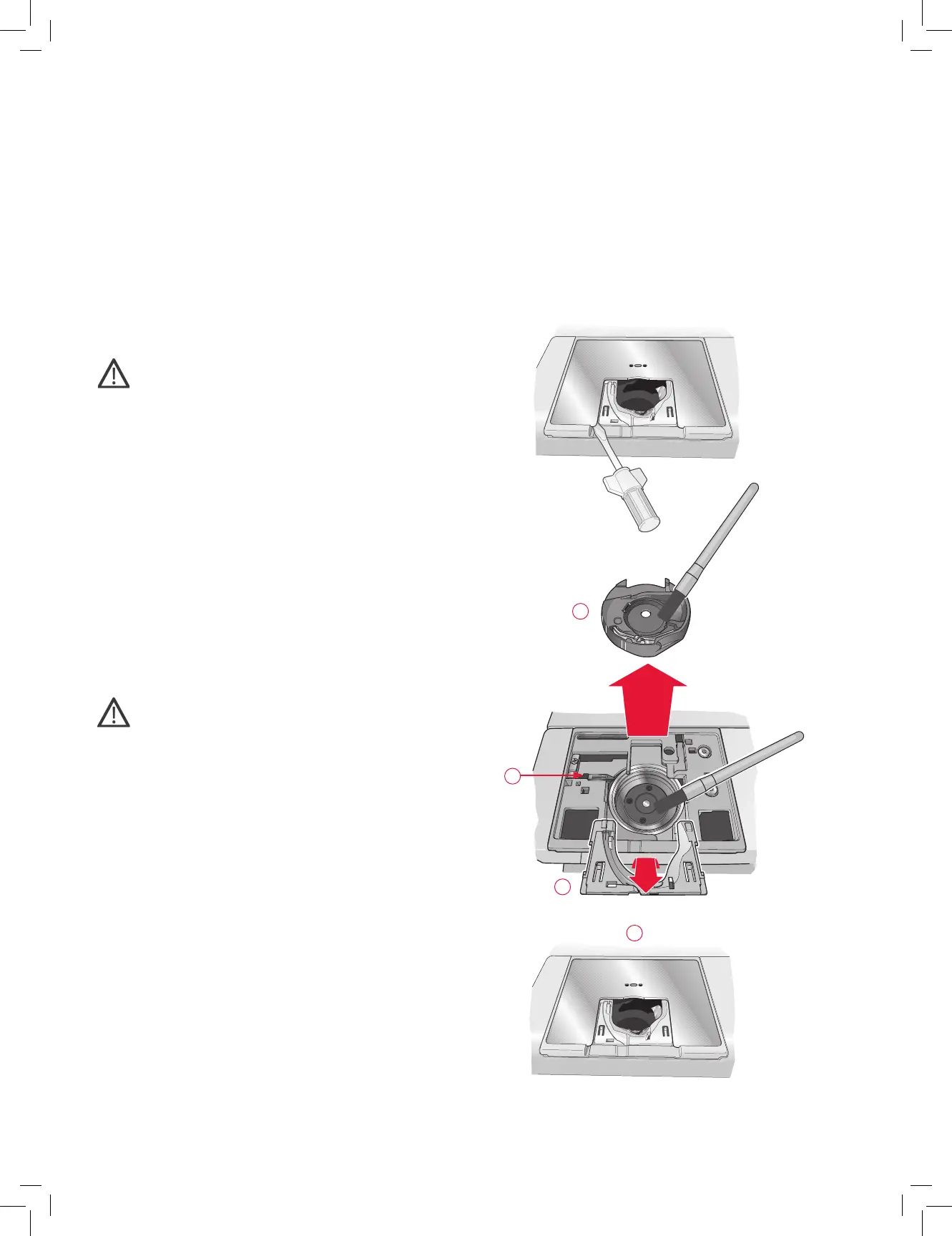
Remove the presser foot (see page 2:8) and slide off the
bobbin cover. Place the screwdriver under the needle plate as
shown in the picture and gently turn the screwdriver to pop off
the needle plate.
Clean the bobbin area with the brush found with the
accessories.
Cleaning under the Bobbin Area
Clean the area under the bobbin case after embroidering several
projects or any time you notice an accumulation of lint in the
bobbin case area.
Remove the bobbin case holder (A) covering the front part of
the bobbin case by lifting it up. Remove the bobbin case (B) by
lifting it up. Clean with the brush.
Note: Use caution when cleaning around the Selective
Thread Cutter knife (C).
Put the bobbin case and the bobbin case holder back in place.
Note: Do not blow air into the bobbin case area. The dust and
lint will be blown into your machine.
Replacing the Needle Plate
Place the needle plate so that it ts into the notch at the back
(D). Press the needle plate down until it clicks into place. Slide
on bobbin cover.











 To Next Page