EasyManua.ls Logo

Sinoboom TB20J Plus - Page 152

Default Icon
193 pages
Print Icon
To Next Page IconTo Next Page
To Previous Page IconTo Previous Page
Loading...
© Feb. 2023
140 TB20J Plus Maintenance Manual
CONTROL SYSTEM
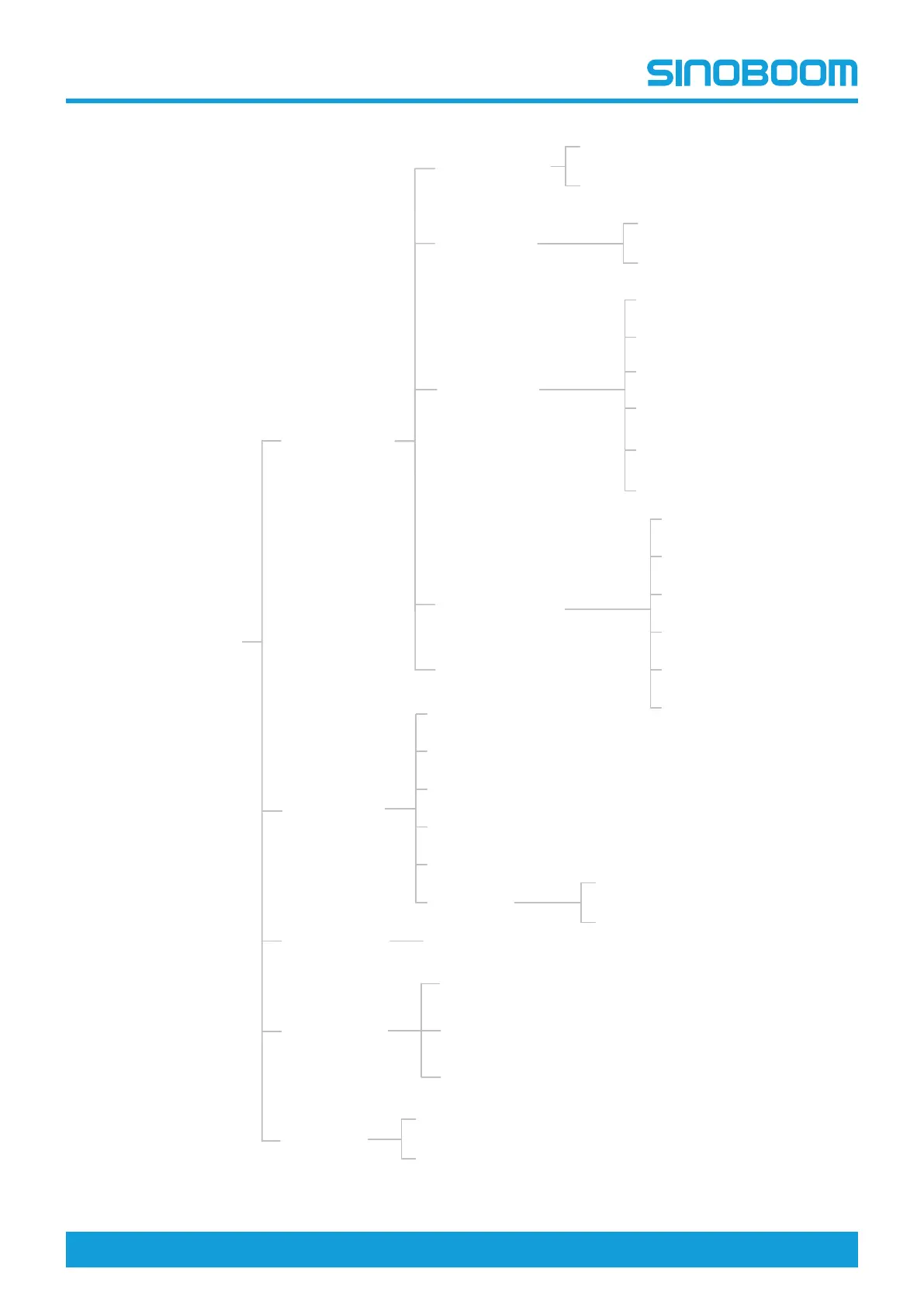
Fig 1 Display interface navigation diagram
Main interface
Configuration
Language/
语言
Machine Info
中文
ENGLISH
Debug Mode
Sensor Calibration
Weight Calibration
Joystick Calibration
Testing Mode
Product Model Setting
Product SN Setting
Heavy Load Test
Dynamic
password
Test-Run Info
Advanced Setting
Turntable Enable
Standardization
Proportional Configuration
Parameter Restore/Save
Sensor Configuration
Reserved Setting
Temporary unlocking
System Info
Sensor Info
Digital Input Info
Digital Output Info
Proportional Valve
Time Setting
Engine Info
EAT Info
Turntable Info Turntable Panel Info
Engine Fault Diagnoses
Platform Info
Platform Panel Info-Input
Joystick Info
Platform Panel Info-Output
Alarm Info
Alarm Info
Fault Info
主界面
转台信息
平台信息
设置信息
整车信息
报警信息
转台面板
开关信息
平台面板开关
输入信息
平台面板开关
输出信息
平台面板
手柄信息
语言设置
信息查询
调试信息
高级设置
临时解锁
中文
ENGLISH
点动模式
传感器标定
重量标定
手柄标定
传感器设置
转台使能设置
执行标准设置
比例阀设置
参数恢复
预留参数设置
测试模式
产品型号设置
产品编号设置
载重测试
时间设置
传感器信息
开关量输入信息
开关量输出信息
比例阀输出信息
发动机监控信息
报警信息
故障信息
EAT
系统信息
发动机故障
数据诊断
Dynamic
password
Dynamic
password

Table of Contents

Other manuals for Sinoboom TB20J Plus

Related product manuals