© Feb. 2023
156 TB20J Plus Maintenance Manual
CONTROL SYSTEM
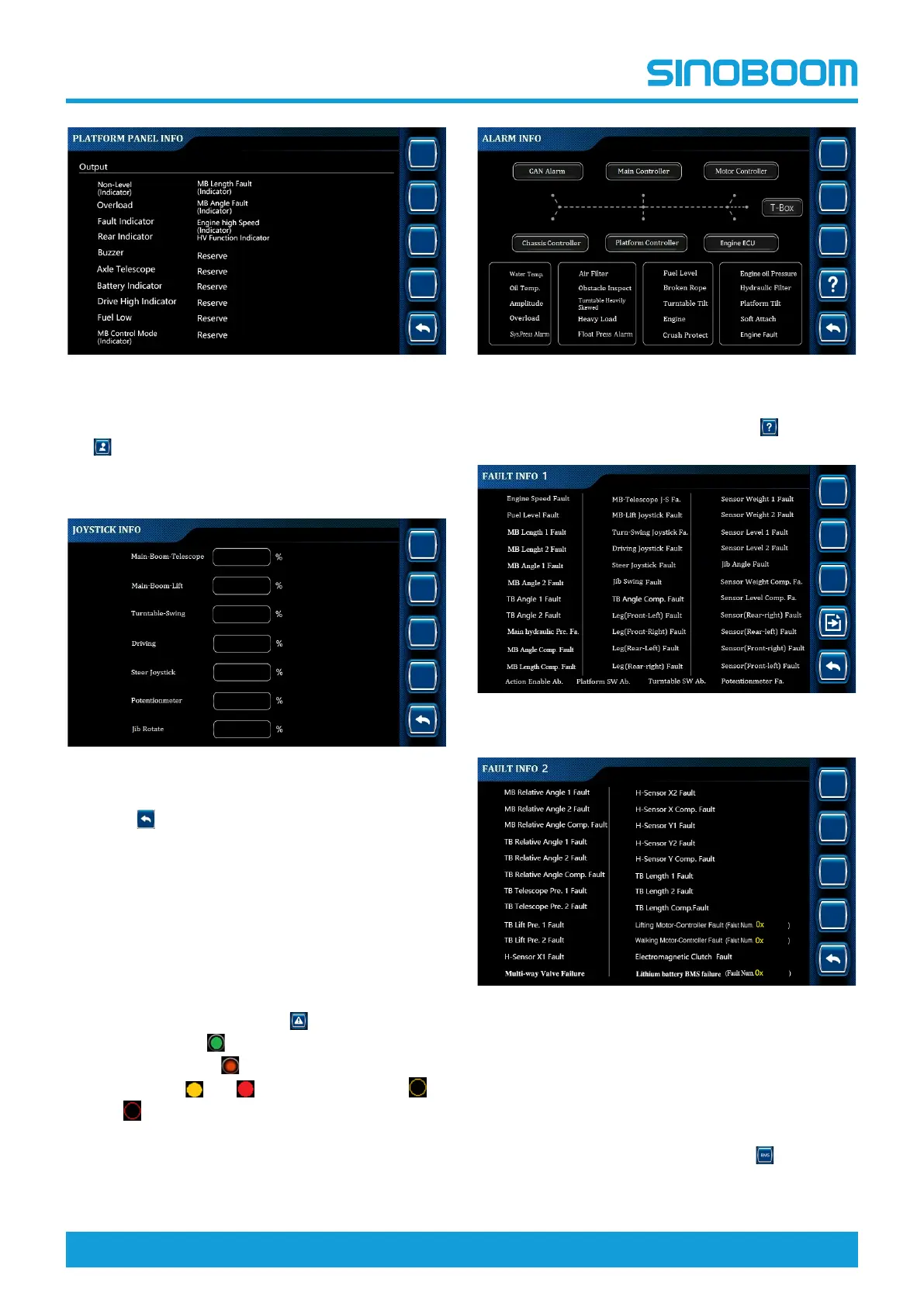
Fig 37 PLATFORM PANEL INFO interface-output
2. On the PLATFORM PANEL INFO interface, press
to enter the JOYSTICK INFO interface to query
the actual value of joystick/potentiometer, so as to
check whether the position status of joystick/potenti-
ometer is normal.
Fig 38 JOYSTICK INFO interface
3. Press
successively to return to the main inter-
face, and power off the machine as required.
11.10 ALARM INFORMATION
The alarm information option is mainly used to query the
alarm or fault status of the control system, so as to de-
termine the cause of fault and facilitate troubleshooting.
1. On the main interface, press
to enter the ALARM
INFO interface. (
indicates that the CAN commu-
nication is normal,
indicates the CAN communi-
cation alarm,
and indicate other alarms,
and indicate no input).
Fig 39 ALARM INFO interface
2. On the ALARM INFO interface, press
to enter
FAULT INFO interface.
Fig 40 FAULT INFO interface 1
Fig 41 FAULT INFO interface 2
3. For the detailed description of faults codes of the lift-
ing motor and travel motor controllers, please refer
to the Motor Controller Fault Codes in the Mainte-
nance Manual (if the machine is equipped with a
motor controller).
4. Lithium battery BMS fault Info: Press
to enter
Lithium Battery BMS Fault Info interface to check
the description of lithium battery BMS fault codes.







 To Next Page