© Feb. 2023 152 TB20J Plus Maintenance Manual
CONTROL SYSTEM
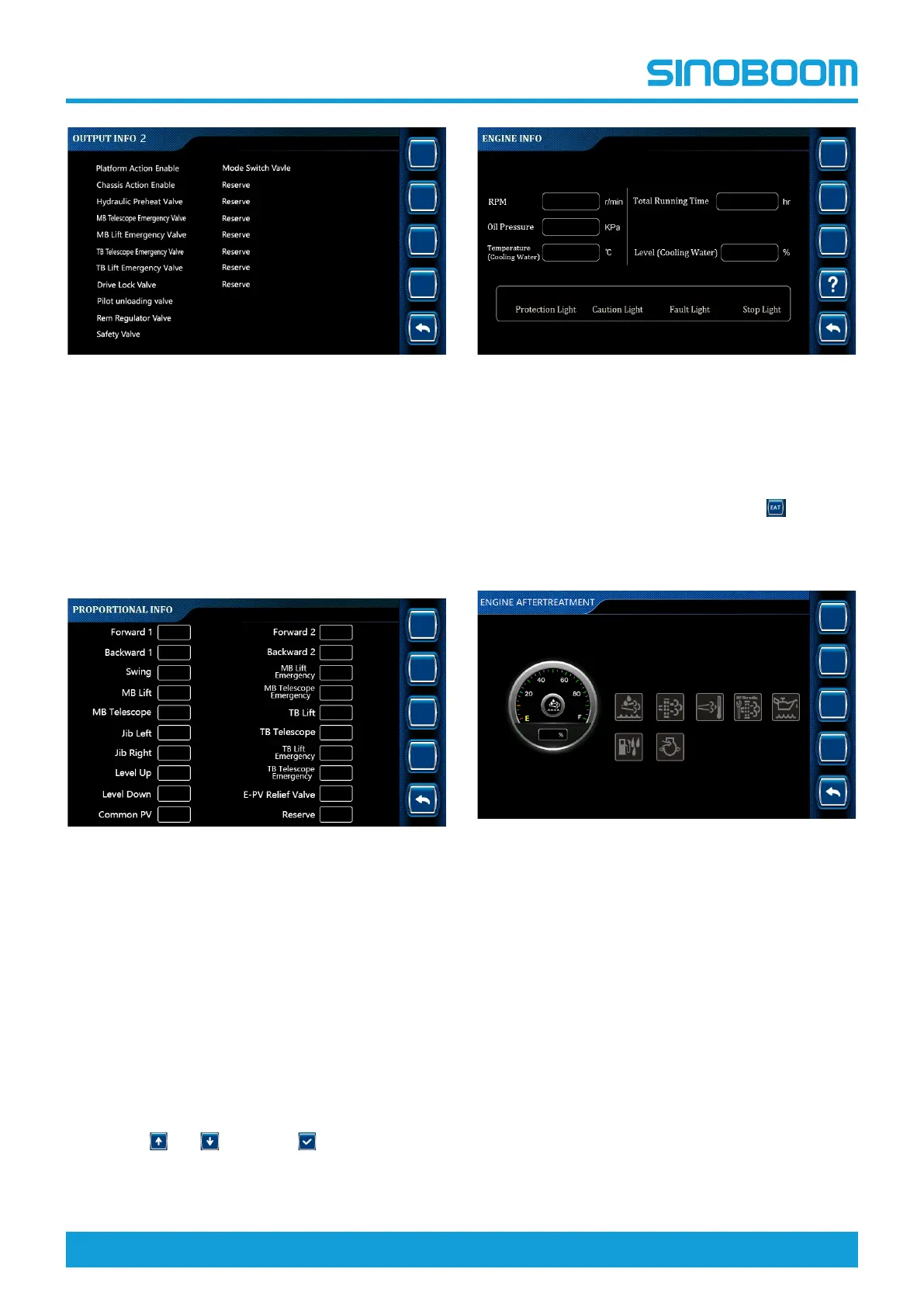
Fig 27 OUTPUT INFO 2 interface
Proportional Information
• The proportional information option is mainly used to
query the output status of the proportional valve out-
put points configured on the machine, thus assisting
in determining the trouble causes.
• The configuration of proportional valves is subject to
the actual machine configuration.
Fig 28 PROPORTIONAL INFO interface
Engine Information
This section is applicable to models equipped with an
engine.
• The engine information option is mainly used to
query the status and fault information of the engine
configured on the machine, so as to determine
whether the engine is working normally.
• The configuration of engine is subject to the actual
machine configuration.
1. On the SYSTEM INFO interface, select Engine Info
through
and , and press to enter ENGINE
INFO interface.
Fig 29 ENGINE INFO interface
2. On the ENGINE INFO interface, users can query
the engine RPM, oil pressure, temperature (cooling
water), total running time, level (cooling water), pro-
tection light, caution light, fault light and stop light.
3. On the ENGINE INFO interface, press
to enter
EAT INFO interface.
1) If the machine does not need EAT, the status in-
dicator will be off.
Fig 30 EAT INFO interface (without requiring EAT)-
Equipped with Deutz engine
2) For machines requiring EAT, if a yellow warning
appears on the EAT INFO interface, and the
status indicator light flashes, please perform
EAT as indicated by the flashing indicator light
as soon as possible.







 To Next Page