© Feb. 2023 142 TB20J Plus Maintenance Manual
CONTROL SYSTEM
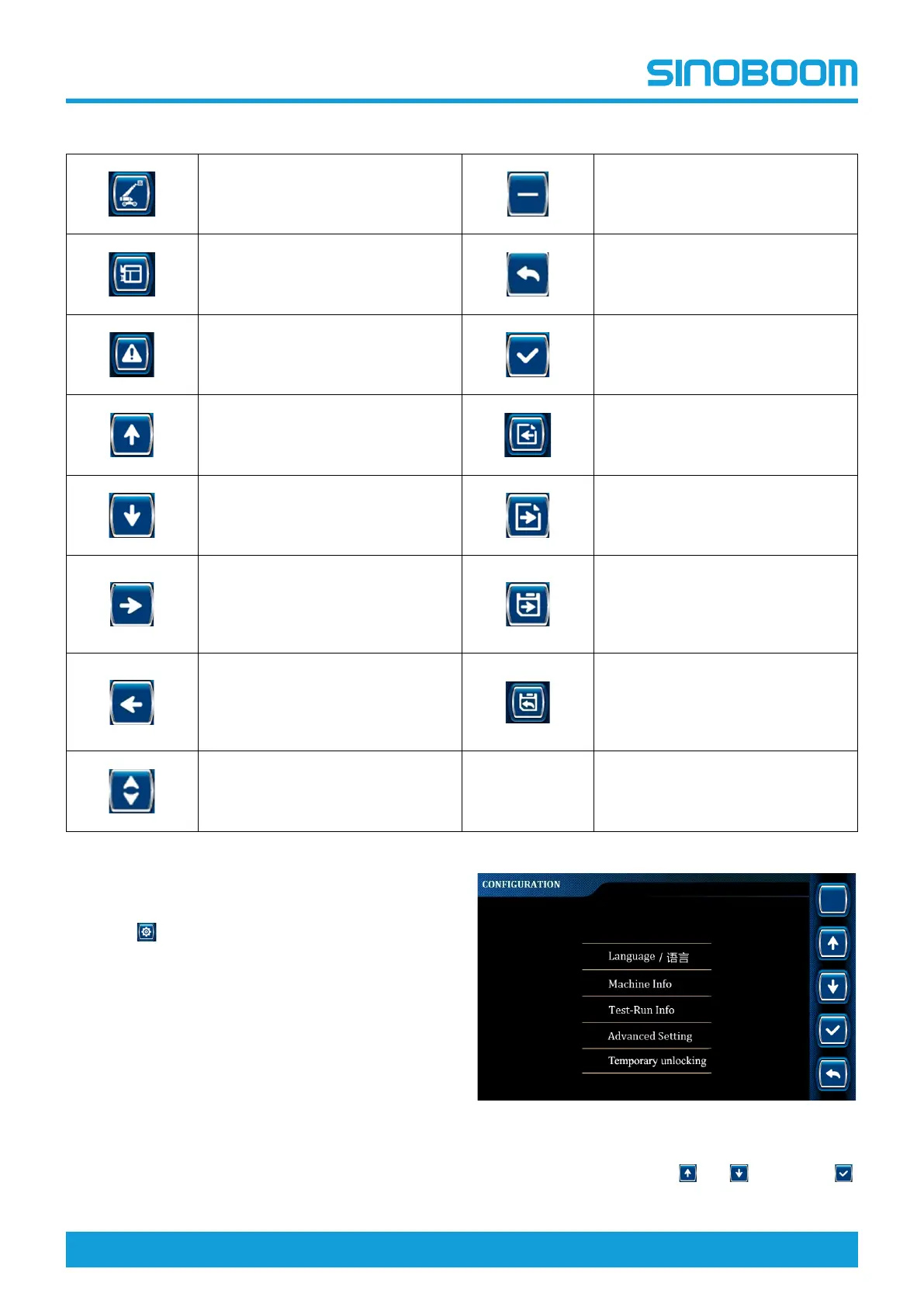
Table 11-1 (Continued)
System information
Decrease key
Platform information
Return key
Alarm information
Enter key
Up arrow key Previous page
Down arrow key
Enter/next page
Right arrow key
Press and hold the icon for 3s to
save the current page parameters
and jump to the next page
/Press the icon to directly jump to
the next page
Left arrow key
Press and hold the icon for 3s to
save the current page parameters
and return to the previous menu
/Press the icon to directly return to
the previous menu
Up/Down arrow key
11.4 LANGUAGE SETTING
1. Press on the main interface to enter CONFIGU-
RATION Interface.
Fig 3 CONFIGURATION Interface
2. Select Language through
and ,and press
to enter LANGUAGE Interface.








 To Next Page