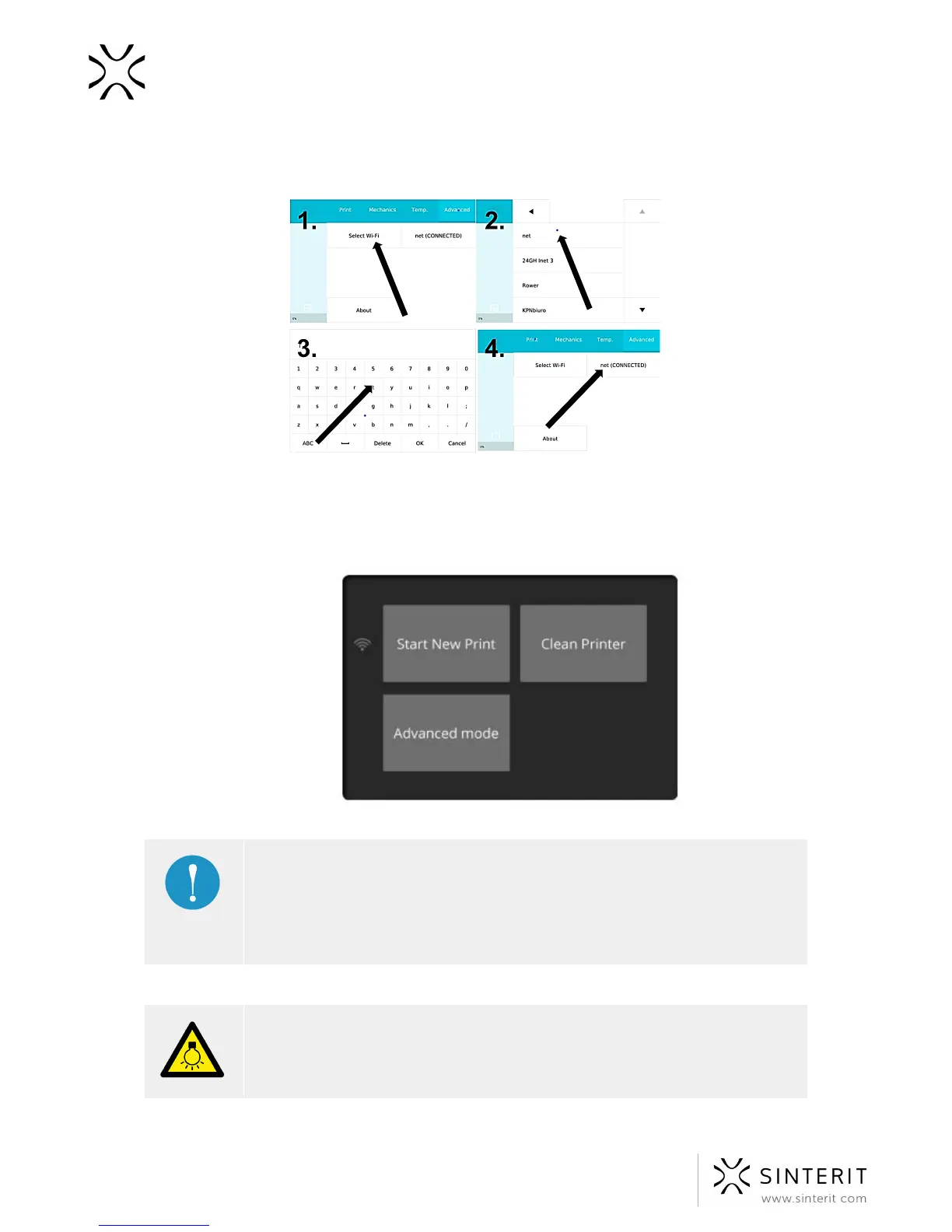
4. Enter your password if necessary and press OK.
5. Next to the SELECT WI-FI you see the combined network
Image. Connect to Wi-Fi.
6. Switch off, then turn the printer on again. After switching on the Sinterit Lisa, the
startup screen will be displayed again.
IMPORTANT!
You can also press button BACK to back to STANDARD MODE if you want
to stay with the OLDER VERSION of software. To proceed in this mode read
instruction “PRINTING - ADVANCED MODE” - chapter 10.
We strongly recommend to stay with the new version of software.
CAUTION!
When the lid is open, beware of strong light.
21 Sinterit Lisa USER MANUAL



 To Next Page