WARNING!
Carefully read all messages displayed on the screen when preparing the
model for printing. Skipping the described operations may result in an
incorrect printing or device failure.
2. After loading the model, a message concerning leveling the Beds will be displayed.
After pressing NO the operation has to be carried out manually, keeping in mind the
information entered in Sinterit Studio after “cutting” the model (like the height of the
powder in the Source Bed, volume of the model, etc.).
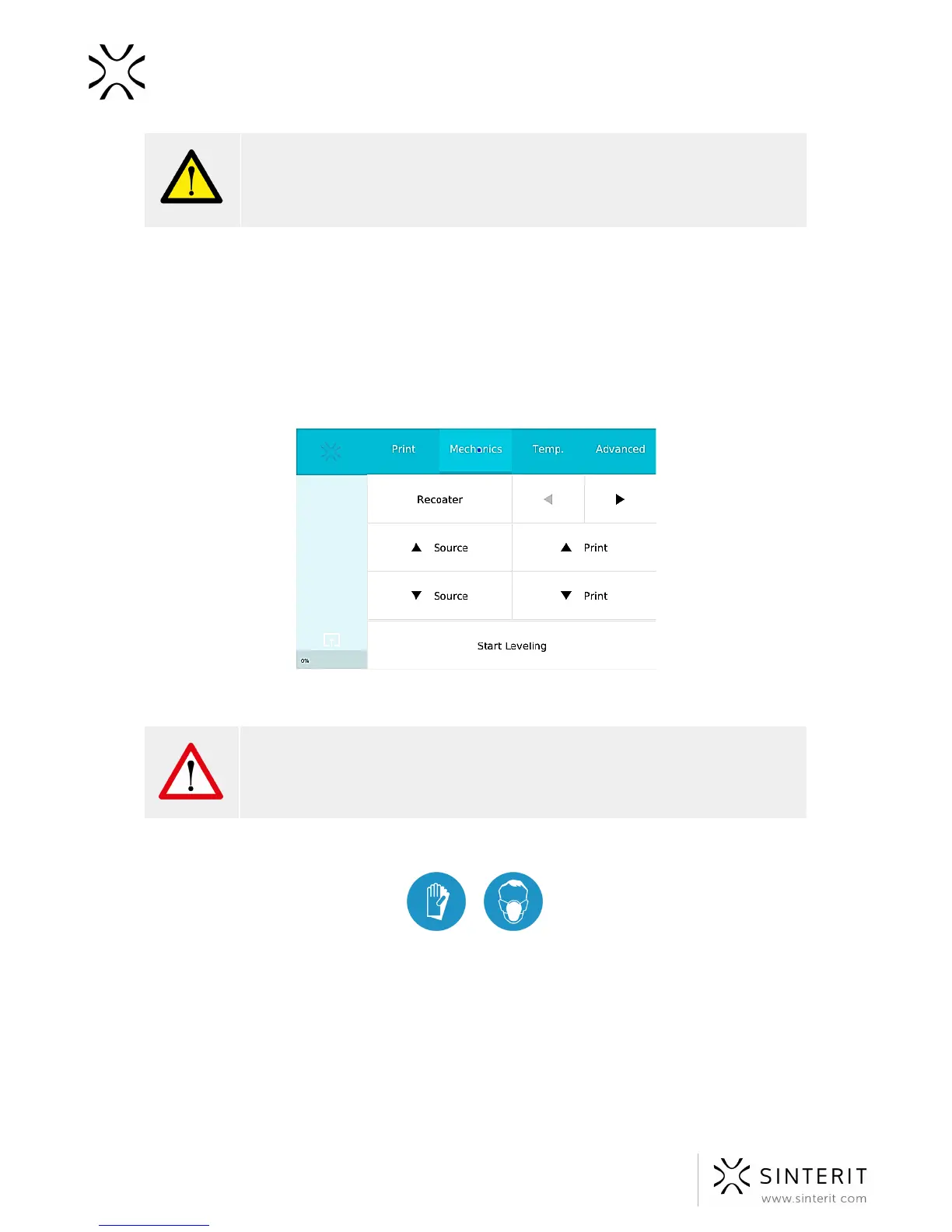
3. After lowering the Source Bed to the selected height (MECHANICS//SOURCE/▼)
move the Recoater to the right (MECHANICS//RECOATER//►).
Image.The Mechanics tab with direction arrows for the Beds and the Recoater translation movement.
WARNING!
Do not move the Recoater manually. It is allowed only using commands on
the screen.
4. Put on the protective clothing included in the set (mask, glasses, gloves).
5. Add the PA12 Smooth powder from the container number 2 (Print Ready Powder) to
the Source Bed (6[L] of powder maximum). Make a little pile of the powder and press
it gently, but firmly. Act carefully in order for the powder not to go airborne (it is
recommended to use a spatula/scoop for adding the powder).
6. It is also recommended to add a little bit of the Print Ready Powder on the surface of
the Print Bed (number 2 in the picture above). This will make creating the first layer
during positioning faster.
7. Move the Recoater to the left (MECHANICS//RECOATER//◄ ).
51 Sinterit Lisa USER MANUAL



 To Next Page