IM Machine Name Rev.: END 48
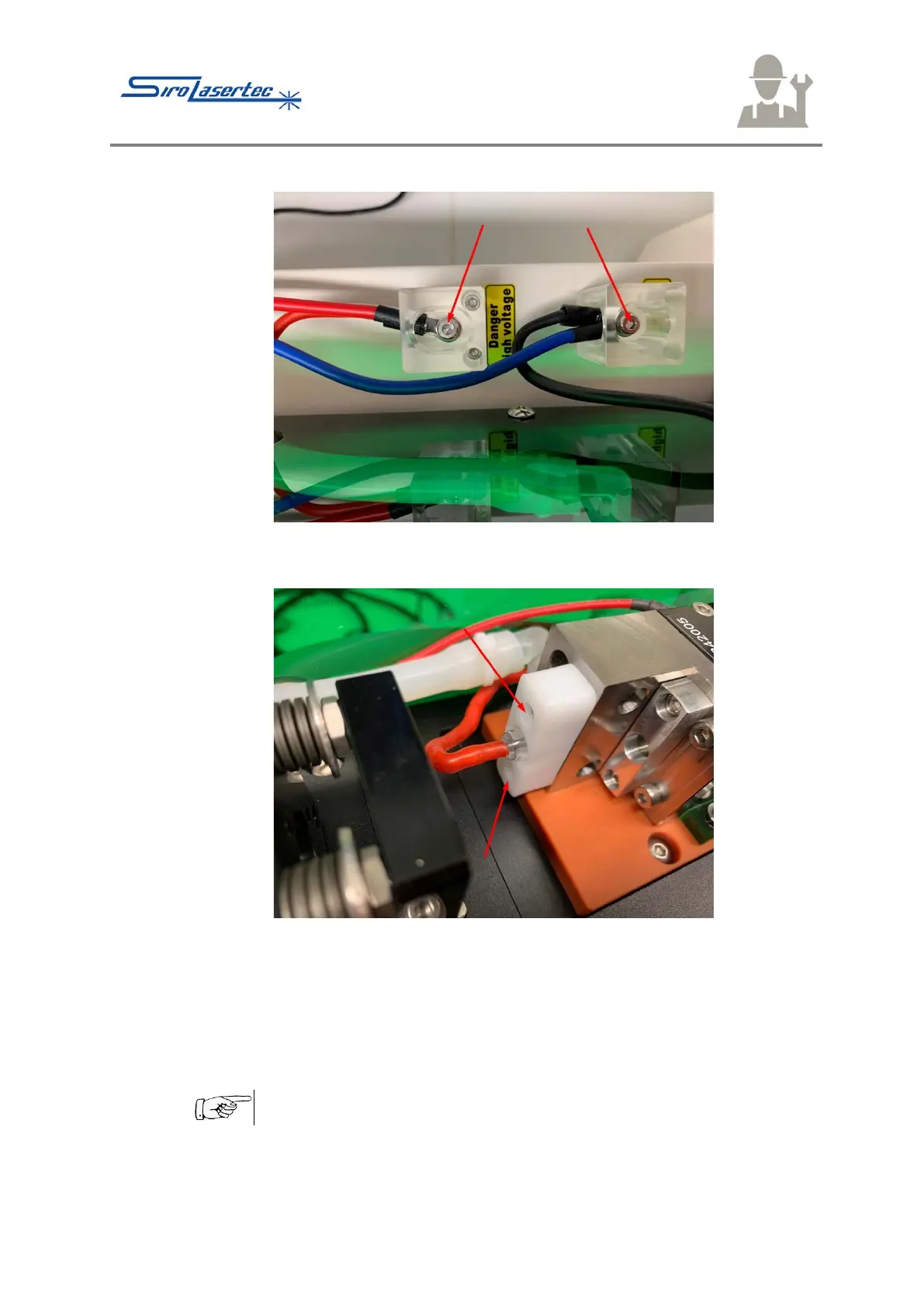
Illustration 27 Laserl Lamp Connecting Cables
● Remove the screws from the lugs of the connecting cables of the laser lamp.
Illustration 28 Laser Lamp Holders
● Remove the screws on the red and black connections of the laser lamp - red
arrows – from the white covers of the laser lamp.
● Pull off the white covers.
● Using tweezers, pull out the sealing rings on both sides.
● Lift the cavity with the base plate.
Do not touch the glass body of the laser lamp with bare hands.
● Carefully pull out the laser lamp in one direction.



 To Next Page