8 Patient positions Sirona Dental Systems GmbH
8.3 MultiMotion headrest Operating Instructions C4
+
59 06 313 D 3382
32 D 3382.201.01.13.02
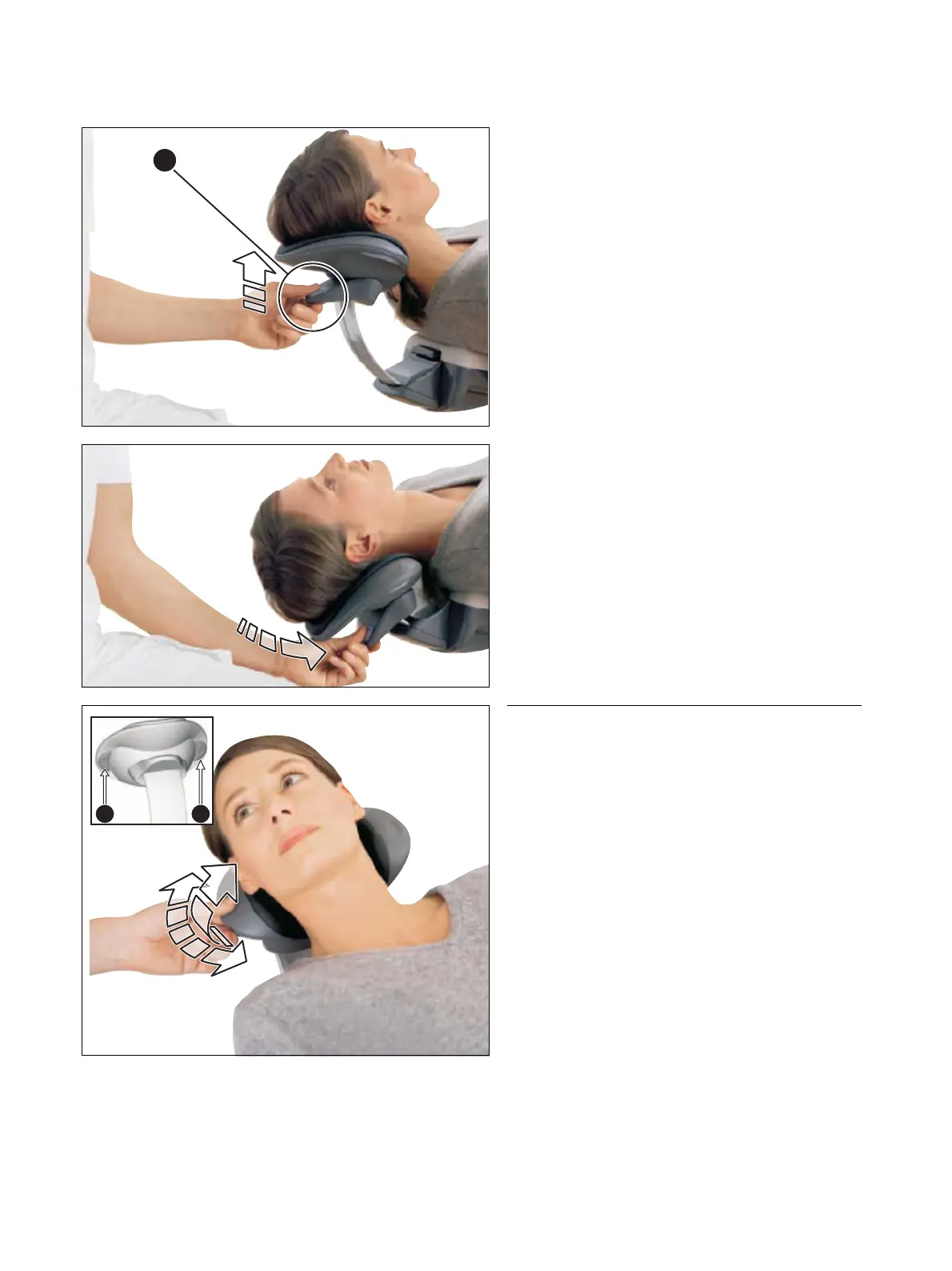
Maxillary position
Take the load off the headrest by lifting it slightly.
Press release A on the handle.
Let the headrest slide down slowly.
Let go of the release when the headrest reaches the
desired position.
Rotation and tilt
The MultiMotion enables rotation of the patient's head
about the longitudinal axis of his body as well as lateral
tilting of his head.
The MultiMotion is set to the desired position as follows:
1. Press and hold one or both of the two side control
elements B.
The rotation and tilt adjustment locks of the headrest
are now released.
2. Set the headrest to the desired position.
3. Let go of the control elements B.
The supporting surface is fixed in place.
Make sure that the headrest is indeed fixed in place
after you let go of the control elements!



 To Next Page