Sirona Dental Systems GmbH 14 SIVISION 3
Operating Instructions C4
+
14.6 SIROCAM 3 / SIROCAM C integrated in the dentist element (video)
59 06 313 D 3382
D 3382.201.01.13.02
81
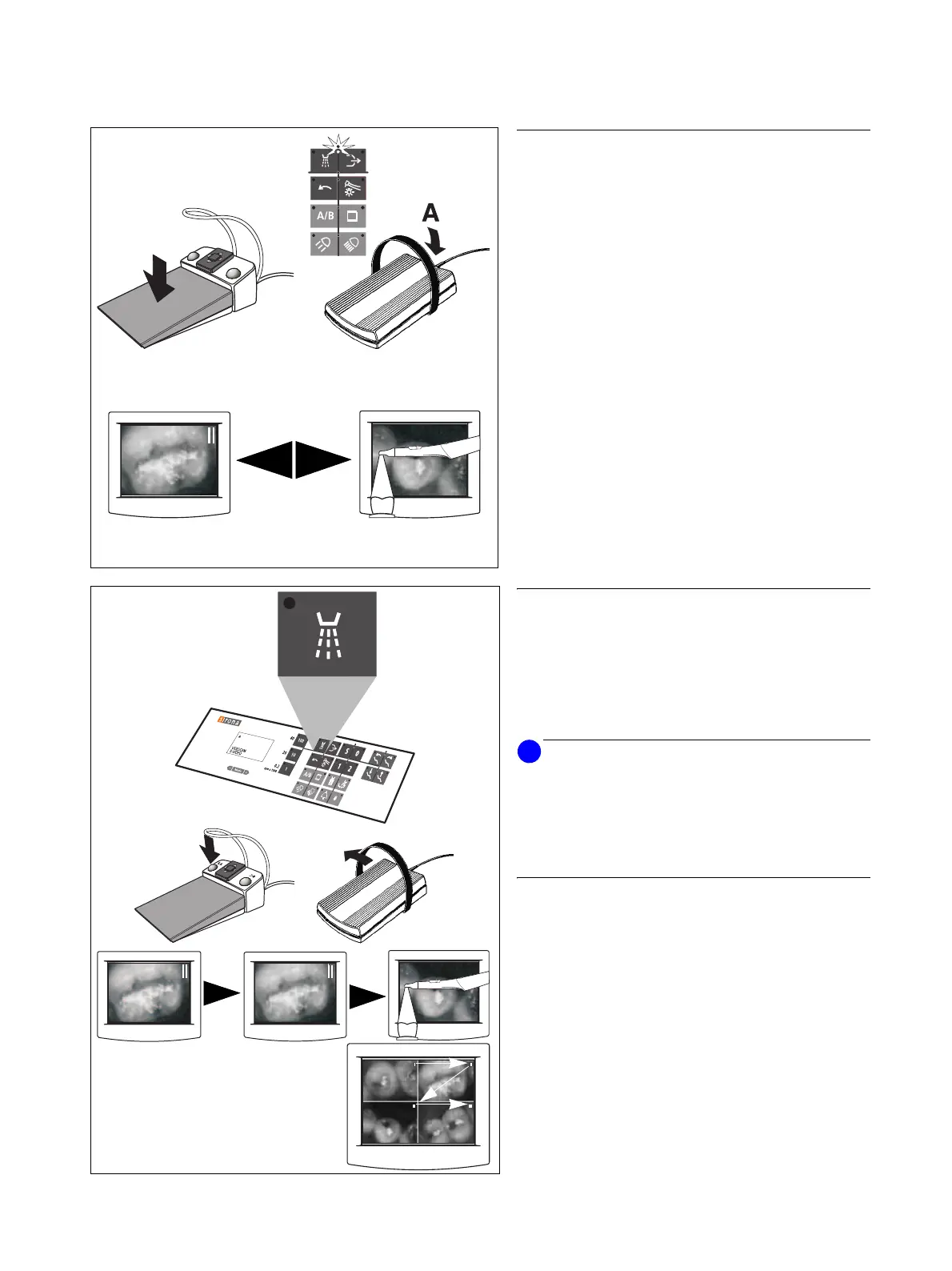
TOGGLING BETWEEN STILL IMAGE AND LIVE
IMAGE
Foot switch C
+
or C
With camera picked up and cursor being in the instru-
ments key block.
With the C
+
foot switch:
Step on the foot pedal.
With the C foot switch:
Actuate the foot switch in direction A – cursor upward.
Toggling between a STILL IMAGE and a LIVE IMAGE.
SWITCHING TO THE NEXT IMAGE
Spray ON / OFF key on the control panel
Manually or by cursor (using the foot switch) with instru-
ments in place or camera picked up.
With C
+
foot switch also left foot switch button (only with
camera picked up).
NOTICE
i
If the camera is in the LIVE IMAGE mode, the LIVE IM-
AGE is stored in the current memory location when you
switch to the next image.
With the camera in place, a BLACK SCREEN is stored in
the current memory location when you switch to the next
image with empty memory.
In SINGLE IMAGE mode, switching to the next memory
location.
•If a STILL IMAGE is stored there, it will be displayed.
•If no STILL IMAGE is stored there, a LIVE IMAGE
will appear with the camera picked up.
In QUAD IMAGE mode, switching to memory location I,
II, III or IIII for image selection.
The number of the currently selected image lights up
in the upper right corner of the image.
C
+
C
C
+
C



 To Next Page