65 48 510 D3509
D3509.201.03.03.23 10.2016
45
Sirona Dental Systems GmbH 4Operation
Operating Instructions (USA) TENEO 4.1Starting up the dental treatment unit
4.1.3 Selecting a user profile
The dental treatment unit allows for the management of up to six user
profiles. This way, multiple users can operate the dental treatment unit
without having to forego their own individual treatment and operation
related settings.
The following is stored in the user profiles:
● Programming of chair programs, see "Programming chair programs
and shock positioning" [ → 72]
● Configurations in the Setup programs, see "Configuration of the
dental treatment unit (Setup)" [ → 186]
● Settings in the Instrument programs, see "Saving the instrument
settings" [ → 85]
● Configuration of the SIVISION screen for PC control. The
configuration is saved in the PC application SIUCOM plus that is
installed on the PC.
When the user profile is selected, the preset configurations and settings
become available.
If any of the user profiles are not required, their number can be limited,
see "Preselect the number of user profiles." [ → 190]
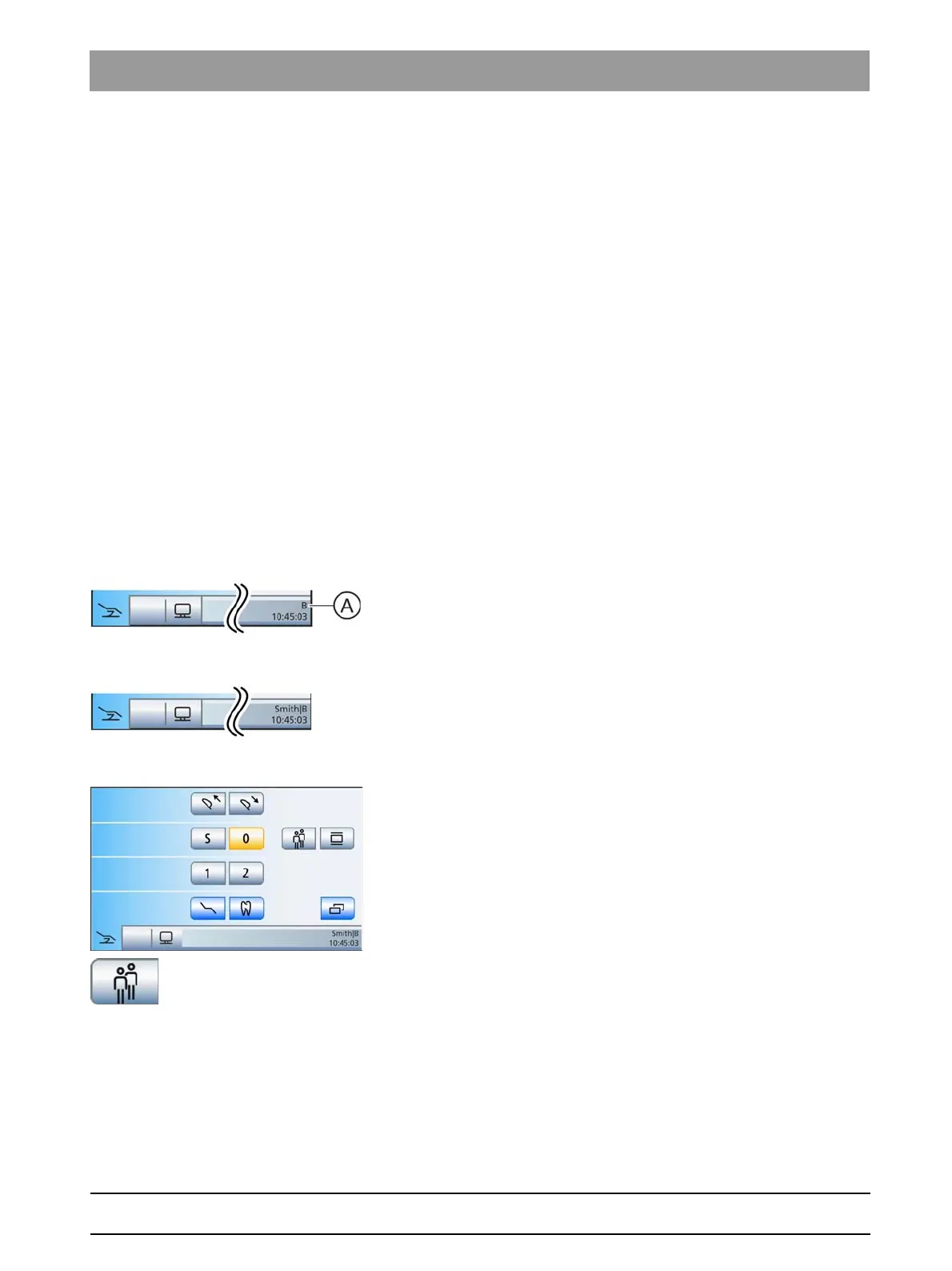
The user profiles A are distinguished with the letters A to F. The active
user profile, in this case B, is displayed in the status bar on the
touchscreen. If only one user profile is preselected, no display is shown.
The user profile used last is automatically loaded when the dental
treatment unit is switched on.
In SIDEXIS 4, a user code can be displayed before the initials of the user
profile indicated. For this, SIDEXIS 4 and the Sirona Dental Unit plugins
must be installed on the PC . A user profile can be assigned to the dental
treatment unit using the plugin software. The code can be selected freely.
For details, please see the "Sirona Dental Unit plugins" user manual.
✔ The Start program is displayed on the touchscreen in the
Simple Start
program
(shown here),
Advanced Start program
or
EasyMode Start
program
mode, see "Start program operating mode" [ → 47].
➢ Select the desired user profile. Touch the
User profile
key as often as
necessary.
The user profile that is displayed in the status bar is active.
Tip: The individual user settings can be read out by the service engineer
and transferred to other TENEO dental treatment units. In this case, the
user profiles only have to be set once.
















 To Next Page