65 48 510 D3509
D3509.201.03.03.23 10.2016
83
Sirona Dental Systems GmbH 4Operation
Operating Instructions (USA) TENEO 4.5Dentist element
4.5.5 Quick setting keys and function levels
Depending on which instrument is taken from the holder, the
corresponding instrument program or functions appear in the start
program.
Instrument program in the Simple/Advanced Start program operating
mode
In the operating mode
Simple/Advanced Start program
, the instrument
settings can be made with either static quick setting keys, programmable
quick setting keys or function levels.
Static quick setting keys The values shown on the quick setting keys can be selected by touching
them briefly (< 1 s).
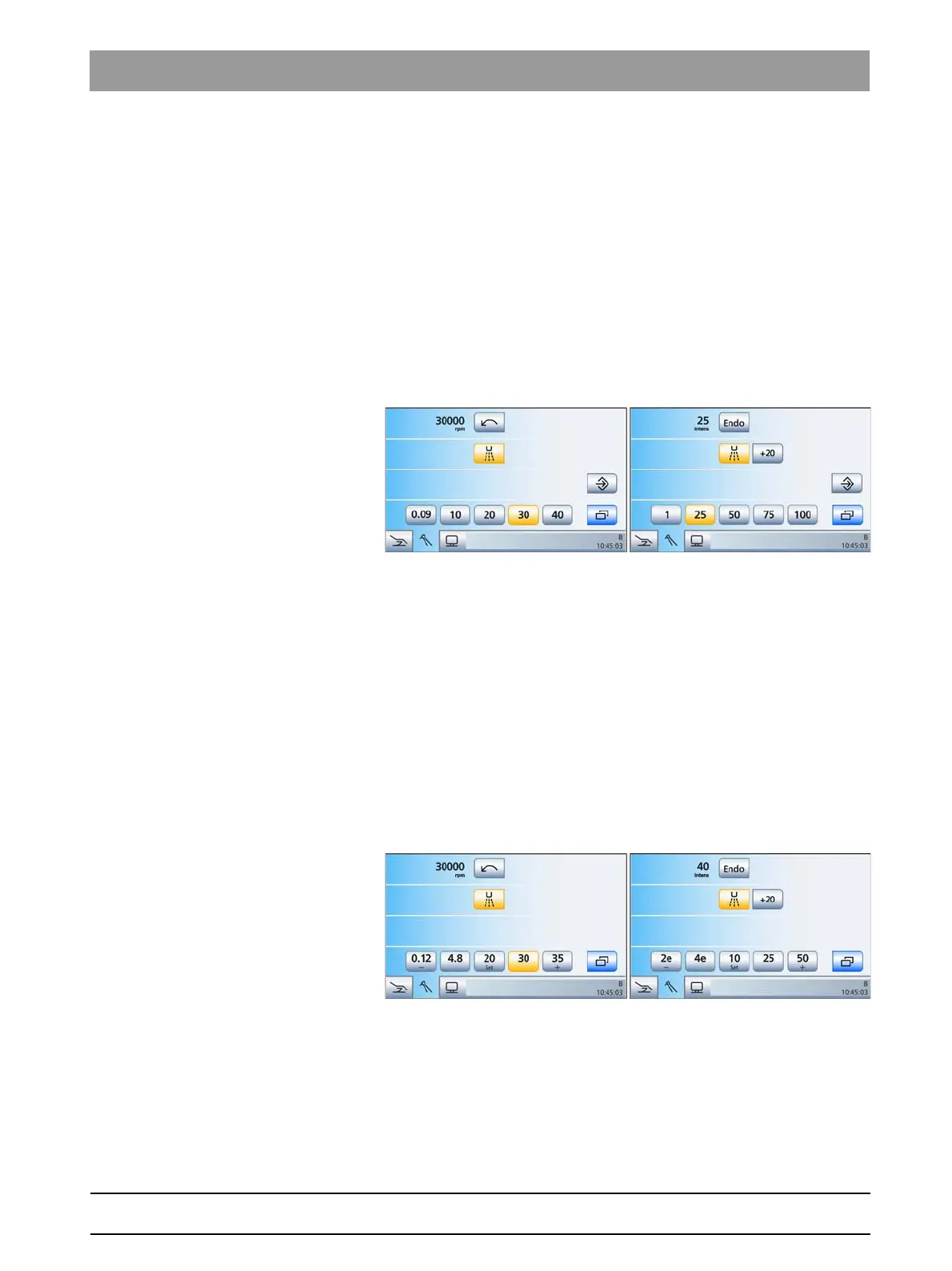
Motor program (speed) and ultrasonic program (intensity) with static quick
setting keys
Intermediate values can be set as follows: If you press and hold a quick
setting key (< 1 s) whose value is greater than or equal to the speed or
intensity value displayed in the first line, the value increases. If you press
and hold a quick setting key (> 1 s) whose value is less than the speed or
intensity value displayed in the first line, the value decreases. The quick
setting keys are shaded gray for intermediate values.
Static quick setting keys are displayed in the motor program with speed
values (0.09, 10, 20, 30, 40 x 1000 rpm); in the ultrasonic and
electrosurgical programs with intensity values (1%, 25%, 50%, 75%,
100%).
Programmable quick setting keys The key values can be changed individually with the programmable quick
setting keys.
Motor program (speed) and ultrasonic program (intensity) with programmable
quick setting keys
The speed/intensity shown in the first line can be increased or decreased
by pressing and holding down (> 1 s) the left or right quick setting key -
or +.
The programming mode is activated by holding down the middle quick
setting key
Set
(> 2 s). The speed/intensity flashes on the touchscreen
and a flashing bar appears behind the quick setting keys. Now press the
















 To Next Page