65 48 510 D3509
D3509.201.03.03.23 10.2016
47
Sirona Dental Systems GmbH 4Operation
Operating Instructions (USA) TENEO 4.2Operating concept of the touchscreen
4.2.2 Start program operating modes
After the dental treatment unit is switched on, the
Start program
automatically appears.
The Start program can run in the following three operating modes:
● Simple Start program
● Advanced Start program
● EasyMode Start program
In the operating mode
Simple Start program
and
Advanced Start
program
, the functions of the patient chair and instruments are each
shown on separate screens. In the
EasyMode Start program
operating
mode, the patient chair and instrument functions that are most important
for the treatment are shown together on the same screen.
You can set the operating mode that you want to work with in the dental
treatment unit setup, see "Select Start program operating mode" [ → 189].
The operating modes are described in detail below:
Simple Start program
In the
Simple Start program
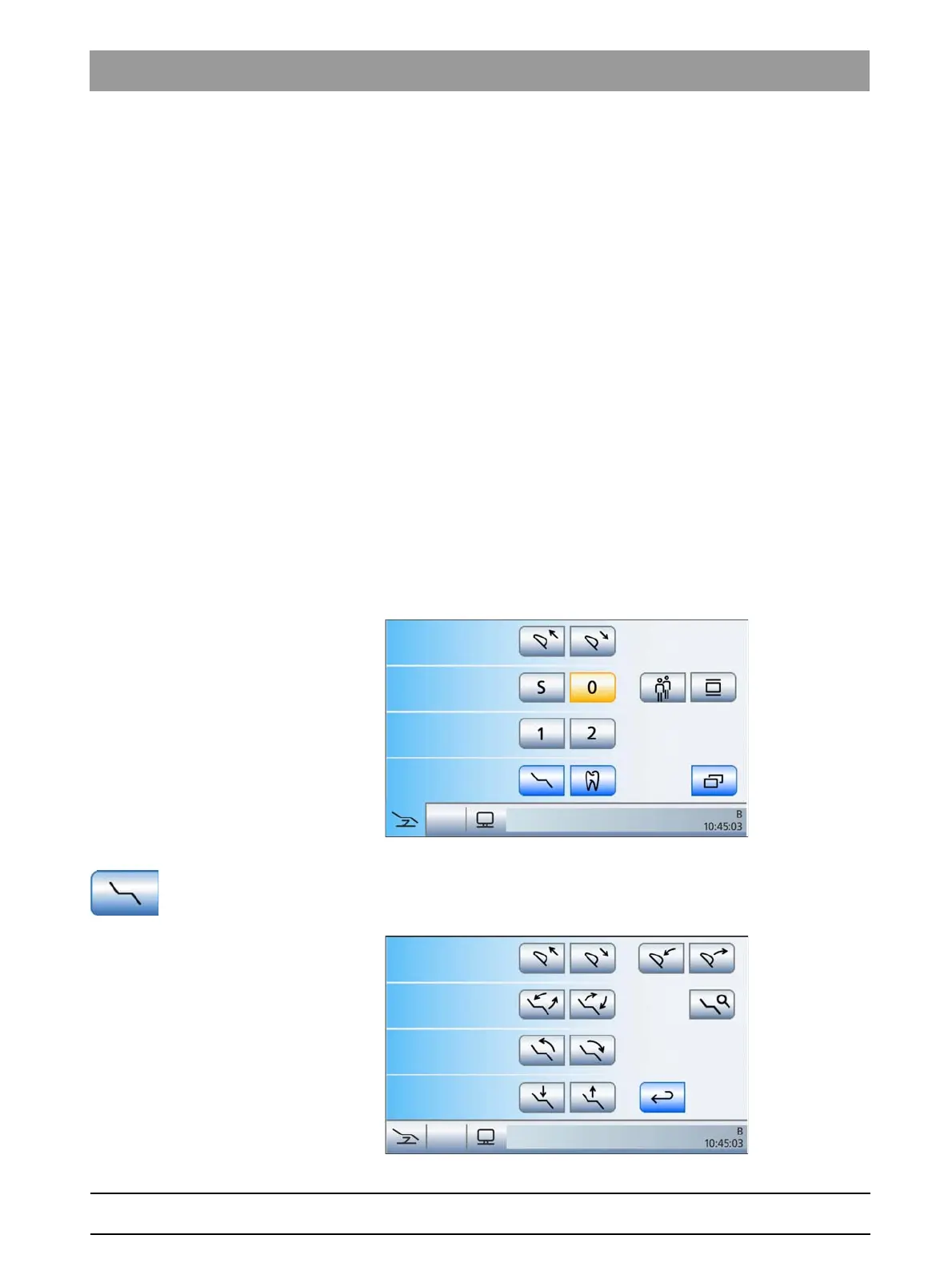
operating mode, only the chair program
function keys and, if present, the
Move headrest in/out
function keys are
displayed on the screen. The full range of functions of the dental
treatment unit can be used in this operating mode.
Simple Start program operating mode
All other chair functions are listed separately on the
Manual Chair
Adjustment
screen. This can be accessed via the
Manual Chair
Adjustment
key.
Manual Chair Adjustment screen (for Simple Start program mode only)





 To Next Page