65 48 510 D3509
48 D3509.201.03.03.23 10.2016
4Operation Sirona Dental Systems GmbH
4.2Operating concept of the touchscreen Operating Instructions (USA) TENEO
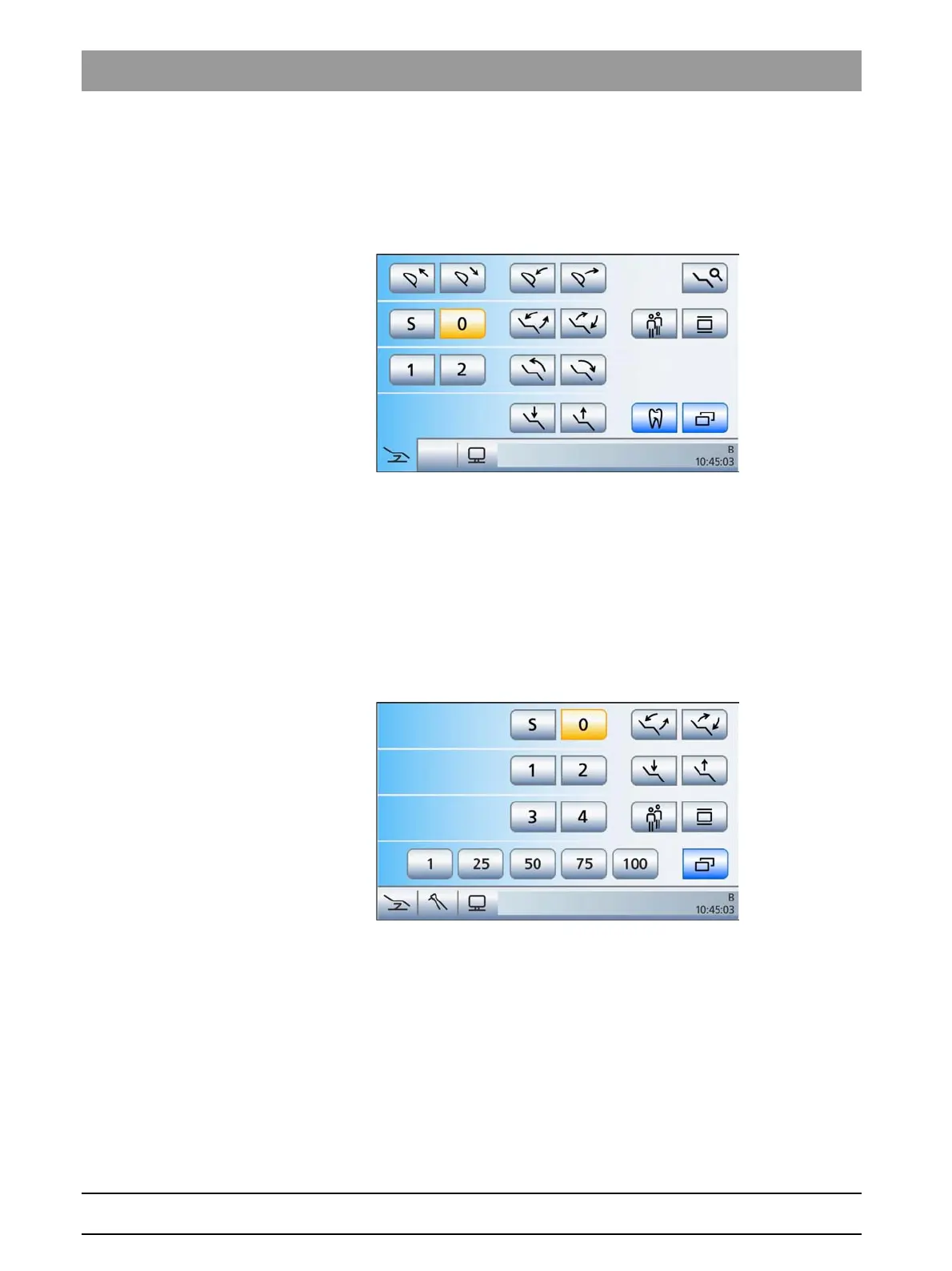
Advanced Start program
In the
Advanced Start program
mode, all function keys related to
operation of the patient chair are displayed together on a single screen.
The full range of functions of the dental treatment unit can also be used
in this operating mode.
Advanced Start program operating mode
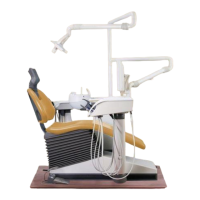
EasyMode Start program
The
EasyMode Start program
operating mode displays the function keys
for the patient chair programs and manual chair adjustment, as well as
the quick setting keys for adjusting the intensity of the instruments
together on the same screen. The main keys for the treatment are
therefore always displayed on the touchscreen. Switching between the
Start and Instrument programs does not apply. This makes operation of
the TENEO dental treatment unit similar to other Sirona dental treatment
units that are operated without a touchscreen.
In the EasyMode Start program operating mode, no instrument taken from
holder
When an instrument is removed, the
EasyMode Start program
displays
the chosen speed and intensity settings on the upper left of the
touchscreen. The value can be set using the quick setting keys (1%, 25%,
50%, 75%, 100%). The quick setting keys with intensity values are also
displayed on the motor screen and the ultrasonic screen when the
endodontics function is activated. The relevant information is displayed
during the activation of a preselected coolant and for an activated
counterclockwise rotation.





 To Next Page