65 48 510 D3509
D3509.201.03.03.23 10.2016
75
Sirona Dental Systems GmbH 4Operation
Operating Instructions (USA) TENEO 4.4Patient chair
4.4.11 Setting the Massage/Active lumbar support functions
The patient chair can be set to a gentle massage function and/or an active
lumbar support function.
Start program
Opening Start sub-screen
✔ The
Start program
is displayed on the touchscreen.
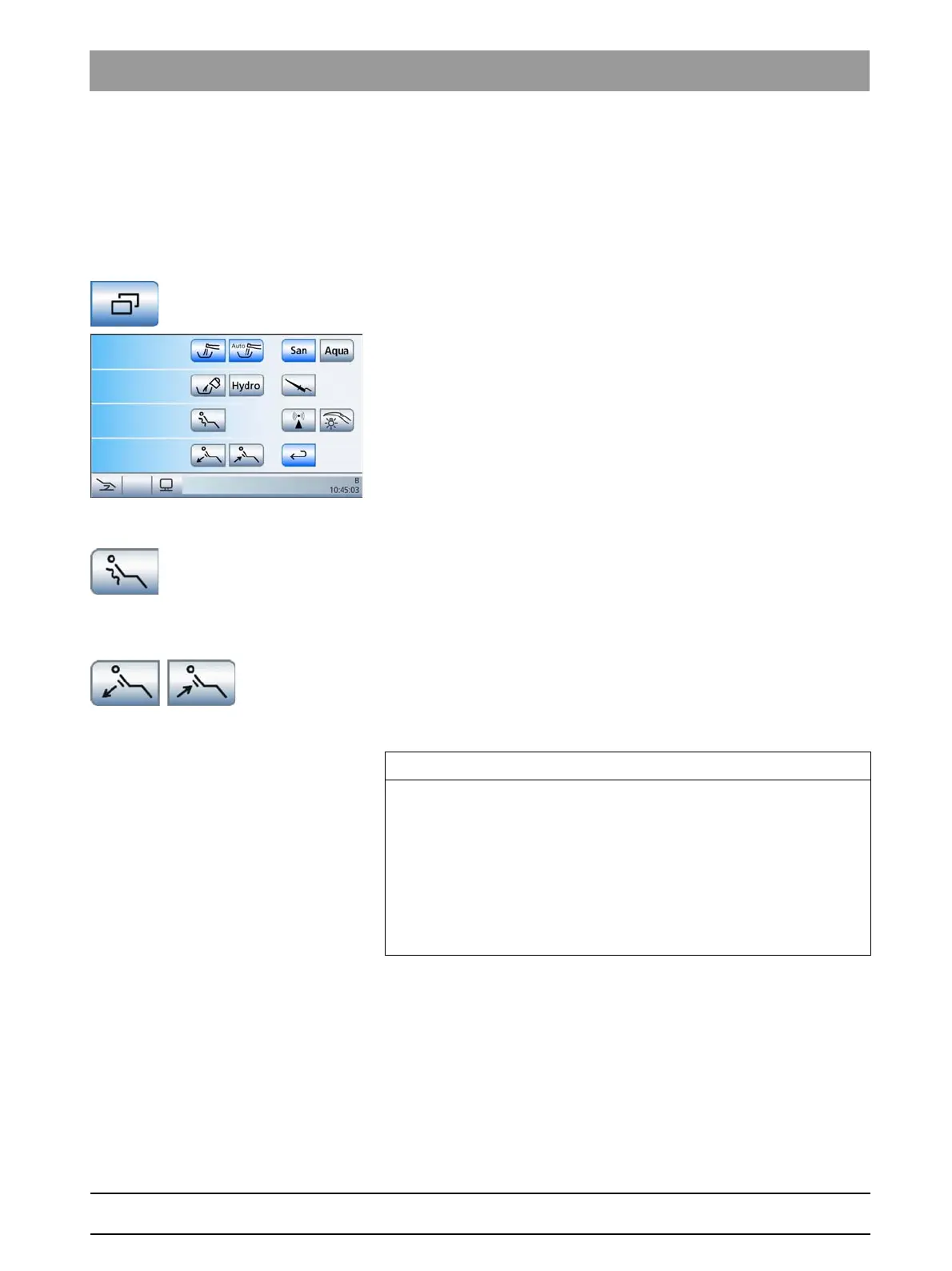
➢ Touch the
Sub-screen
key.
The
Start
sub-screen is displayed.
Switching the massage function on/off
➢ Touch the
Massage Function
key.
If the key is highlighted orange, the Massage function is
activated.
Setting the active lumbar support
➢ Adapt the active lumbar support to the patient's spinal curvature.
Touch the
Decrease active lumbar support
/
Increase active lumbar
support
keys.
Switching the massage/active lumbar support function on/off automatically
IMPORTANT
Auto on/off of the massage/active lumbar support function
The massage and active lumbar support functions automatically switch
off when the chair approaches the entry/exit position
(0)
or the mouth
rinsing position
(S)
.
If the
mouth rinsing position S
button is pressed again (Memory function,
see "Using the last position memory function" [ → 67]), the massage
function is switched back on following the chair movement. The active
lumbar support can then be readjusted.





 To Next Page