65 48 510 D3509
74 D3509.201.03.03.23 10.2016
4Operation Sirona Dental Systems GmbH
4.4Patient chair Operating Instructions (USA) TENEO
Save patient-specific chair programs
Patient-specific chair programs are programmed the same way that
conventional chair programs are, see section "Program chair programs
and shock positioning" [ → 72]. The headrest angle, switching the
treatment light on/off, and the position of the dentist element on the
motor-driven sliding track are also saved.
✔ The
patient-specific chair programs
function is activated.
✔ The patient chair is in the desired position.
➢ Press and hold the desired program key (S, 0, 1, 2 or, if applicable,
3, 4) (> 2 s).
An acoustic signal sounds. The settings are now stored in the
SIDEXIS 4.
With SIDEXIS 4, the last height of the motorized headrest that was set
can be saved and then automatically activated when the patient is logged
in again, see "Sirona Dental Unit plugin for automatic headrest
adjustment" [ → 65].
Delete patient-specific chair programs
The patient-specific chair programs saved in the SIDEXIS 4 can be
overwritten or deleted by reprogramming the program key. After deleting,
the patient symbol on the program key will be hidden. When the key is
touched, the chair program saved in the active user profile of the dental
treatment unit will be activated in both operating modes.
✔ The
Start dialog
is displayed on the touchscreen.
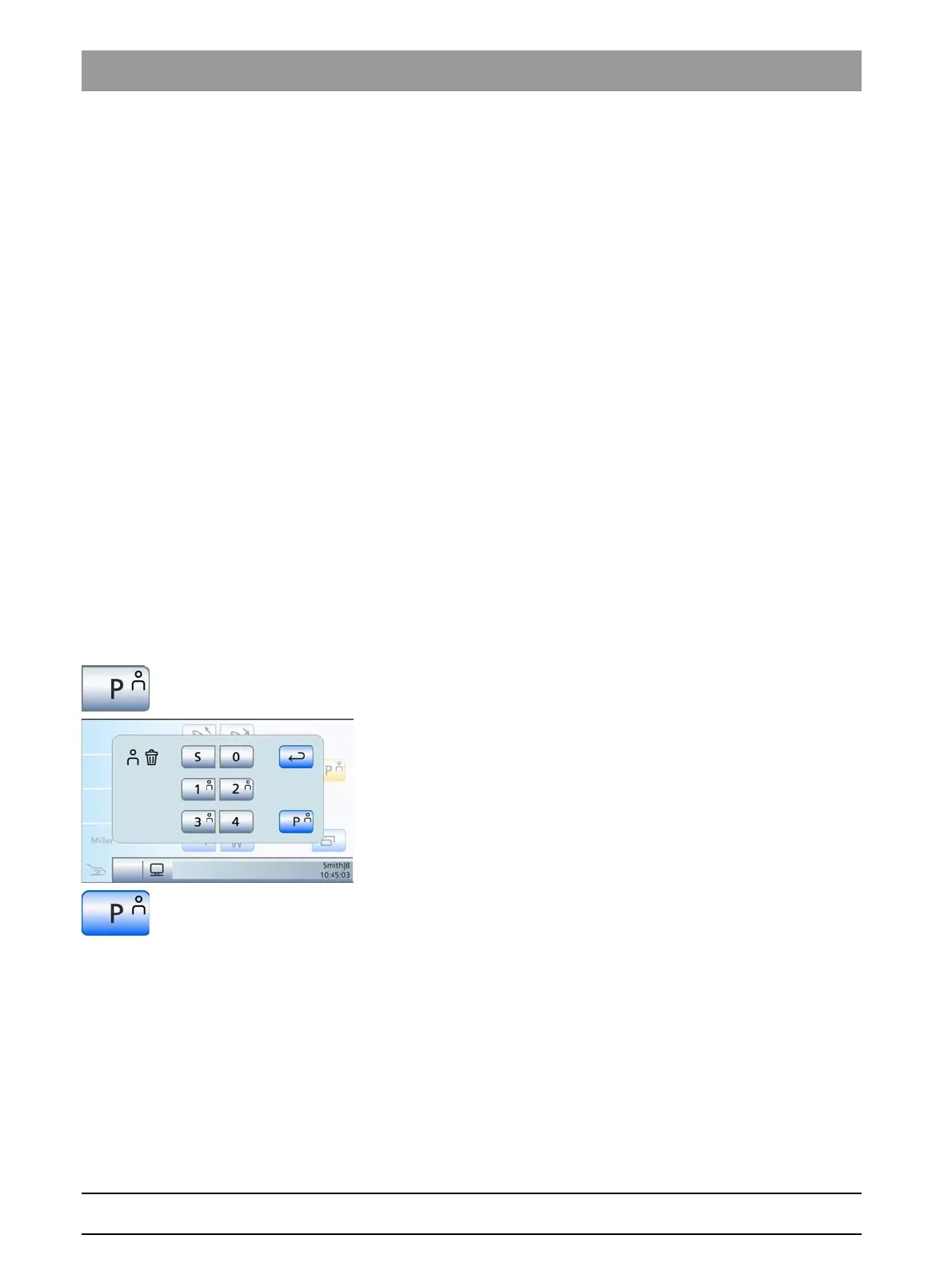
1. Press and hold the
Patient-specific chair programs
key (> 2 s).
The
Delete patient-specific chair programs
dialogue appears on
the touchscreen.
2. To delete individual patient-specific chair programs, touch the
program keys to be deleted. Then touch the
Back
key to hide the
dialogue.
3. To delete all patient-specific chair programs for the particular patient,
touch the
Delete all patient-specific chair programs
key.
The dialogue will be hidden. The patient symbols are removed
from the program keys in the start dialogue.
















 To Next Page