65 48 510 D3509
D3509.201.03.03.23 10.2016
65
Sirona Dental Systems GmbH 4Operation
Operating Instructions (USA) TENEO 4.4Patient chair
Sirona Dental Unit plugin "Patient-specific headrest position"
Sirona Dental Unit plugin "Automatic headrest adjustment"
With SIDEXIS 4, the last set height of the motorized headrest can be
saved and then automatically reset when the patient is logged in again.
For this, SIDEXIS 4 and the Sirona Dental Unit plugins must be installed
on the PC .
When a patient is registered in SIDEXIS 4, his or her last name appears
in the touchscreen start program. If the last name is too long for the
display, a symbol is shown instead.
For more details, refer to the "Sirona Dental Unit plugins" user manual.
4.4.6.2
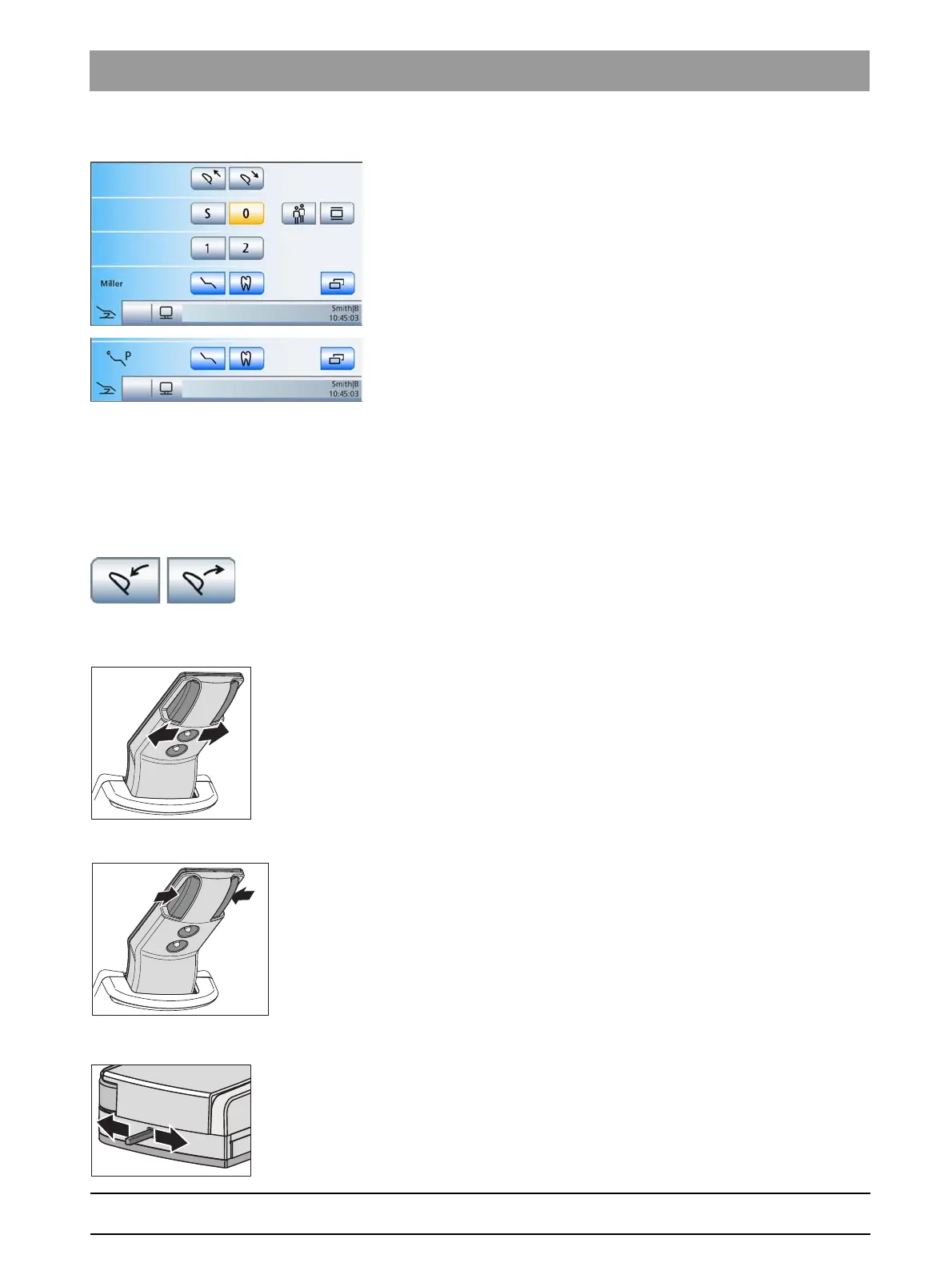
Inclining the headrest
The headrest can be tilted either via motor drive or manually (quick
mechanical adjustment).
Tilting headrest via touchscreen, Advanced Start program
Via touchscreen
✔ The
Manual Chair Adjustment
program or the
Advanced Start
program
is displayed on the touchscreen.
➢ Touch the
Tilt headrest
keys.
Via the 4-way switch
➢ Slide the upper 4-way switch to the left or right.
Via quick mechanical adjustment
1. Hold the headrest securely in place before unlocking it.
2. Press buttons A together.
The headrest is thus disconnected from the motor drive and can
be tilted manually.
Via the 4-way foot switch
It can be set so that the tilt of the headrest can be adjusted using the 4-
way foot switch at the base of the chair; see"Linking the motor-driven
headrest to the 4-way foot switch" [ → 194].
➢ Actuate the 4-way foot switch to the left or right.
















 To Next Page