65 48 510 D3509
D3509.201.03.03.23 10.2016
49
Sirona Dental Systems GmbH 4Operation
Operating Instructions (USA) TENEO 4.2Operating concept of the touchscreen
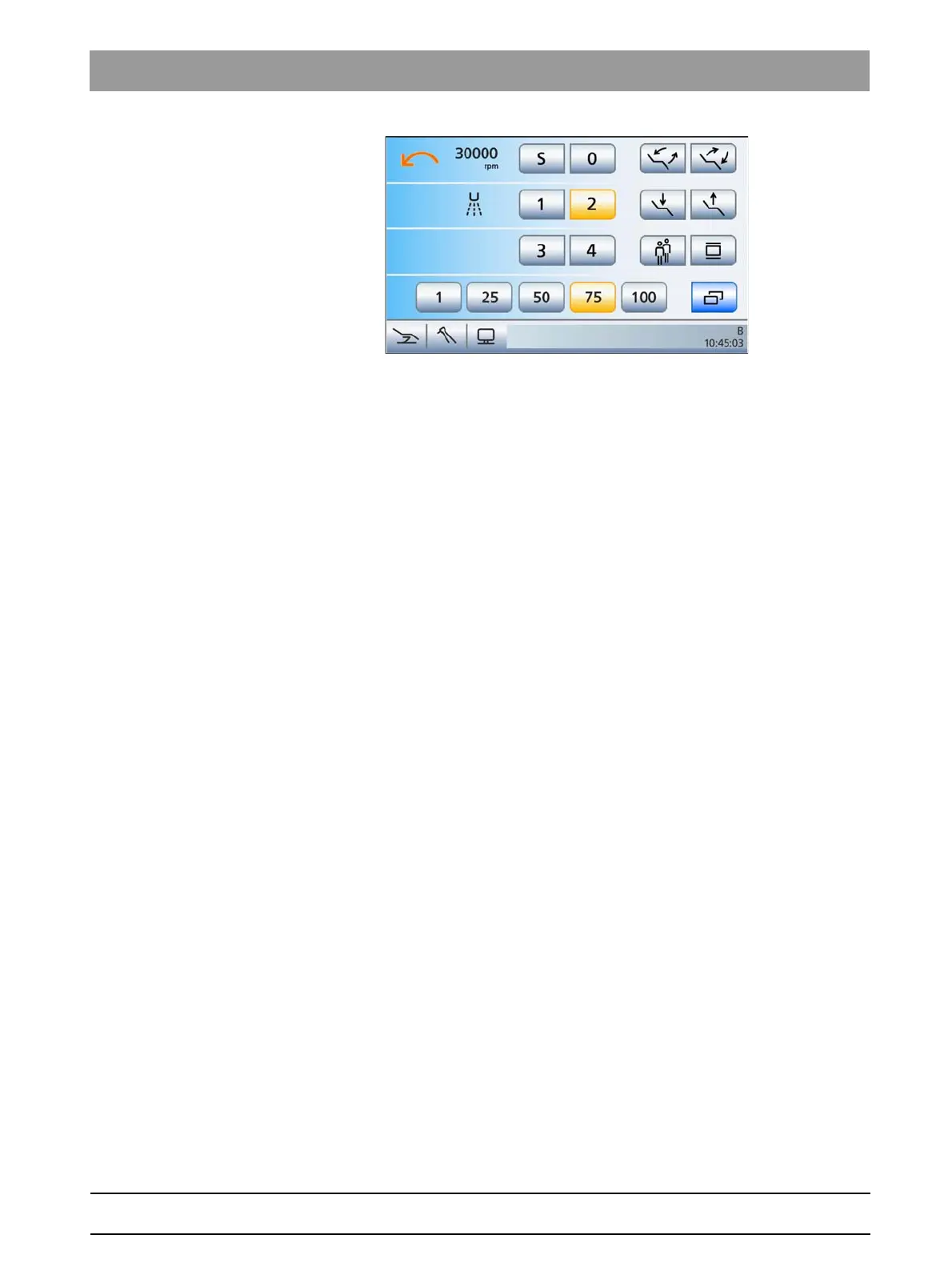
EasyMode Start program operating mode with instrument functions of the
motor
Limited functionality in the EasyMode Start program, without HF surgery
The functional scope of the dental treatment unit in the
EasyMode Start
program
operating mode has the following limitations:
● The motor-driven headrest can only be operated via the 4-way switch
● The patient chair can only be tilted via the
ErgoMotion
function;
the
OrthoMotion
function is not available
● The function
Patient Chair with Fine Adjustment
is not available
● The Sirona Dental Unit plugin "Patient-specific chair programs"
cannot be used
● The speed and intensity values of the instruments can only be set
using the quick setting keys (1%, 25%, 50%, 75%, 100%);
programmable quick setting keys and the function levels are not
available
● the switch coolant on/off function, clockwise/counterclockwise
rotation function and the boost function for the ultrasonic handpiece
must be operated via foot control
● The instrument settings can only be saved with the SaveMode; the
Memory
key is shown in the sub-screen of the instrument taken
● the hands-free touchscreen and fixed key operation via the 4-way
foot control plate of the foot control (cursor control) is not available
● the ApexLocator can only be used for manual measurements using
the file clamp in the
Start
sub-screen
● The treatment functions for implantology and endodontic treatments
are not available.
The
EasyMode Start program
operating mode is intended for users who
would like to retain the familiar operating concept of other Sirona dental
treatment units and who can do without the functions listed above.
Opening the Start program
After the dental treatment unit is switched on, the
Start program
automatically appears in the selected operating mode.
If the dental treatment unit is already in operation and the
Start program
is not displayed, proceed as follows:





 To Next Page