
 Need help?
Do you have a question about the SMARTFOX Pro 2 and is the answer not in the manual?
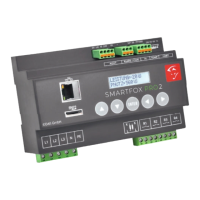
Optimises self-consumption, displays measured values, and controls consumers via analogue outputs and relays.
Provides general notes for use and states compliance with EC directives.
Lists SMARTFOX Pro 2 controller, Micro SD Card, and 3-phase current transformer.
Details rated current, voltage, frequency, self-consumption, overload, outputs, interfaces, communication, temp input.
Covers EMC, electrical safety, dimensions, assembly, and electrical connection regulations.
Specific key press combinations for restart, firmware update, and component/output tests.
Explains display of current power, calculated PNutz, purchased, and delivered energy.
Displays measured mains voltage, current, power per phase, and frequency.
Shows temperature, analogue output level, and relay switching states with modes.
Displays car charger status, SD card logging, PV power/energy, and battery SOC.
Displays software/WLAN version, MAC/IP address, and Wi-Fi AP/WPS activation.
Steps to connect the SMARTFOX to a WLAN using its access point.
Steps to connect the SMARTFOX to a WLAN using the WPS function.
Instructions to enter the settings menu using a password.
Configures current transformer ratio, SD card logging interval, and device date/time.
Options for NTP time sync, time zone, and enabling remote maintenance.
Selects interface and configures DHCP for automatic IP, Netmask, and Gateway.
Displays server IP and sets the interval for uploading data to the my.smartfox.at portal.
Configures voltage/current outputs, controller behavior, and target value.
Selects 1/3-phase control and configures timed forced release for analogue output.
Determines if automatic mode time is deducted or not (A=deducted, M=not deducted).
Configures target value regulation, priority, and consumer load activation.
Relay activation logic for heat pump and load shedding based on surplus/draw and hold time.
Sets switch-on cycles, power, delay, and hold time for relays.
Configures deactivation time and value for heat pump/load shedding modes.
Configures daily forced release: start time, duration, and mode.
Describes analogue relay switching and allows selection of control behaviour and nominal power.
Enables temperature-controlled switching between two heating rods using a PT1000 sensor.
Configures control behaviour and nominal power for the second heating rod.
Sets nominal power, switch-on delay, and desired changeover temperature for the second heating rod.
Configures S0 interface, pulse rate, and activates PT1000 temperature sensor.
Sets the minimum temperature to be maintained via the analogue output.
Sets max temperature and configures a consumption controller instead of analogue output.
Configures inverter, heat pump, and battery IP addresses for communication.
Selects the manufacturer/factory of the charging station.
Accesses maintenance menu, resets data, and displays max voltage, current, power, and operating hours.
Steps to access the SMARTFOX web page via IP address or its own Wi-Fi access point.
Steps to register on the portal, add a device, and configure its settings.
Troubleshooting for measurement failures, heating control, and display issues.
Troubleshooting for network connectivity, SD card errors, and firmware update failures.
 General
| Brand | SMARTFOX |
|---|---|
| Model | Pro 2 |
| Category | Control Unit |
| Language | English |

 To Next Page