HRX-OM-W002-A
Chapter 5 Display and Setting of Various Functions
HRR Series 5.5 Advanced setting mode
5.5.3 Display contents of the standard setting menu
Perform settings other than temperature setting.
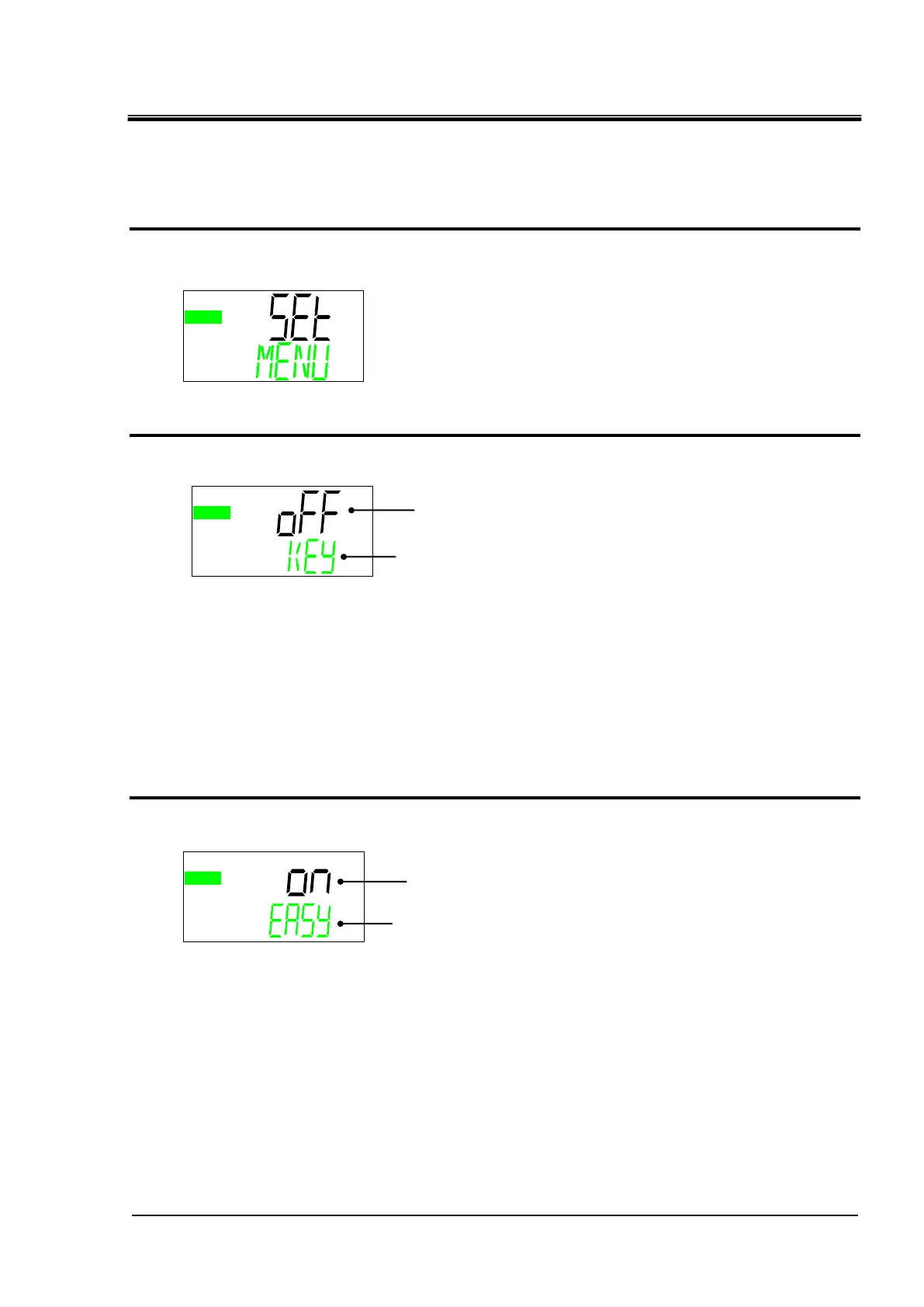
Standard menu TOP screen
1. When the [MENU] key is pressed while the monitor menu TOP screen is displayed the
screen switches to the "Standard setting menu TOP screen".
Key-lock
2. Press the [▼] key. Displays key lock setting screen.
Key-lock
This function prevents changing of the setting value. Depending on the [RUN /
STOP] key operation start / stop is possible.
To activate the key lock, press the [ENT] key. "OFF" indication flashes.
If you press the [▼] key while it is flashing, it switches to the "On" display.
Pressing the [ENT] key terminates the flashing and activates the key lock.
EASY mode
3. Press the [▼] key. Displays EASYmode setting screen.
EASY mode
EASY mode is a function that easily displays only the "Basic setting mode" that
is often used. The initial value is "EASY mode: ON".
In the EASY mode, switching to "Advanced setting mode" requires pressing the
[MENU] key for 5 seconds.
Standard setting menu TOP screen
OFF:Key lock invalid / ON:Key lock active
KEY ⇒ LOCK (Alternately displayed)
ON:EASY mode enabled / OFF:EASY mode disabled
EASY ⇒ MODE (Alternately displayed)


 To Next Page
 Loading...