BTP-M300 Service Manual
- 11 -
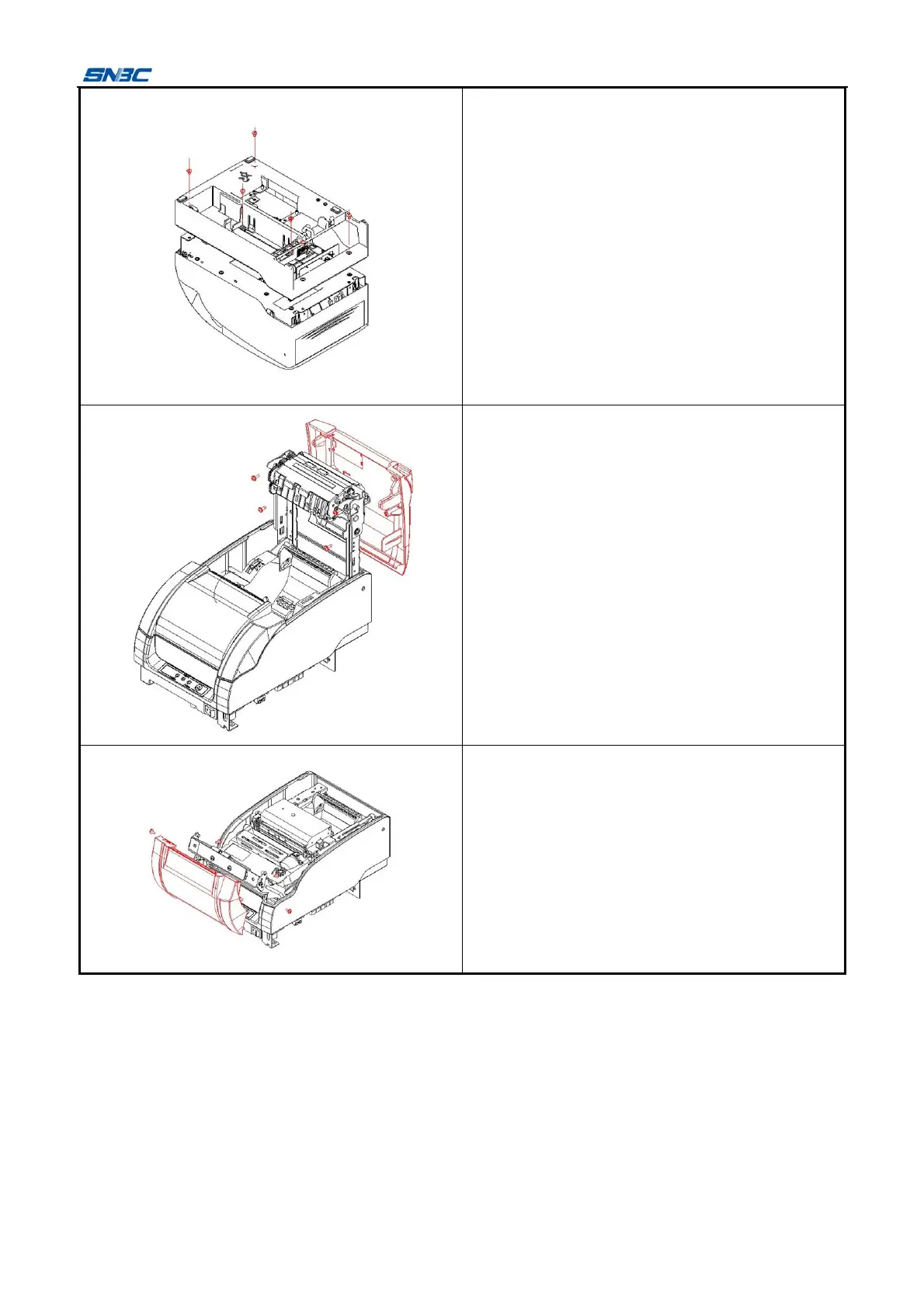
Remove the six screws (M3x4) shown in the figure
with cross screwdriver, and take off the bottom
cover.
1) Remove the four screws (ST2.9x6) shown in
the figure with cross screwdriver;
2) Take off the top cover.
Remove the four screws (ST2.9x6) shown in the
figure with cross screwdriver, and take off the front
cover.



 To Next Page