BTP-M300 Service Manual
- 12 -
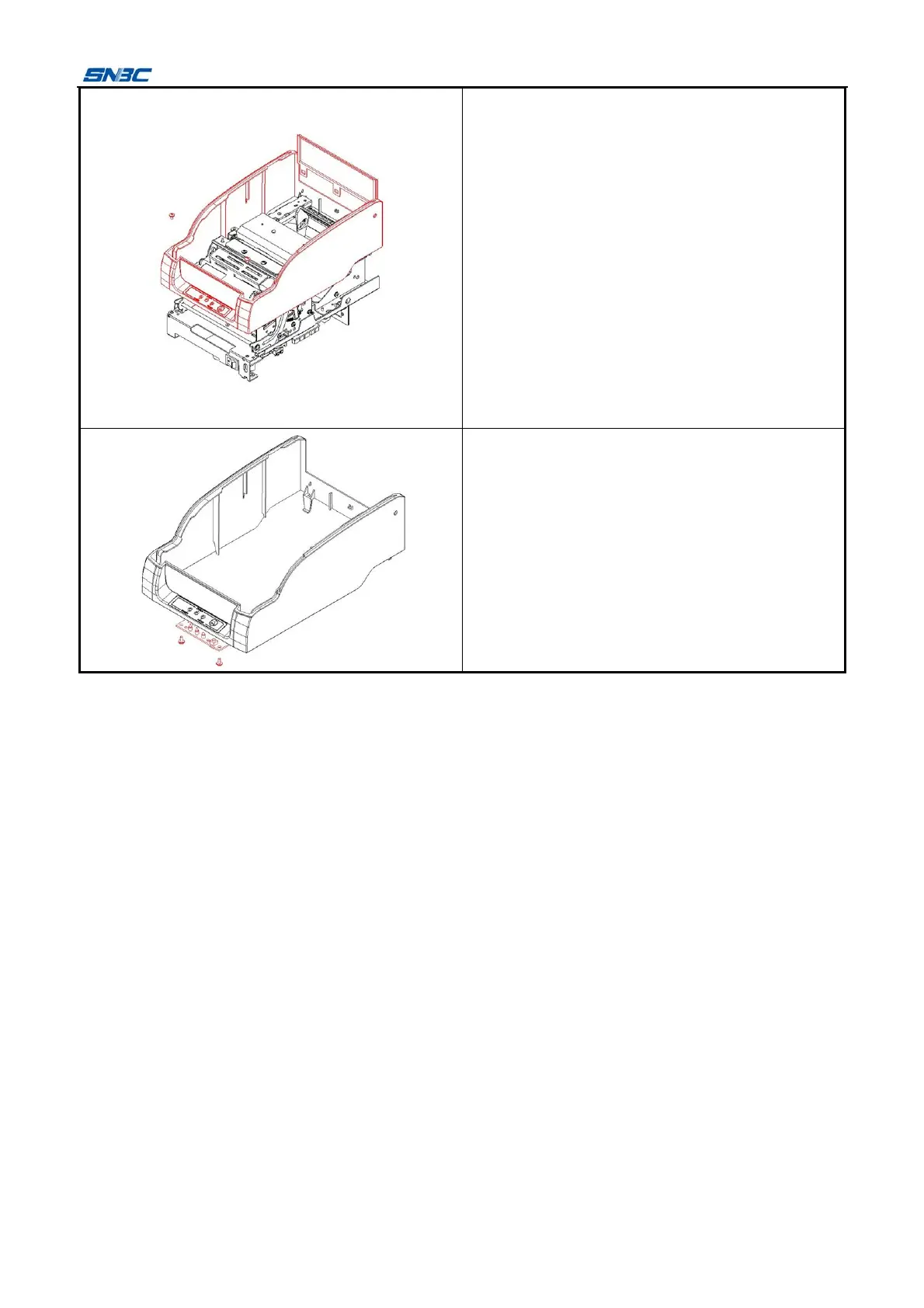
1) Remove the two screws (M3x7) shown in the
figure with cross screwdriver;
2) Disconnect the connecting cable between
button and control board;
3) Push out the cover locking unit at the back of
middle cover with appropriate force, and take
off the middle cover;
4) Take off the baffle of middle cover with
appropriate force upward.
Notes:
Please do not pull the connection wire to avoid
damage to the wire when plug and unplug the
connection wire
Remove the two screws (ST2.9x6) shown in the
figure with cross screwdriver, and take off the
button board.



 To Next Page